Key Features
- 50in plasma TV
- Active 3D playback
- Smart TV online service
- THX and ISF endorsed
- Magic remote control
- Buy now for 06
Design and Specs
It will be fascinating to see what LG does with its plasma TVs in 2012. For right now, they don’t seem to fit at all comfortably into the brand’s ‘story’.
Why? Because they use active 3D technology rather than the passive 3D technology LG has adopted - and been so bullish about - for all of its 3D LCD TVs. This must inevitably make life a bit tough for LG’s marketing people, as it’s hard to say on the one hand that the passive 3D format is the best one for the consumer when almost half of its own TV range uses the other format!
The reason LG gives for staying active with its 3D plasmas is that plasma TVs can’t go bright enough to work with - or rather, through - the filter that goes across the front of passive 3D displays. So we can only imagine that unless LG improves the brightness output of its future plasma TVs enough to support the passive filter, it’s going to have to try and deliver the same rather mixed message next year. Unless it ditches plasma altogether!
Anyway, while this speculation is all very interesting (!), it’s not getting us far into the main business of the day: reviewing LG’s 50PZ950. So without further ado, let’s check this 50in flagship plasma out - active 3D and all.
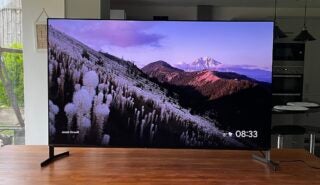
The 50PZ950 makes a strong first impression, by combining an attractively minimal, single-layer fascia with an exceptionally heavy duty build quality. There’s a nice subtle design touch, too, in the way the glass sheet that sits over the entire fascia is allowed to extend slightly beyond each of the screen’s edges. This makes the TV look wafer thin unless you make a point of sticking your head around its side and see that its rear actually protrudes around 50mm.
The 50PZ950’s connections are right in line with the sort of thing we’d expect to see on a flagship TV in 2011. The increasingly inevitable four HDMIs get the ball rolling, but it’s the set’s multimedia facilities that most stand out. For a start there are two USBs, capable of playing an impressively expansive range of photo, movie and music file formats. Or you can use one of them to make the TV wi-fi ready courtesy of a USB dongle (which has been included for free). Or you can even use the USBs for recording programmes from the built-in Freeview HD tuner.
The wi-fi connection - or a LAN if you prefer the hard-wired route - is multi-talented too, providing support for the Freeview HD tuner, permitting streaming from DLNA-ready PCs, and allowing you to delve into LG’s latest Smart TV online platform.
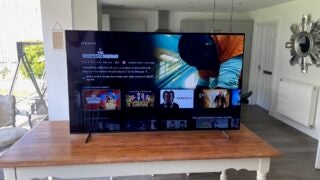
Exploring this Smart TV system in depth, we were startled to find some quite significant changes since we last checked it out only a few weeks ago. Particularly notable is the addition of BlinkBox, with its mixture of rentable films and free TV series. We also spotted new AutoCar, Stuff and ITN video feeds, a new ‘3D Zone’ channel for streaming 3D documentaries and entertainment programming, as well as subscription-only services from Box Office 365 and The Cartoon Network.
There are quite a few new ‘secondary’ apps too, including some which actually could be of interest to a few people! Crunchy Roll, for instance, should, in theory, provide access to Japanese Anime and Asian entertainment, while Films on Reel by Ray-V should, in theory, allow you to check out some of the work of ‘VJ’ Ray-V.
Why ‘in theory’? Because this app wouldn’t load during our tests. And it wasn’t alone, sadly; we came across a number of different apps that either didn’t load at all or else didn’t perform as they should. Worse still, we also suffered routine buffering ‘pauses’ while trying to watch video through LG’s Smart TV servers - despite using the same, usually reliable ‘UK average’ 6MB broadband connection that we routinely use to test all online TV services.
Add to these problems the fact that the 50PZ950 took a startlingly long time to load many of its apps, and you’ve got an online service that does its best to alienate you despite the amount of content LG has worked so hard to get on there. Maybe the brand should take a break from acquiring new content and focus for a bit on getting what’s there to work properly.


Comments
User reviews
Average user rating
9/10
Read more reviews >
9/10
0 out of 0 people found this review helpful
why we bought this TV & first impressions
21st October 2011, By Louie Wilkinson
PICTURE: the picture quality is wonderful. even better than i'd hoped. deep blacks and lush, rich true-to-life colors. lots of depth. sometimes almost looks 3D when not in 3D. fabulous detail on HD... and obviously less so on SD (standard definition.)
DAYTIME VIEWING: we have the set in a very bright room (lots of south-facing windows). daytime glare was our initial worry, before buying the set. turns out, no problem. yes, the screen is reflective when off, but the reflections drop out when on. NOTE ADDED 3.17: viewed tv today for first time at max sunlight (noon-ish): saw reflections of myself and everything else in the room. not so bad that i couldn't comfortably watch the set, but wanted to let you know in case that's a deal-breaker for you. fyi, we have a large bank of 6' unshaded south-facing windows in this room which flood the entire room with direct sunlight mid-day. still adore this tv, and the reflections are not a problem for us, but wanted to let you know.
NIGHTTIME VIEWING: heavenly! totally immersive experience when watching movies at night.
AUDIO: the sound quality is excellent, and the clear voice II feature is particularly useful for those of us a little longer in the tooth thus harder of hearing. and the auto volume setting keeps commercials from jolting you out of your chair.
3D: well, i bought the wrong glasses so we haven't seen 3D yet. but based on consumerreport.org's ratings of last year's version (the 50PX950) and other reviews on this year's models, i know it's going to be great. fyi, you need the lg AGS250's -- not the AGS110's.
REMOTES: it comes with 2 remotes: one traditional (back-lit) and one magic wand thingee. i didn't think we'd use the wand, but we do; it's great. in addition to being an on-screen pointer, it's also distilled down to just the essential buttons: on/off, home, volume rocker, channel rocker, and select. easy, intuitive, and fun.
MEDIALINK: this is great! let's you wirelessly access all the photos on your computer, all the music & more on itunes. pictures look great -- better than when you view them on the picassa app. plus there's smart share (which we haven't used yet) which lets you import via USB thumb drive.
NOTE FOR MAC USERS: the TV comes with nero mediahome 4 esentials, but that only works with a PC. go to the plex website, click on the special lg section, download the mac software, et voila: medialink works perfectly.
APPS: we haven't used a lot of the 3rd party apps, except for google maps (which is terrific on the big screen) and picassa (which is fun for looking at pix from friends). the TV also comes with netflix, cinema now, vudu, napster, viewster, amazon, NBA, MLB, youtube, facebook, twitter, AP, V tuner, Iplay, fun spot, and accu weather. plus there's some lg apps which are a little dorky (no offense, lg); selection will doubtless improve over time.
CALIBRATION: we have not calibrated the TV. partly because we don't know how, but mainly because we've been so happy with it just the way it is. the blacks are deep, and the colors are lush but not loud. there's a nice feature which lets you create & save your own preferred mix of settings.
BREAK-IN PERIOD: we're being really careful for the first hundred hours. some debate on whether it's necessary, but why chance it? besides, it's no hardship to limit fixed image viewing or to take it easy on brightness and contrast to start. probably even better to run a break-in disk. fyi, easy to keep track of how many total hours you've viewed to date by going to: set up, support, product info... gives you a running total of hours on.
WEB BROWSER: a little pokey, but surprisingly useful every now and again.
LG SERVICE: we ran into a problem early on using the (included) dongle for wireless. put a call into lg (1-800-243-0000) turns out the problem was me: i didn't give the TV time to update the firmware. when the set says "don't turn me off", don't... or the update won't finish. when the update finishes, the TV turns itself off and then back on. thank you, leyza, at lg, for walking me through it.
WHAT ELSE... suggest you download the manual from the lg website before the TV arrives so you'll know how to handle (lift, carry, etc.), where to place, etc.
that's about it. if you will buy this TV( I suggest you have to compare prices before you decide at: Amzoffer.com/50PZ950T ), i hope you love it as much as we do!
Report abuse
To add your own review log in or sign up