

Best Laptop 2024: The top 11 laptops we’ve reviewed


Laptops come in all shapes and sizes these days, from the classic clamshell to cutting-edge dual-screen designs. But the most important question is, which is the best laptop for your specific needs?
In order to help answer that question, our team of experts have reviewed as many laptops as possible, ranging from budget-friendly Chromebooks to ultra-powerful machines that could blow your socks off.
Our experts will conduct thorough testing for every single laptop, including benchmark tests to judge performance and screen tests to check metrics such as peak brightness and contrast. We also determine the quality of the design, measure battery life and test out the keyboard. All of this is done to make sure each laptop offers good value for money.
Those laptops that secure a high rating are considered for this best list, making this the best place on the web for you to find the best laptop for your money.
Still can’t find the perfect laptop? Then it’s worth having a look at our other guides, which offer a shortlist of more specific laptop categories such as Best Student Laptop, Best Budget Laptop, Best Chromebook and Best Gaming Laptop.
Alternatively, if you’re loyal to a specific brand, then we also have dedicated guides such as Best MacBook, Best Asus Laptop, Best Microsoft Surface Laptop, Best Acer Laptop, Best Dell Laptop and Best Huawei Laptop.
Best Laptop at a glance
- Best overall laptop: Asus Zenbook 14 OLED – check price
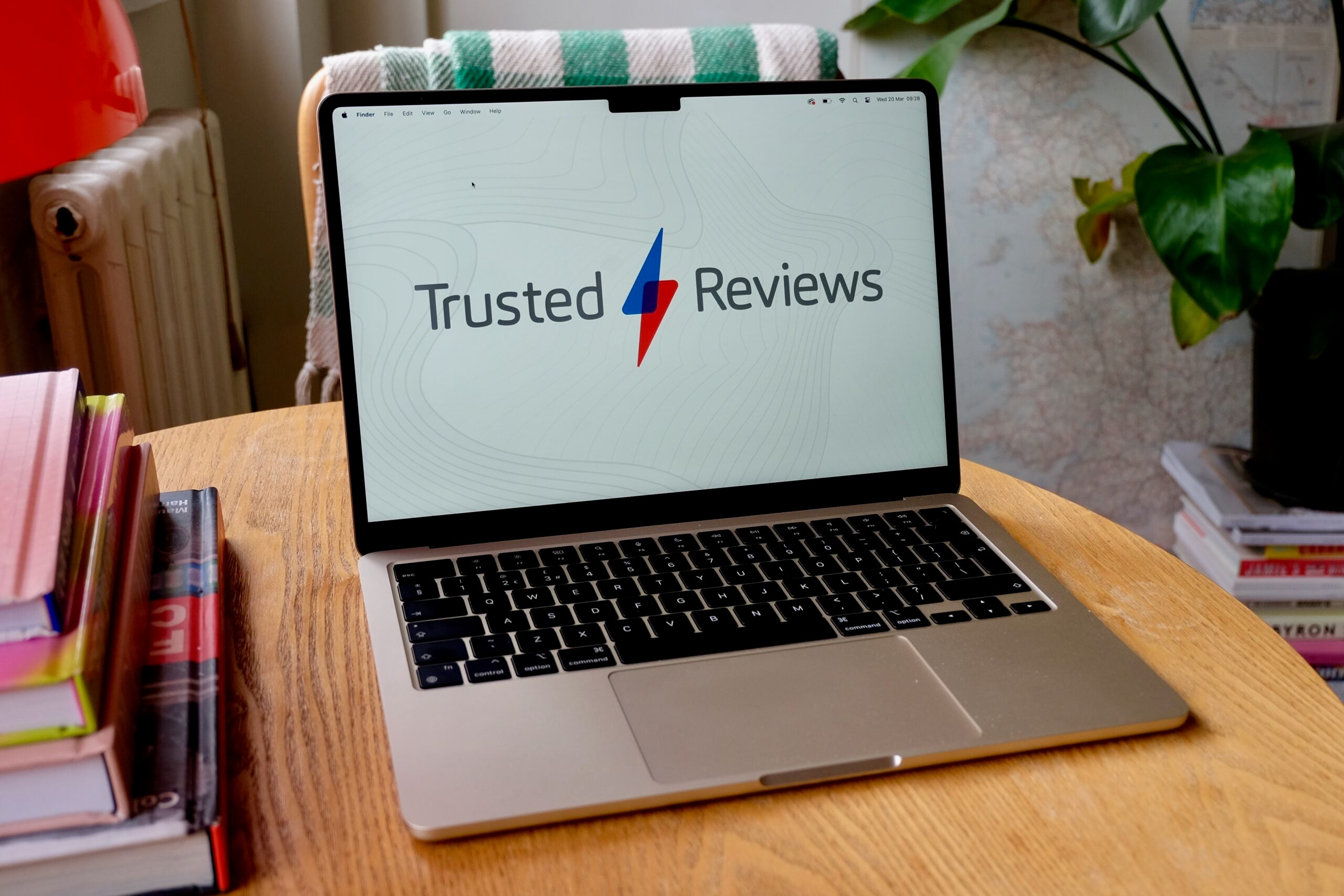
- Best MacBook: Apple MacBook Air M3 13-inch – check price
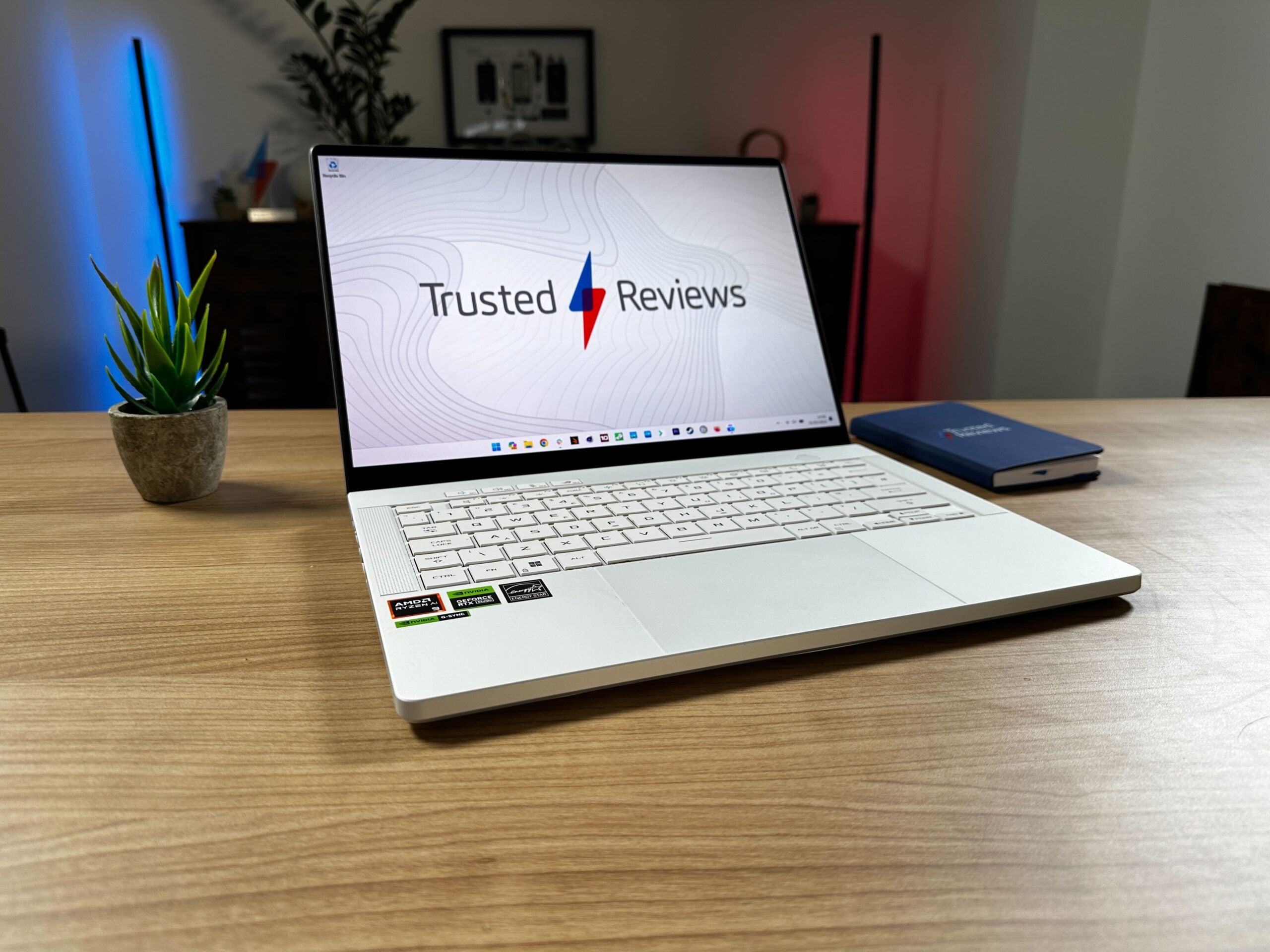
- Best gaming laptop: Asus ROG Zephyrus G14 (2024) – check price
- Best Windows laptop under £900: Samsung Galaxy Book 3 360 – check price
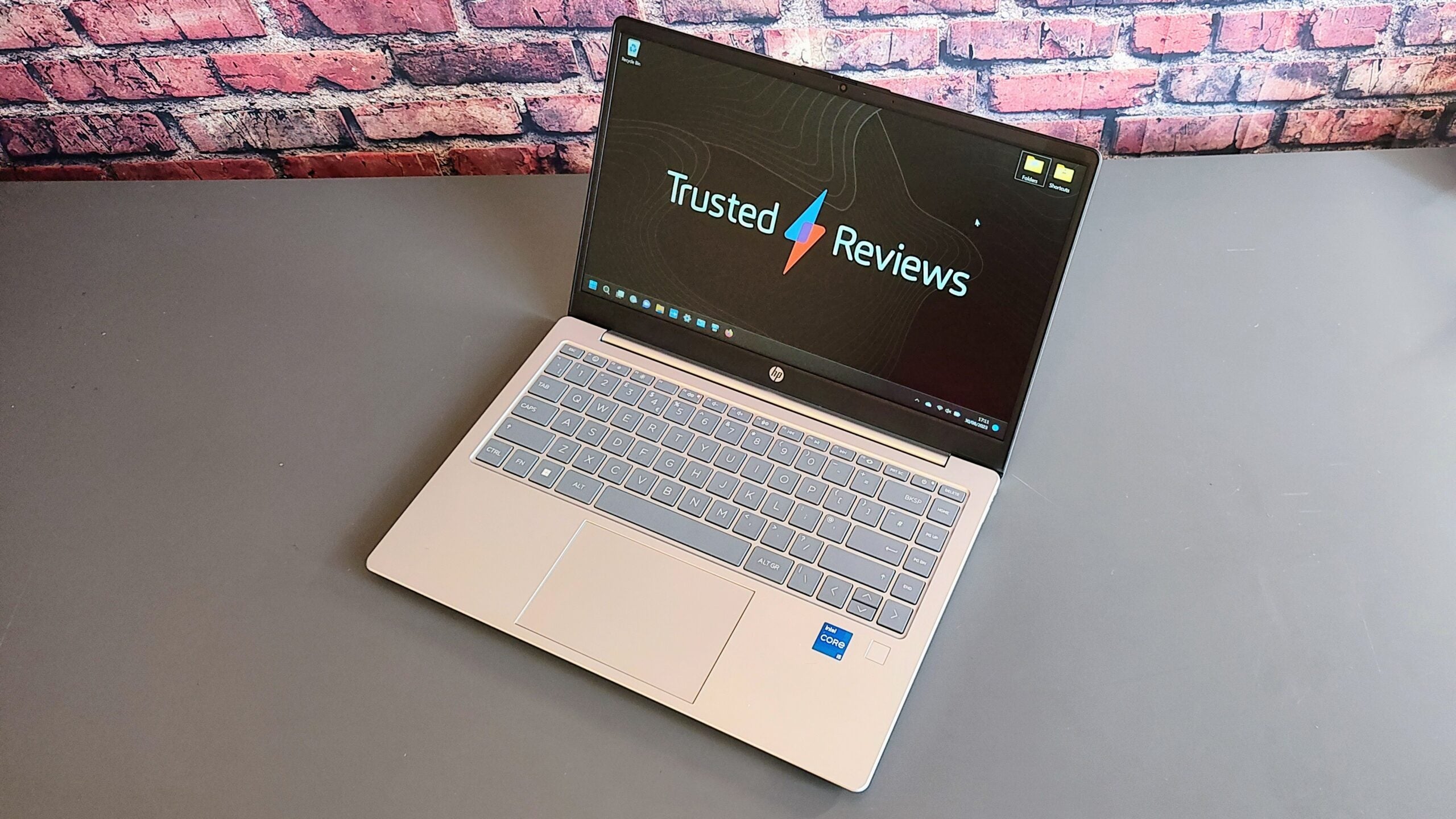
- Best budget laptop: HP Pavilion SE – check price
- Best Chromebook: Asus Chromebook Plus CX34 – check price
- Best photo and video editing laptop: Apple MacBook Pro 16-inch (M3 Max) – check price
- Best laptop for battery life: Samsung Galaxy Book4 Pro 360 – check price
- Best dual-screen laptop: Asus Zenbook Duo (2024) – check price
- Best high-performance gaming laptop: Asus ROG Strix Scar 17 X3D – check price
- Best value gaming laptop: Medion Erazer Major X20 – check price
How we test
Every laptop we review goes through a series of uniform checks designed to gauge key things including build quality, performance, screen quality and battery life.
These include formal synthetic benchmarks and scripted tests, plus a series of real world checks, such as how well it runs the most frequently used apps.
We also make sure to use every laptop we review as our primary device for at least a week to ensure our review is as accurate as possible.
- Great performance in mainstream apps
- Good gaming performance by iGPU standards
- Fantastic OLED screen
- No compromises on the connectivity or ergonomics
- GPU speeds constrained by slimline form factor
- Strong productivity performance
- Best-in-class Full HD AMOLED display
- High-quality design
- Great typing experience
- Awkward keyboard and trackpad placement
- Basic speakers
- Very good value
- Latest 13th generation Intel CPU
- Impressive keyboard and speakers
- Biometric security
- Mediocre battery life
- IPS display is bland
- Type-C port doesn’t support power or video

- Great keyboard and port selection
- Nippy performance
- Solid endurance
- Cheap-feeling construction
- Basic speakers

- Exceptional performance
- Stunning display and keyboard
- The price builds up very quickly
- No Face ID
- Even better gaming performance from new 3D V-Cache Ryzen 9 CPU
- Expansive, feature-laden keyboard
- Cool and quiet even under heavy load
- New CPU only available with premium RTX 4090 GPU
- 720p webcam is a poor effort
- Unbalanced layout of I/O ports
- Extraordinarily good value
- Strong gaming and productivity performance
- Excellent mechanical keyboard
- Bright 240Hz WQXGA display
- Battery life is very poor
- Fantastic, flexible dual-screen design
- Impressive clarity, contrast and colour on both OLED screens
- Excellent clip-in, clip-out keyboard
- Decent all-round performance from Core Ultra 9 CPU
- GPU performance seems constrained
- Mediocre battery life
- Audio grows harsh at higher volumes
- Luxury portable redesign
- Excellent keyboard
- Luscious OLED display
- Impressive graphical performance
- Expensive

- Fantastic performance for the size and weight
- Standout keyboard and trackpad
- Great battery life
- Good value
- 8GB base memory option
- Expensive upgrade prices
- An OLED screen would have been the icing on the cake

- Stunning 3K AMOLED screen
- Exceedingly long battery life
- Solid productivity performance
- Good set of ports and S Pen
- Slower than rivals
- Disappointing speakers
- Expensive
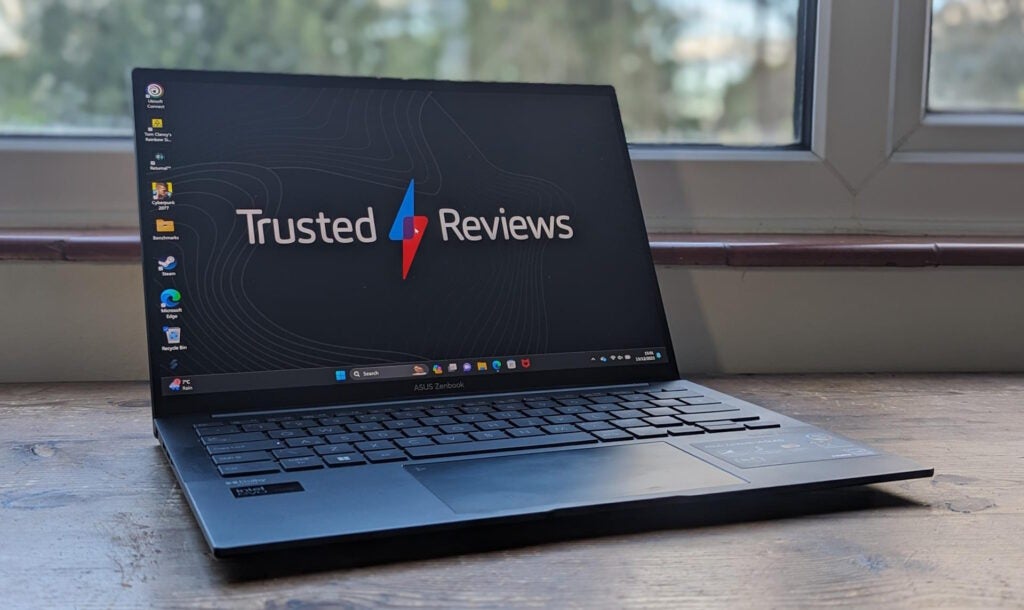
Asus Zenbook 14 OLED
Best overall laptop


Pros
- Great performance in mainstream apps
- Good gaming performance by iGPU standards
- Fantastic OLED screen
- No compromises on the connectivity or ergonomics
Cons
- GPU speeds constrained by slimline form factor
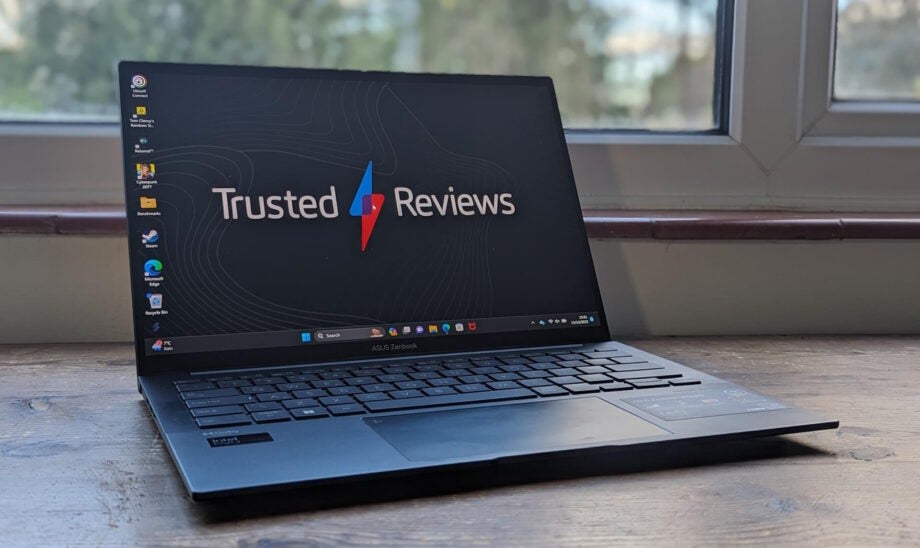
The Asus Zenbook 14 OLED is a terrific all-rounder, offering a superb combination of productivity, creative and gaming performance as well as a stylish and lightweight frame.
On the productivity front, the Asus will comfortably take down plenty of tabs, along with strong multi-tasking capabilities. However, it’s the boosted graphical capabilities of the new Intel Core Ultra and its Arc integrated graphics that are worth noticing. Admittedly, it remains far from a gaming powerhouse but it gives this laptop the ability to comfortably dip its toe into AAA gaming at low to medium settings along with being ideal for creators on the go.
The laptop looks good while doing all this too, from a terrifically bright and detailed 1800p OLED display to a slim 15mm design that weighs just 1.29kg. Despite this, it manages to pack in a solid range of ports, from two Thunderbolt 4 and a USB-C to a handy HDMI 2.1 and a headphone jack. Another factor that manages to not be hindered by the light frame is the keyboard, we found it to be delightfully clicky and crisp.
One area in which high-end Windows productivity laptops have lacked over recent years, particularly Intel ones, is on battery life. Well, the Zenbook 14 OLED may not hit the heights of the MacBook Air, but it comes closer than before. It reaches close to a solid 13 hours of juice.
Reviewer: Stuart Andrews
Full review: Asus Zenbook 14 OLED review

Apple MacBook Air (M3)
Best MacBook
Pros
- Fantastic performance for the size and weight
- Standout keyboard and trackpad
- Great battery life
- Good value
Cons
- 8GB base memory option
- Expensive upgrade prices
- An OLED screen would have been the icing on the cake
Apple is at it again, creating another excellent all-rounder with its new MacBook Air M3 13-inch. It’s the best MacBook for most people.
Admittedly, not much has changed with the new M3 model compared with the previous M2 iteration, with a nice bump in performance the key change. However, if you want the latest and greatest, you won’t be disappointed with this machine.
This version of the MacBook Air, since it was redesigned last year, offers wondrous fanless power for serious productivity and light creative tasking. Alongside, you get an excellent keyboard, huge trackpad, useful set of ports and a luxurious design.
On top, you get some of the most stunning battery life on the market, with this device being capable of more than 15 hours of work. All around, this is a device that’s a joy to use and offers tremendous value despite its around £1,000/$1,000 starting price, as you’re getting so much bang for your buck.
Reviewer: Max Parker
Full review: Apple MacBook Air M3 13-inch review

Asus ROG Zephyrus G14 (2024)
Best Gaming Laptop
Pros
- Luxury portable redesign
- Excellent keyboard
- Luscious OLED display
- Impressive graphical performance
Cons
- Expensive
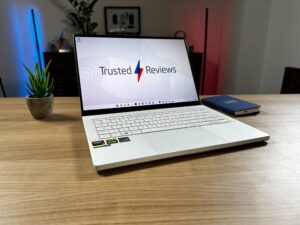
The Asus ROG Zephyrus G14 (2024) is the best all-round gaming laptop that we’ve reviewed so far. Not only does it boast incredible gaming firepower, but also an ultra-portable, slender design that’s easy to carry around.
Asus chose to give its G14 range a major design refresh this year, which involved an even thinner design than before. That means it’s remarkably just 16.3mm thick, while hitting the scales at a dainty 1.5kg, which is even lighter than the 15-inch MacBook Air.
Thanks to the discrete Nvidia GPU under the hood, it offers fantastic performance, to such an extent that it can run intensive games such as Cyberpunk 2077 and Returnal at a Quad HD resolution. The 14-inch OLED screen also helps to ensure that games look absolutely stunning, with colours popping out of the display.
Having so much firepower does leave battery life a little short, coming in at just 6 hours in our benchmark tests for productivity workloads. But if you’re after an ultra-portable gaming laptop, that’s a minor compromise for such an excellent overall package. Check out the HP Omen Transcend 14 for another excellent gaming laptop.
Reviewer: Adam Speight
Full review: Asus ROG Zephyrus G14 (2024) review
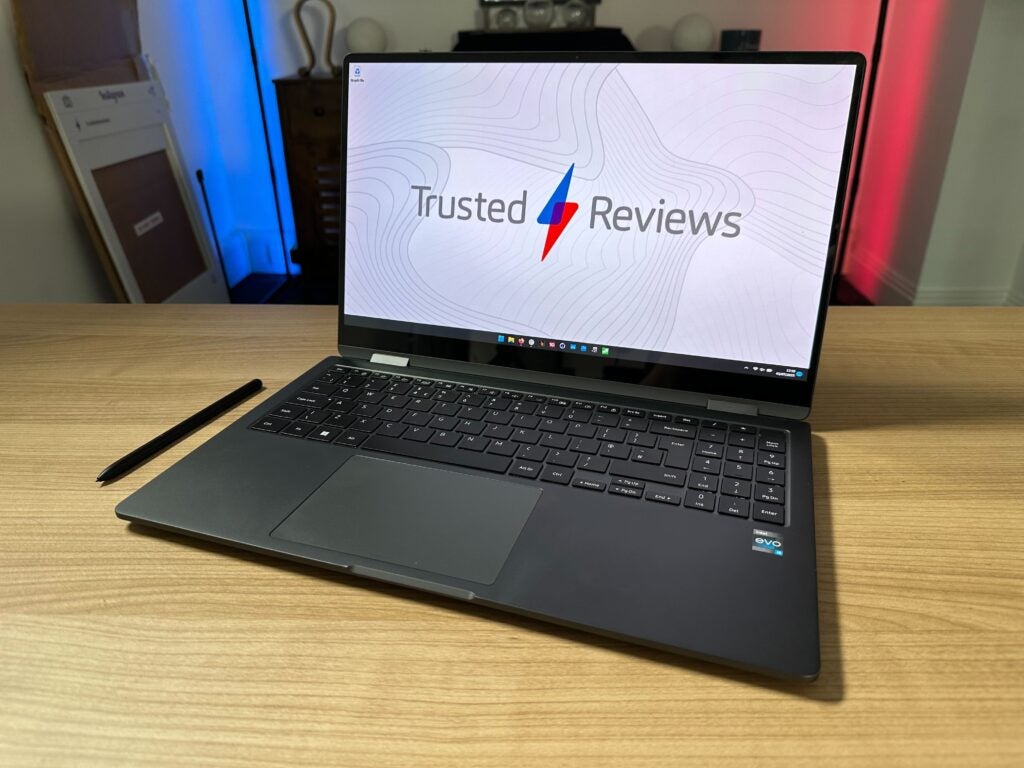
Samsung Galaxy Book 3 360
Best laptop under £900
Pros
- Strong productivity performance
- Best-in-class Full HD AMOLED display
- High-quality design
- Great typing experience
Cons
- Awkward keyboard and trackpad placement
- Basic speakers
The Samsung Galaxy Book 3 360 is the dark horse of the laptop world in 2024. It hasn’t been touted by Samsung all that much, overshadowed by the Galaxy Book 3 Pro and new Galaxy Book 3 Ultra. But, when it comes to broad appeal and value, it’s comfortably the best of the bunch.
Despite its lower price than many key rivals, the 13th Gen Intel Core P-series chip inside provides plenty of productivity performance, no less than you need for a student or word processing workload. And, it’s aided by a display that may look under-specced initially.
Coming in at just Full HD, the screen redeems itself through Samsung’s AMOLED panel, which is crisp and lush. With a 16:9 aspect ratio and 360-degree hinge, this is a laptop that’s ideal for media consumption too.
The keyboard experience is excellent, you can spend hours comfortably typing away on the Galaxy Book 3 360. And, you’ll be proud to do it in whatever setting, with the design matching that of most high-end, and more expensive machines, with an all-metal build. The top-notch S Pen is included too, for breezy drawing and handwriting capabilities.
Reviewer: Adam Speight
Full review: Samsung Galaxy Book 3 360 review
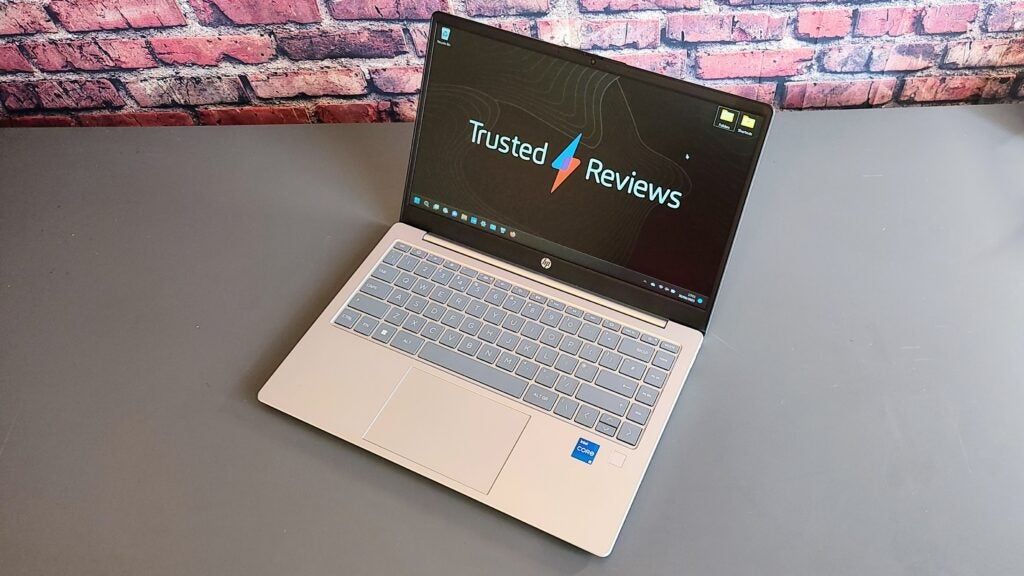
HP Pavilion SE 14
Best budget laptop

Pros
- Very good value
- Latest 13th generation Intel CPU
- Impressive keyboard and speakers
- Biometric security
Cons
- Mediocre battery life
- IPS display is bland
- Type-C port doesn’t support power or video
When you’re buying a budget laptop, there are going to be compromises. However, far too many laptops ask you to compromise on too much. The HP Pavilion SE 14 gets the balance right for under £500.
Right off the bat, the Pavilion SE 14 impresses by giving you modern specifications, when many budget laptops ask you to pay top dollar for last year’s processor. This laptop offers up a 13th Gen Intel Core chip alongside a solid 8GB RAM and 512GB SSD. It is a potent combination that’s great for productivity and solid multitasking, while also giving you plenty of room to store tons of documents and photos.
Other key compromises for budget laptops often include a shoddy keyboard and tinny speakers, but the Pavilion SE 14 bats this norm away. The keyboard is comfortable and you’ll have no trouble typing out a long essay on this machine, even if it takes you hours to mull over. We were surprised to discover the speakers offered surprisingly full and loud audio too. The 1080p webcam is another top-notch inclusion for a budget laptop too, meaning this laptop is also suited well to video conferencing.
Where the HP Pavilion SE 14 doesn’t pull up trees is with the display. It isn’t an OLED, so the colours won’t knock your socks off but, being an IPS panel rather than a TN, it offers satisfactory viewing angles and brightness. The battery life isn’t amazing either, at around 7 hours. Nevertheless, the design should still please the likes of students who want something durable yet stylish, with it being made from plastic but offering a deceptively sleek look.
Reviewer: Alun Taylor
Full review: HP Pavilion SE 14 review

Asus Chromebook Plus CX34
Best Chromebook
Pros
- Great keyboard and port selection
- Nippy performance
- Solid endurance
Cons
- Cheap-feeling construction
- Basic speakers
The Asus Chromebook Plus CX34 was part of a new range of ChromeOS devices that launched in 2023. The aim of the Chromebook Plus initiative was to raise standards for cheap Chromebooks, making it easier for buyers to feel comfortable picking one up. The CX34 absolutely did that, a laptop that punches well above its low £429 price point.
The specifications are unlikely to knock your socks off, with just a 12th Gen Intel Core i3 chip leading the charge. But, backed up by 8GB RAM and the lightweight ChromeOS, the CX34 is a machine that can handle intensive browsing with ease and multitask comfortably too. That lightweight ChromeOS also means that, despite donning a rather small 50Wh battery, it manages to give you an impressive 11+ hours of battery life.
The chassis may be plastic and feel rather cheap but it offers stylish signature Asus looks and a plethora of ports. We were also mightily impressed by the solid travel of this keyboard that makes this a joy of a laptop to type away on. The display is strong for the price too, offering pleasing detail if lacking a little in the brightness department.
Google’s Chromebook Plus devices offer some neat new features to users as well. You’ll find the Magic Eraser onboard, moving over from its Pixel phones, letting you erase unwanted figures and objects from images. AI video calling features are here to tidy up your meetings also. Then, there is Offline File Sync, which makes it easy to access your files on the go, a feature long absent from ChromeOS laptops.
Reviewer: Reece Bithrey
Full review: Asus Chromebook Plus CX34 review

Apple MacBook Pro 16-inch M3 Max
Best photo and video editing laptop
Pros
- Exceptional performance
- Stunning display and keyboard
Cons
- The price builds up very quickly
- No Face ID
It’s hard to compare the Apple MacBook Pro 16-inch (M3 Max) with many other laptops on the market. It comes with a high price tag and is aimed squarely at serious professionals who need hardware that can live up to intensive computing and graphical processing demands. But, if you fall into that bracket, you won’t be disappointed.
The 16-inch M3 Max model of the latest and greatest MacBook Pro isn’t a huge departure from the previous M2-flavoured iteration, offering modest performance gains, but that still makes it a beast for serious creative work on the go. It remains the leader of the pack when it comes to performance up against key rivals on the Windows side of things and it retains the top trick of M-series MacBook, being able to provide almost equal performance when not plugged in as it can when it is. This remains mightily impressive as the drop-off is large on high-performance Windows laptops.
To meet its market, the MacBook Pro 16-inch (M3 Max) needs to offer titanic performance to cater to professionals who need to be able to create, modify and render complex pieces of work, like video editing projects with multiple streams and intricate effects. For those needs, the MacBook Pro has chops to hit the mark. Across most of our testing benchmarks, this laptop barely made noise above a whisper and the machine never got overly warm. If you are someone who has less complex graphical needs but is looking to future-proof your machine by buying more power than you need, you’re going to find a device that tackles most graphical tasks with stunning ease.
Aside from the solid boost to performance, you’ll find strong features that remain the same from the M2-series MacBook Pro. That’s a reinvigorated set of ports and a luscious Mini LED display that’s stunningly bright and accurate. The battery life remains remarkable too, being able to last for around 15 hours of web browsing. The one other change from last year is the introduction of Space Black, which replaces Space Grey. It’s wonderfully stealthy but is closer to an even darker Space Grey than actually being black.
Reviewer: Max Parker
Full review: Apple MacBook Pro 16-inch (M3 Max) review

Samsung Galaxy Book4 Pro 360
Best laptop for battery life
Pros
- Stunning 3K AMOLED screen
- Exceedingly long battery life
- Solid productivity performance
- Good set of ports and S Pen
Cons
- Slower than rivals
- Disappointing speakers
- Expensive
Samsung’s flagship laptops have the habit of being a bit of a mixed bag, and the Galaxy Book4 Pro 360 is no different. It has some excellent features and some middling ones, but the pick of the bunch is stellar battery life.
In recent years, Windows laptops have struggled to keep pace with the MacBooks and the efficiency that their Apple M-series chips bring. However, this 16-inch machine has managed to get within touching distance. In our testing, we found it could offer around 15 hours at its maximum and will comfortably get you through most working days.
The second best feature of this Samsung laptop is its display. It comes with a luxurious 120Hz 3K AMOLED panel. It’s stunning for watching movies, streaming games and getting down to creative work. This is also a laptop with a 360-hinge meaning you can take advantage of the lush panel in tablet mode, and do some light drawing with the excellent S Pen.
The new Intel Core Ultra chip inside offers strong productivity performance while allowing you to dabble in some light editing and very light gaming. Samsung isn’t the pick of the bunch in terms of getting the most out of this chip but it’ll suit the needs of most typical users.
Reviewer: Adam Speight
Full review: Samsung Galaxy Book4 Pro 360 review
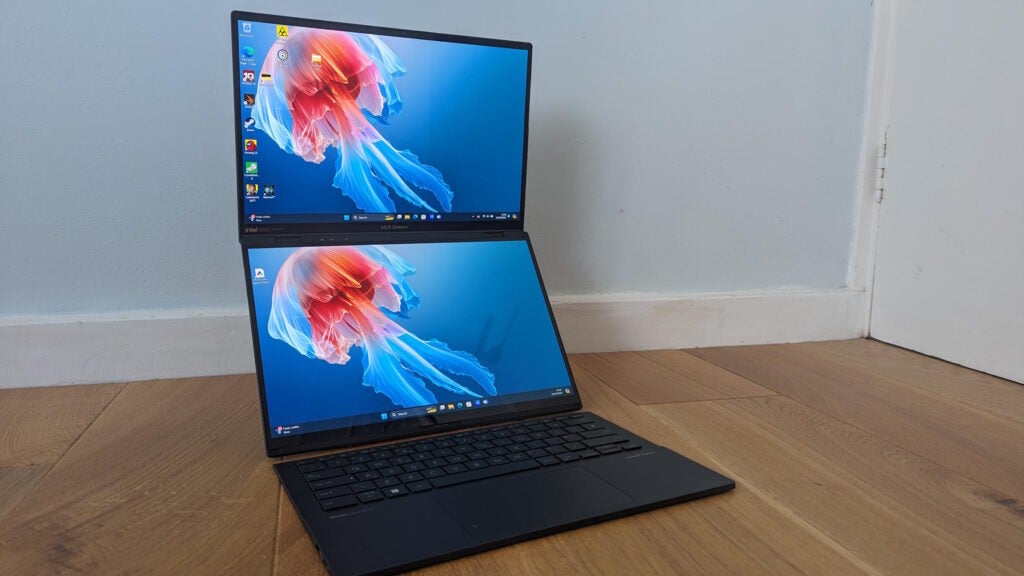
Asus Zenbook Duo (2024)
Best dual-screen laptop
Pros
- Fantastic, flexible dual-screen design
- Impressive clarity, contrast and colour on both OLED screens
- Excellent clip-in, clip-out keyboard
- Decent all-round performance from Core Ultra 9 CPU
Cons
- GPU performance seems constrained
- Mediocre battery life
- Audio grows harsh at higher volumes
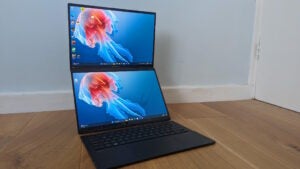
A new trend has emerged in recent years, as a few manufacturers have launched dual-screen laptops. We’ve already reviewed a couple of them, and the Asus ZenBook Duo (2024) is our favourite option so far.
Not only does the second screen make it easier to view multiple apps and browser tabs simultaneously, but also increases the number of ways you can use the portable. You can stack the two screens vertically or horizontally, with the Bluetooth keyboard placed on the desk in front. Or alternatively, you can sit the keyboard on top of the second screen to take the form of a classic clamshell.
Importantly, the Zenbook Duo excels in areas beyond its dual-screen design. It also has lovely OLED screens, a speedy productivity performance and a keyboard that’s a joy to type on.
The Lenovo Yoga Book 9i is another great dual-screen laptop, but we still suggest sticking with the Asus model since it offers a more complete package, including more streamlined software, a built-in kickstand and the inclusion of a trackpad on the keyboard.
Reviewer: Stuart Andrews
Full review: Asus ZenBook Duo (2024) review

Asus ROG Strix Scar 17 X3D
Best high-performance gaming laptop
Pros
- Even better gaming performance from new 3D V-Cache Ryzen 9 CPU
- Expansive, feature-laden keyboard
- Cool and quiet even under heavy load
Cons
- New CPU only available with premium RTX 4090 GPU
- 720p webcam is a poor effort
- Unbalanced layout of I/O ports
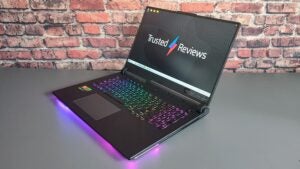
The Asus ROG Strix Scar 17 X3D is one of the fastest gaming laptops you’re likely to find, taking advantage of AMD’s new 3D V-Cache technology for stunning results.
The laptop is all about cutting-edge gaming performance, so let’s get into it. The ROG Strix Scar 17 X3D offers up remarkable QHD results at Ultra settings, achieving 104fps in Cyberpunk 2077, 90fps in Returnal and 192fps in Rainbow Six Extraction.
What’s more, with Cyberpunk 2077’s demanding RT:Ultra mode enabled (for high-quality ray tracing), it was still able to manage 75fps. It being the most powerful gaming laptop isn’t the only reason this is our top pick for the best gaming laptop but it absolutely dominates in that department.
There’s a powerful display to present all those glorious frames on too. It’s got a 1440p 240Hz IPS panel that is fast and offers good colour accuracy. It may not have flashy Mini LED technology but it hits all the right notes for gamers, with a 3ms response time included too. This device also features a MUX switch, making sure your CPU doesn’t get in the way of raw GPU performance. The keyboard is up to the ROG Strix Scar 17 X3D’s high standards too, providing solid travel and feedback.
Reviewer: Alun Taylor
Full review: Asus ROG Strix Scar 17 X3D review

Medion Erazer Major X20
Best value gaming laptop
Pros
- Extraordinarily good value
- Strong gaming and productivity performance
- Excellent mechanical keyboard
- Bright 240Hz WQXGA display
Cons
- Battery life is very poor
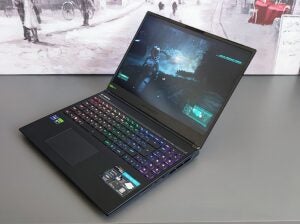
Ever heard of Medion? If you haven’t and are after a top-notch bang-for-your-buck gaming laptop then you need to pay attention to them. The Medion Erazer Major X20 is the stand-out in its excellent value range and gained a rare 5-star review from us.
We loved this laptop as it provides a stunning amount of gaming performance for a price far lower than most similarly specced devices from rivals, at under £2000 for a 13th Gen Intel Core i9 and Nvidia GeForce RTX 4070 combination. The team-up gives you QHD+ performance at high settings across a range of titles, netting 55fps in Returnal, 46fps in Cyberpunk 2077 and 79fps in Borderlands 3.
You’ll find better performance in gaming laptops that don the more powerful RTX 4080 and RTX 4090 chips but the jump isn’t typically significant enough to warrant the massive rise in cost.The gaming experience is boosted by an impressive set of Cherry MX switches for the keyboard, with 1.8mm travel along with pleasing and precise feedback.
The display itself gets plenty bright, at around 411 nits, and offers crisp visuals through its QHD+ IPS panel. It’s well equipped for competitive gaming too, with a 240Hz refresh rate. Surprisingly, the screen is matched by decent sound, especially for a value-focused gaming laptop. The speakers get plenty loud and offer acceptable quality. There’s even a good amount of bass too.
Reviewer: Alun Taylor
Full Review: Medion Erazer Major X20 review
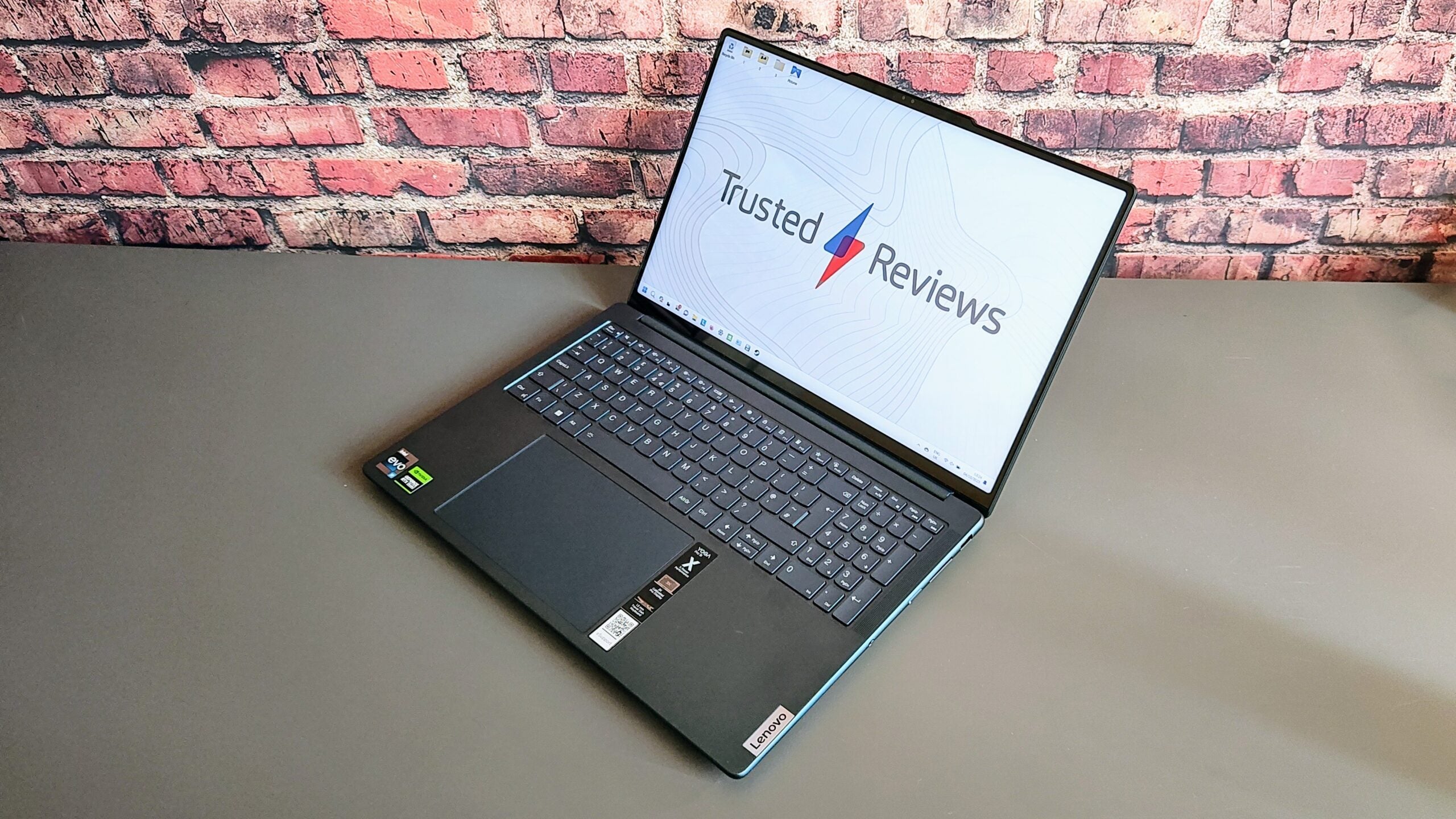
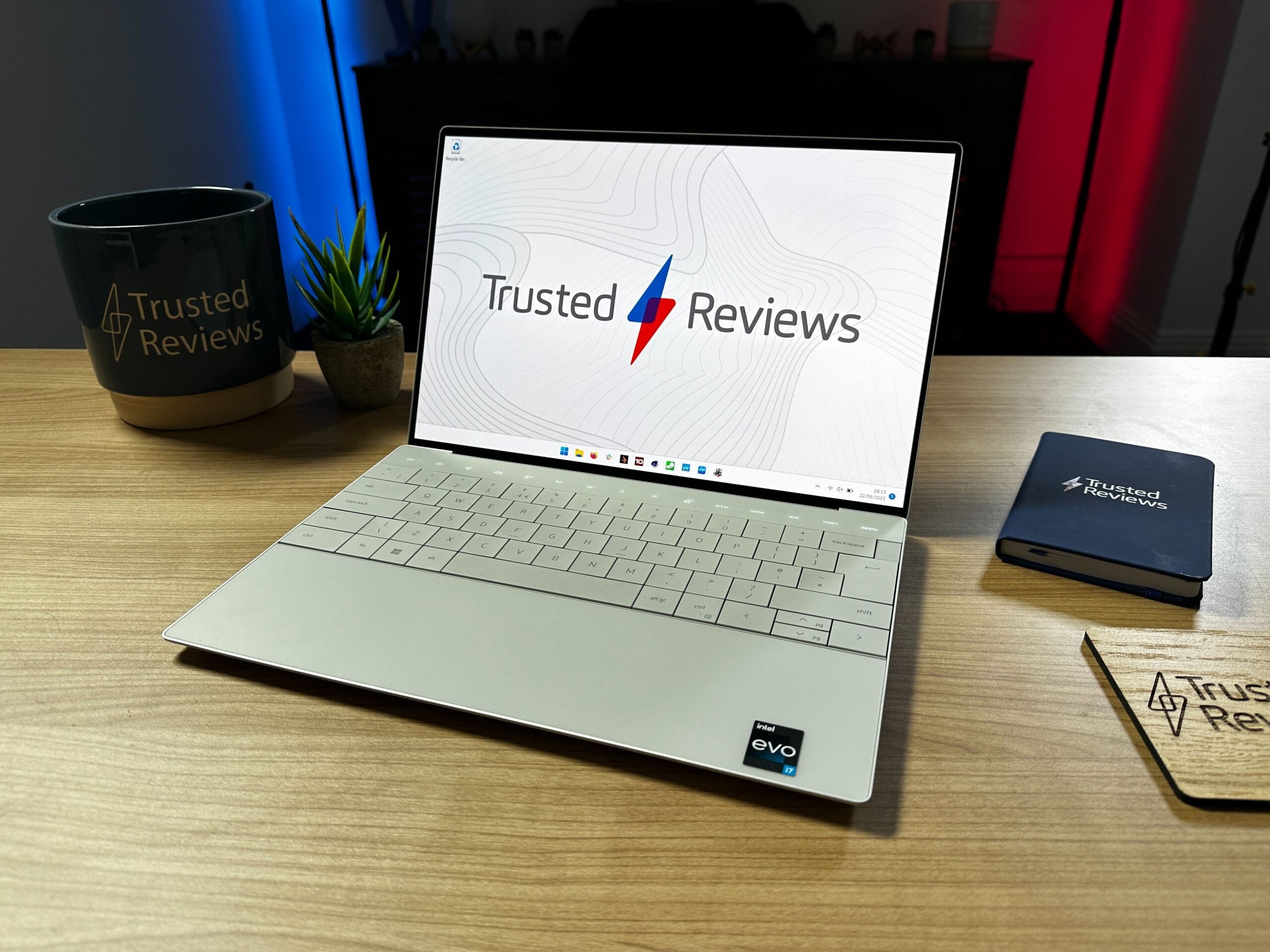
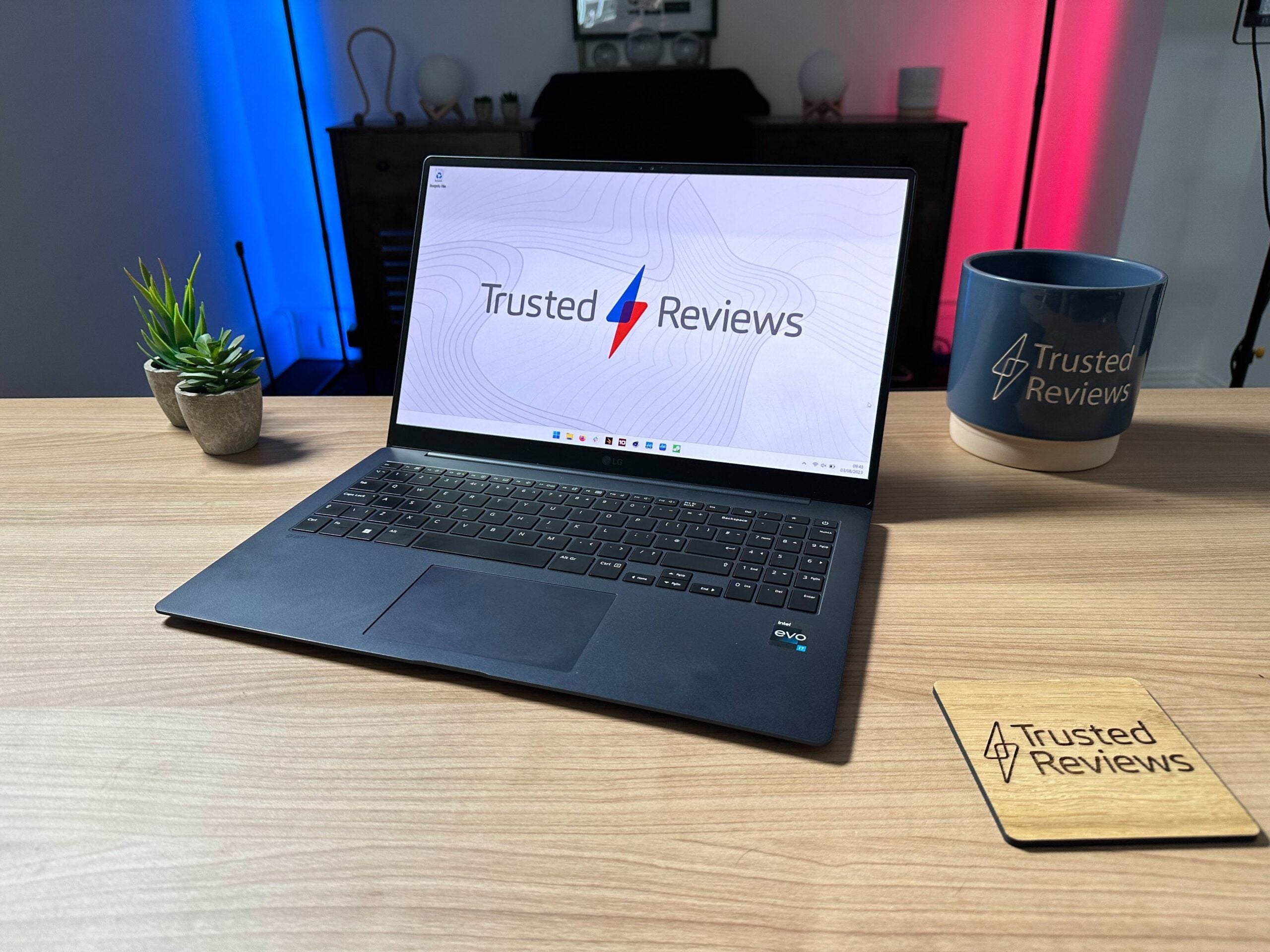
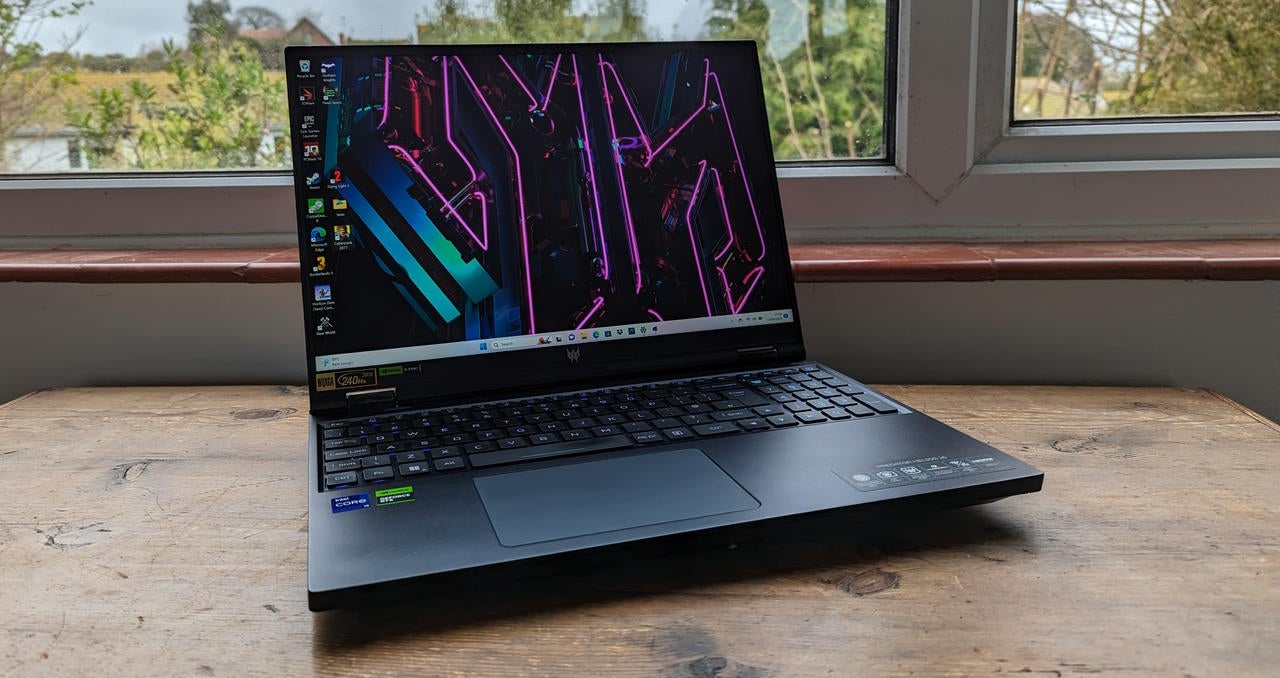
We also considered…


FAQs
The SSD (solid state drive) is essentially the component that determines how much storage your laptop has. A 512GB SSD is the norm these days, with anything less making storage space feel cramped if you download a lot of music, photos and videos.
A 2-in-1 laptop is a device that has a flexible hinge, allowing it to be folded up into a tablet form. These laptops often have stylus support too, making them good options for doodlers and creatives.
RAM (Random Access Memory) is computer memory that helps the processor offer a smooth performance. 8GB seems to be the default for laptops these days, with anything less potentially seeing noticeable slowdowns for your computer when performing multiple tasks.
You might like…
Specs compared
Trusted Reviews test data

Editorial independence
Editorial independence means being able to give an unbiased verdict about a product or company, with the avoidance of conflicts of interest. To ensure this is possible, every member of the editorial staff follows a clear code of conduct.

Professional conduct
We also expect our journalists to follow clear ethical standards in their work. Our staff members must strive for honesty and accuracy in everything they do. We follow the IPSO Editors’ code of practice to underpin these standards.
Editorial independence
Editorial independence means being able to give an unbiased verdict about a product or company, with the avoidance of conflicts of interest. To ensure this is possible, every member of the editorial staff follows a clear code of conduct.
Professional conduct
We also expect our journalists to follow clear ethical standards in their work. Our staff members must strive for honesty and accuracy in everything they do. We follow the IPSO Editors’ code of practice to underpin these standards.
