

Verdict


Pros
- Surprisingly fast interface
- Stylish design
- Easy to type on
Cons
- Low resolution screen
- No flash support in browser
- Only runs Android 2.2
Key Specifications
- Review Price: £199.99
- 3.5in, 320 x 480 pixel display
- 800MHz processor
- Android 2.2 Operating System
- 5.0 megapixel camera with LED
What is the Samsung Galaxy Ace?
Sporting a 3.5in screen, 800MHz CPU and a fully-fledged version of Android the Samsung Galaxy Ace has all the essentials to succeed in the budget smartphone sector, but can it trump all before it?
Samsung Galaxy Ace – Design
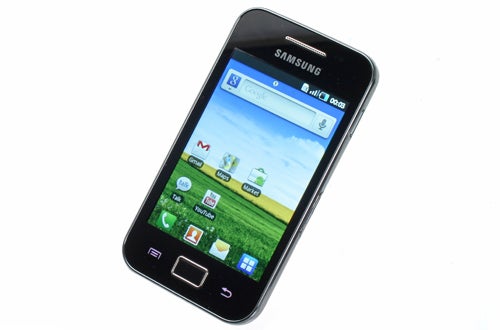
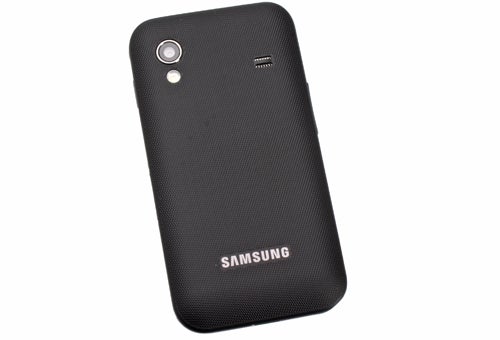
The Ace’s design certainly doesn’t betray its budget leanings. It’s nothing particularly new or innovative but the glossy front, silver sides and textured back are smart enough. In terms of build quality, there’s a certain plasticky feel to it but when some high-end smartphones like Samsung’s own Galaxy S II also have a rather lightweight plastic build, the difference isn’t glaringly obvious.
Extra grip is provided by the textured back and it keeps fingerprints and scratches well covered up. Some may find the knobbly texture a bit peculiar at first but it’s not actually uncomfortable once you’re used to it. Indeed, combined with its slightly smaller form factor, the Ace makes for a rather easy-to-handle phone.
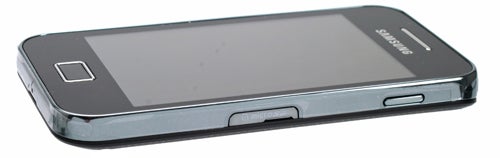
The button layout helps too. Like other recent Samsungs, the Galaxy Ace’s power button is on the right edge where it falls easily under your thumb or finger, saving you having to stretch to the top of the device. Meanwhile on the left is the volume rocker, which has a reasonably light yet defined action so it’s easy to operate when the phone’s in your pocket.
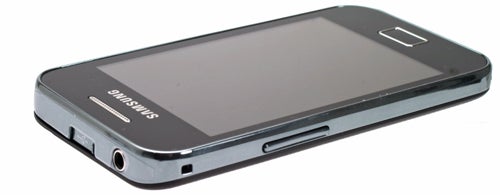
Connectivity wise, the Ace gives up little to top-end devices with microUSB and headphone sockets on the top edge, and for storage there’s a microSD slot on the side. Both are covered, with the microUSB hidden behind a ridged plastic slider and the card slot by a softer plastic bung. You’ll get a 2GB card in the box, which is enough for plenty of apps and a few dozen albums. If you want to start loading you phone up with dozens of videos or hundreds albums, though, you’ll need to invest in a larger card as the 153MB of in-built storage won’t get you very far.
Like the Galaxy S II, the Galaxy Ace has just a single physical button on its front, which will take you back to the homescreen. Flanking it are touch buttons for Back and Menu, which disappear into the blackness of the bezel when the phone is powered down. This design apes Apple a little too obviously, but we do actually think it’s the best button layout for Android phones, especially as the Home button also activates the screen.
Samsung Galaxy Ace – Screen
Speaking of the screen, it’s probably the first place this phone really starts to show its budget origins. The 3.5in size isn’t quite on the level of the 4in models sported by many of the most powerful smartphones but it’s perfectly adequate, indeed it’s the same size as the iPhone 4. However, it certainly isn’t the same when it comes to sharpness. With a resolution of just 320 x 480 pixels, it has a pixel density of just 164 pixels per inch compared to the iPhone’s 320ppi and the Galaxy S II’s 220ppi. The upshot is the Ace does look rather blocky. You can still read most text messages and emails easily enough but browsing the web can be a bit more tricky as you have to zoom in and out that much more.
Colours produced by the display are okay so pictures and videos don’t suffer too much in this regard but the extremes of dark and light detail are lost somewhat and viewing angles are fairly ropey. All told, it’s a display that gets the job done for core smartphone duties but it doesn’t bring an extra level of joy to browsing through your pics, playing games or watching video.
Not that you’ll want to be show off your videos shot with this phone’s camera all that often. Its QVGA (320 x 240) resolution is woefully low, as is the meagre 15fps
framerate. As an emergency nice to have is all this qualifies as.
For pictures, the 5-megapixel snapper does the job, with LED flash and autofocus for sharp close-up shots. Results are very dependent on the amount of light available but you generally get by.
Samsung Galaxy Ace – Interface and Android 2.2 Software
The Samsung Galaxy Ace runs Android 2.2, which is one version behind the
latest of Google’s mobile phone operating system (OS) so misses out on a
few small interface tweaks, but nothing that you should worry about.
As
we’ve come to expect, Samsung has given the interface a bit of a tweak,
with its customary TouchWiz stylings. Thankfully, though, the changes
aren’t too drastic.
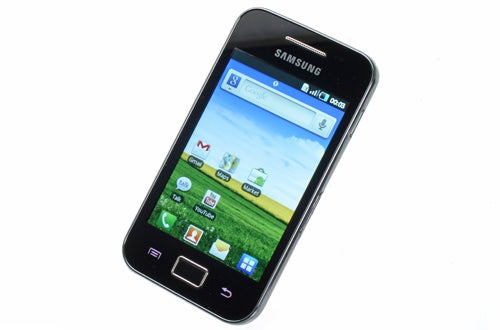
The
main change is the arrangement of the homescreens and the main menu.
Rather than the a central homescreen with others off to either side, the
main homescreen is the left most one. This is slightly less convenient
as it means you can only access one other screen with a single swipe of
your finger but as complaints go, it’s a small one.
Samsung has
also split the main menu, which is normally presented as one long
vertical list, into pages that you scroll through horizontally. This is
more annoying as the company has also made it so that the icons can be
rearranged as you please. This is good for the fact it gives you even
more customisability but the whole point of the homescreens is to
arrange and organise the phone’s apps into clusters and folders
according to your preference. Having to do this for the main menu as
well just means you have more stuff to keep on top of. 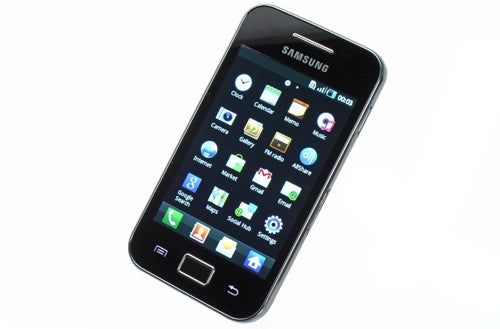
Otherwise,
the interface is easy enough to get to grips with. Android is still
that little bit more complicated than iOS but you soon get the hang of
it.
Samsung Galaxy Ace – Performance
Despite having ‘only’ an 800MHz CPU, the phone is
surprisingly nippy. Most high-end smartphones have single- or dual-core
1GHz (1,000MHz) processors, and this phone does feel quite a bit slower
than these handsets in general use, but crucially it’s not encumbered
with a 600MHz CPU as many budget handsets are.
Gaming is a bit
limited by the slower processor but most of the best fun physics games
are playable. It’s only really the fancy-looking 3D shooters and driving
games that suffer.
Video, though, isn’t this devices forte.
Playback quality is fine but format support is very limited and higher
quality videos will generally fail to playback. It doesn’t help that the
headphone socket has a bit of background noise, either. It’s okay for
casual listening but discerning listeners will not be pleased.
Samsung Galaxy Ace – Calling, Contacts and Messaging
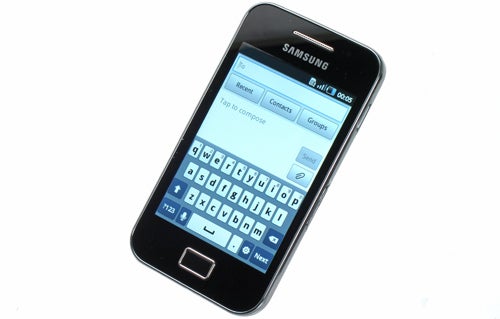
When
it comes to the core smartphone tasks, the Ace holds up well, though.
The onscreen keyboard is well laid-out and thanks to the responsive
touchscreen, it keeps up with speedy typing (assuming you turn the
predictive text on). In fact, it’s one of the best typing experiences
we’ve encountered on a budget smartphone.
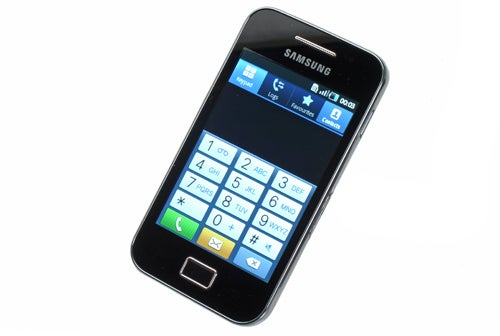
As
we’ve come to expect from Android handsets, all it takes to populate
your phone’s contacts – if you have a Gmail, Exchange, Facebook,
Twitter, or Myspace account – is for you to login to one of these
services. The phone will then pull-in all your friends’ contact info. It
does a good job of linking contacts from these different services, so
you don’t have to spend an age telling the system that Andy on Facebook
really is the same Andy as on Myspace.
Samsung Galaxy Ace – Multimedia
Browsing
the web is a decent enough experience with fairly rapid rendering of
webpages and smooth motion as you roam round and zoom in and out of a
page. Sadly Flash isn’t available so you won’t be able to watch online
videos but performance would’ve been so ropey as to not make this a big
deal.
Beyond this, the Ace is well equipped with apps for keeping
yourself organised, finding out where you’re going, and entertaining
yourself. And if you want more there’s the Android Marketplace to dive
into.
Calling threw up no causes for concern with acceptable
call quality from both speaker and earpiece. It’s not the best, but
perfectly adequate. Battery life also seemed to be at least on-par with a
couple of days average use being what you’ll get from a full charge.
Samsung Galaxy Ace – Camera Samples
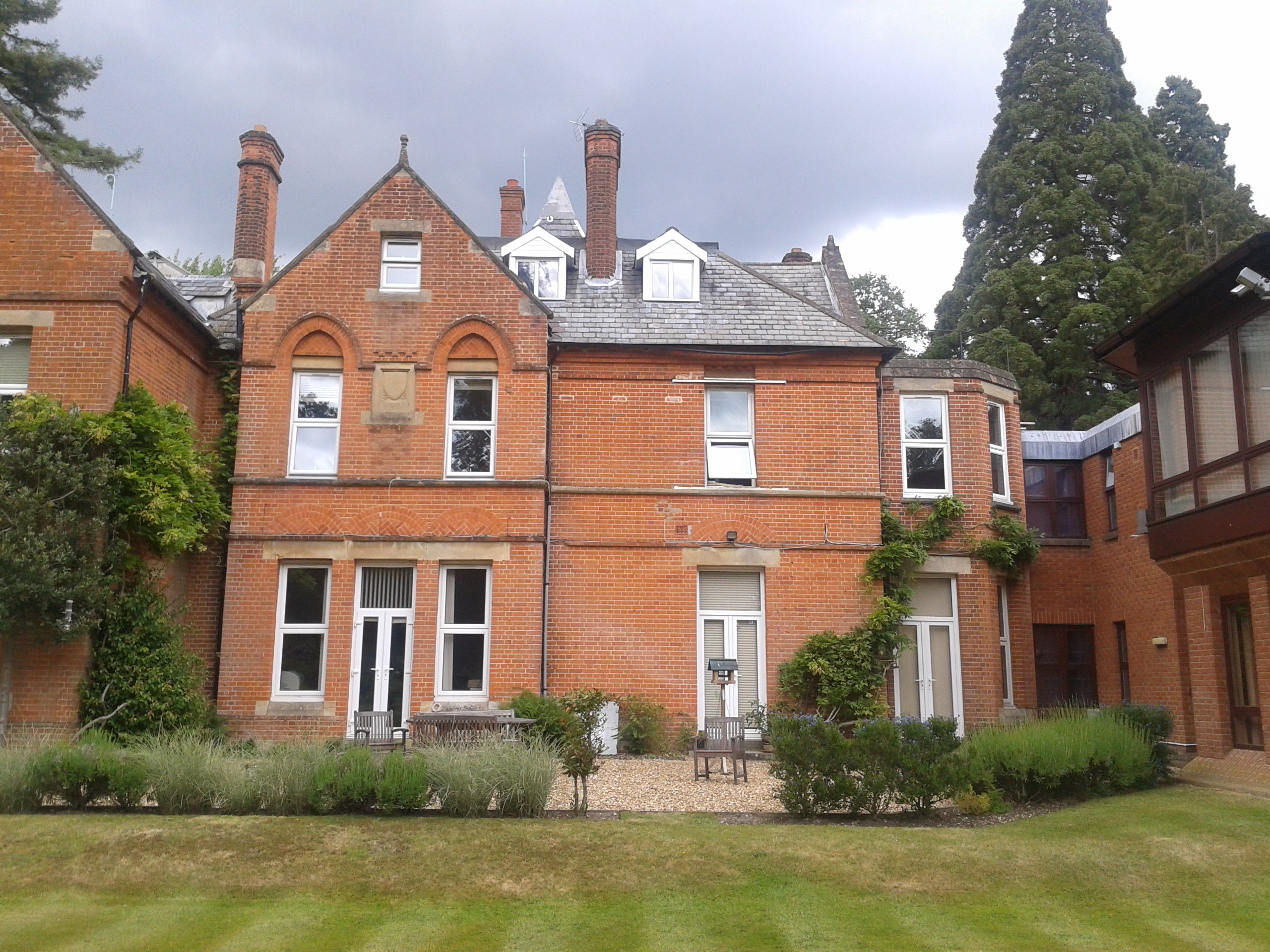
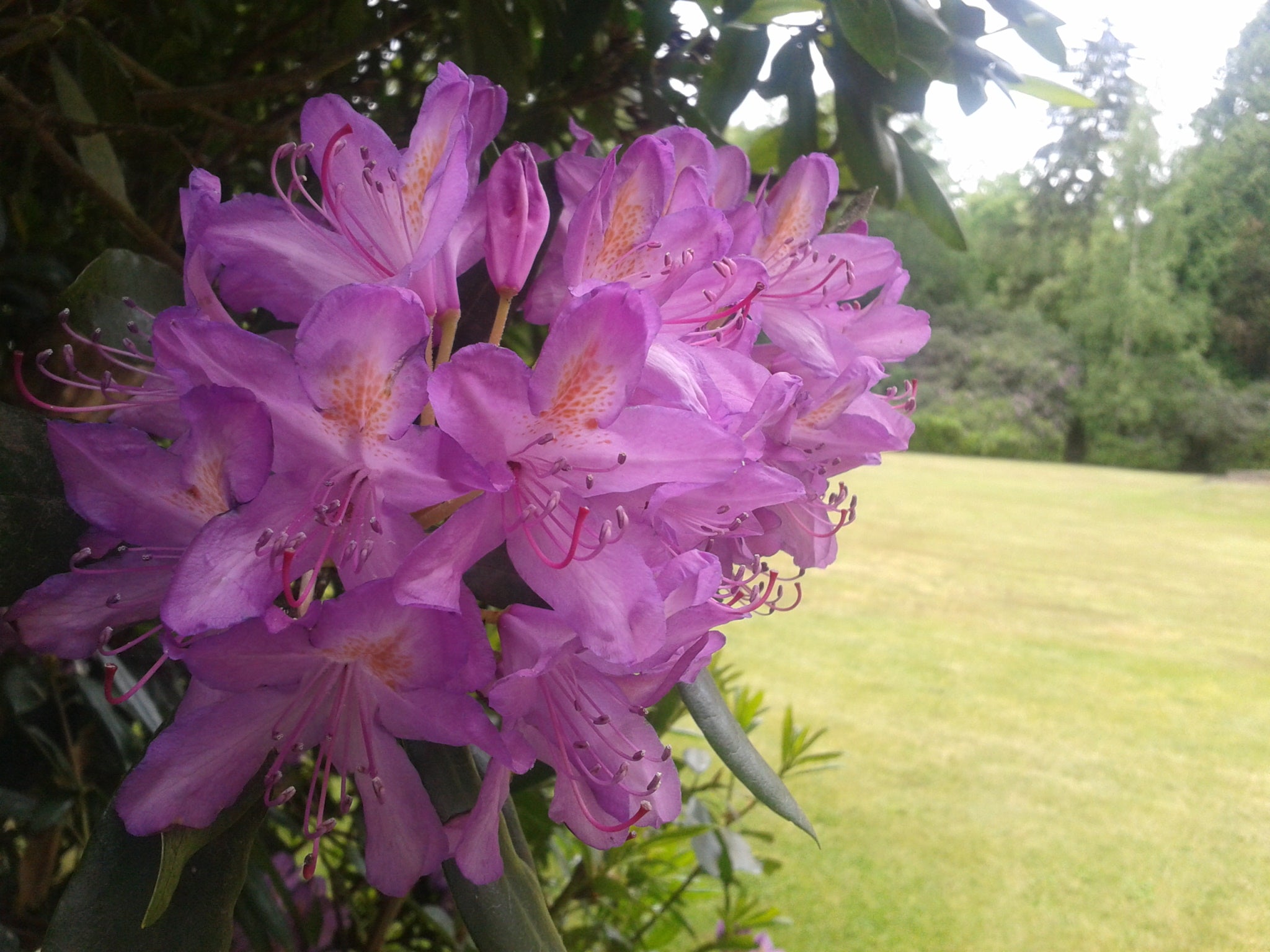
The same image as above but with the flash used for fill light.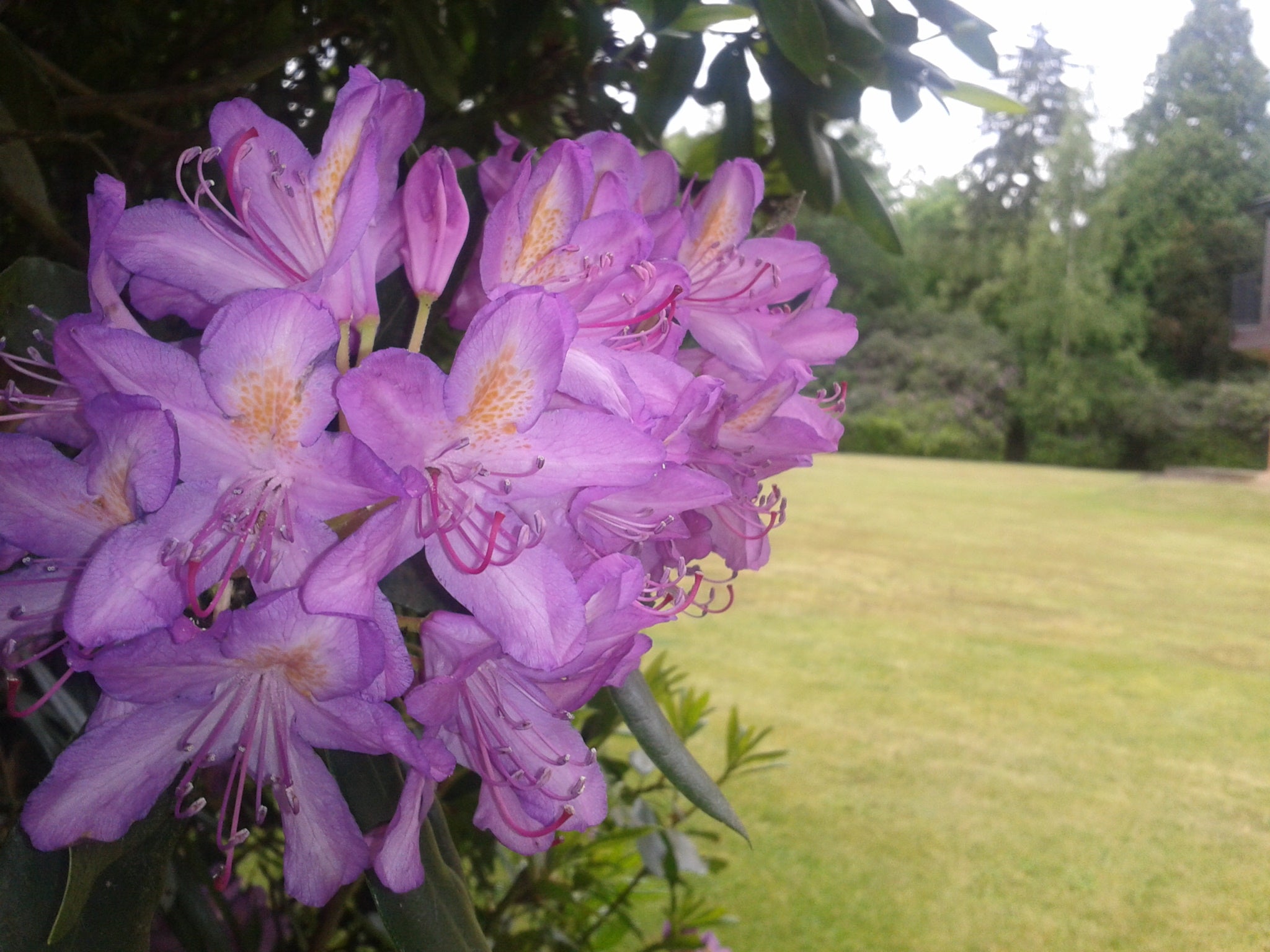
Samsung Galaxy Ace Verdict
The
Samsung Galaxy Ace isn’t as spectacular as its name suggests but it is a
competent budget smartphone. As ever, the Orange San Francisco makes
for a compelling alternative thanks to its larger, higher resolution
screen, but the Ace has a nicer design, faster processor and better
camera.
How we test phones
We test every mobile phone we review thoroughly. We use industry standard tests to compare features properly and we use the phone as our main device over the review period. We’ll always tell you what we find and we never, ever, accept money to review a product.
Trusted Score
Score in detail
-
Performance 6
-
Camera 6
-
Design 7
-
Usability 7
-
Value 8
-
Features 7
-
Screen Quality 6
General
| Operating System | Android OS |
Display
| Screen Size (inches) (Inch) | 3.5in |
| Touchscreen | Yes |


Editorial independence
Editorial independence means being able to give an unbiased verdict about a product or company, with the avoidance of conflicts of interest. To ensure this is possible, every member of the editorial staff follows a clear code of conduct.

Professional conduct
We also expect our journalists to follow clear ethical standards in their work. Our staff members must strive for honesty and accuracy in everything they do. We follow the IPSO Editors’ code of practice to underpin these standards.
Editorial independence
Editorial independence means being able to give an unbiased verdict about a product or company, with the avoidance of conflicts of interest. To ensure this is possible, every member of the editorial staff follows a clear code of conduct.
Professional conduct
We also expect our journalists to follow clear ethical standards in their work. Our staff members must strive for honesty and accuracy in everything they do. We follow the IPSO Editors’ code of practice to underpin these standards.
