

Verdict


Key Specifications
- Review Price: £319.00
October; that’s when we first set eyes on the original Eee PC 4G 701 yet it feels like an age ago. What was once a tentative step into the unknown has become a runaway success story and with the choice in the cheap-small-and-portable mini-notebook market reaching obscene levels, it’s not one Asus can claim solely its own any longer.
It can claim, however, to have defined a segment that until not long ago didn’t even exist and the Eee PC name has become as synonymous with this kind of product as the name Hoover has to the Vacuum Cleaner. And, with Intel delivering the first custom designed ‘NetBook’ CPU, the Atom, the Eee PC finally has a CPU that’s meant for the task.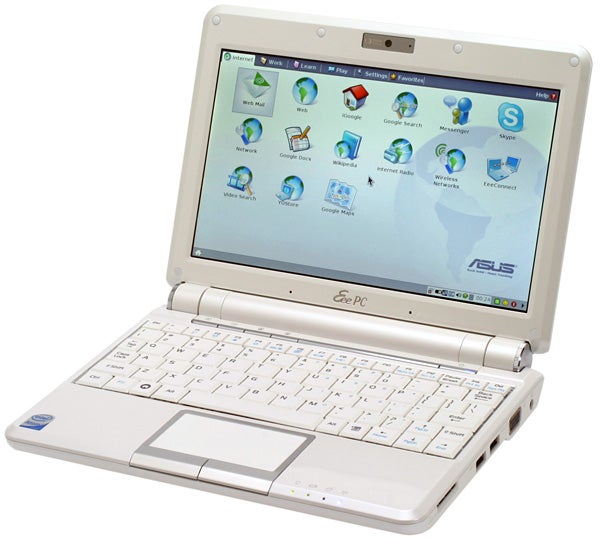
Yes, that’s right, after all the anticipation the Eee PC 901 is the first Intel Atom powered Eee PC. Running as standard at 1.6GHz the Atom processor is designed to be as frugal as possible, while delivering the performance required to browse the Internet, watch videos, listen to music and plenty else besides. This may sound simple enough, but the achievement is nothing short of remarkable. 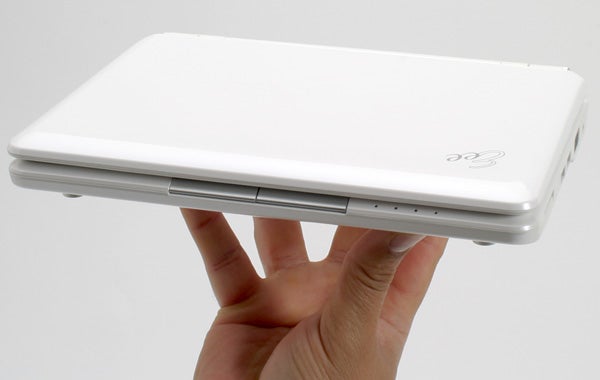
Not only does it mean you can do more for longer, it also makes for a cooler and quieter machine as well. This is reflected in the smaller and slimmer air vent on the 901, one of the most obvious differences between this and the Celeron-powered Eee PC 900 we looked at back in April. During use, particularly in power saver mode (more on which later), the 901 is as close to silent as can be. You have to put the fan up to your ear to clearly hear it whirring away.
This is helped, of course, by the fact that the 901 continues to use NAND Flash for storage, 20GB in our Linux-based sample, rather than a mechanical drive. A lack of moving parts means less heat, more responsive performance and greater durability and in a machine this size these are great qualities to have.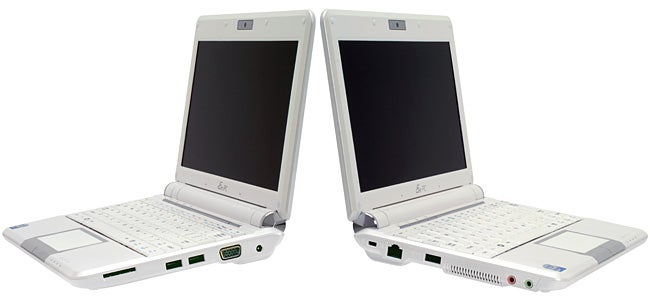
And, since we’re on the topic of durability, for what is still a relatively cheap machine – we still contend £319 is astounding value for what you’re getting – the Eee PC 901 is incredibly well made. Its small, compact chassis feels strong and well put together and the screen hinge is as chunky and secure as the screen is well protected. Moreover, the provided slip cover means you can chuck the Eee into any bag and not worry a jot.
While the inclusion of an Intel Atom processor is the headline grabber, this isn’t to say Asus has been resting on its laurels. Knowing that the likes of MSI Wind, HP 2133 Mini-Note, Acer Aspire One and Dell Inspiron E and E Slim are snapping at its heels, it has given the 901 a subtle but timely makeover. Gone, for example, is the slightly toy-like pearlescent finish, replaced almost entirely by a classy and familiar feeling glossy finish. 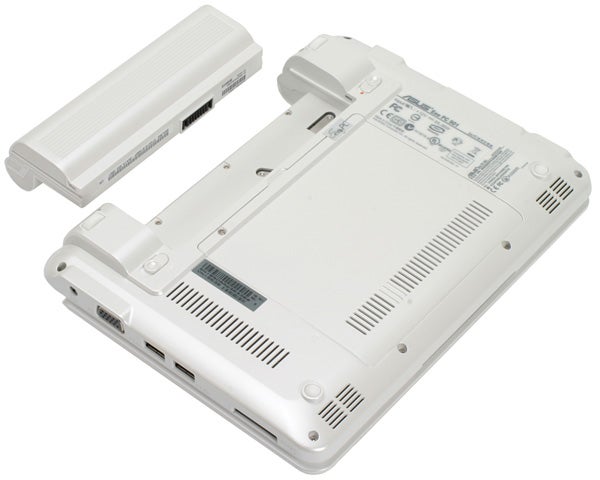
Another improvement is the previously mentioned screen hinge, which is both larger and slightly narrower than that on Eee 900. It is, however, a pretty insignificant change compared to greatly improve touch pad. Whereas previous Eee PC touch pads were something to be tolerated rather than admired, this new one is a massive improvement. Its new silver fringing is particularly fetching and the larger size and seamless integration makes it great to use. Indeed, the only complaint is that the buttons are a tad tough, but this is really a trifling issue.
Asus has also gone to town and come back with an assortment of new features, without actually increasing the price. As such, in the 901 you’ll benefit from niceties such as Bluetooth, Dolby Sound Room audio (XP version only) and, incredibly, high bandwidth Wireless-N Wi-Fi. Doubtless many won’t see the benefit but it’s a great feature nonetheless and when you consider the wealth of excellent features already present in the Eee, such as the 1.3 Megapixel camera, dual integrated microphones, multi-touch touch pad, SSD storage, three USB ports, and excellent 8.9in 1,024 x 600 screen, the Eee boasts a feature set to match and surpass many of the machines aspiring to its crown.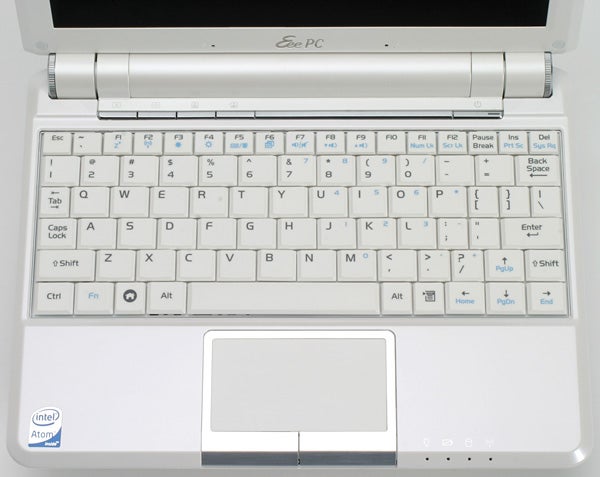
The good news doesn’t end there, though, because there’s one other new feature that’s probably the most significant of the lot: the battery. Previously Asus has been rightly criticised for not providing the battery needed for satisfactory long-term use, but the 6-cell 6600mAh battery supplied with the Eee PC 901 changes all of that.
Though it pushes the weight just a smidgen over 1kg, to 1.1kg, it finally gives us the thing we’ve been craving: longevity. Previous Eee PCs tended to keel over at around the three hour mark or below, but when used with the screen at full brightness, with wireless active, we managed a very impressive four hours and 45 minutes of real-world use.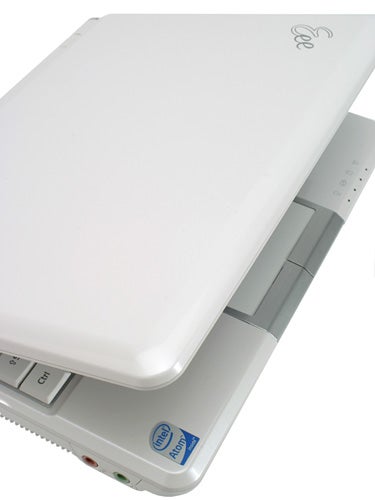
Asus, in fact, claims up to 7.8 hours and though we haven’t had the time to re-create the conditions required to test this claim, given the large number of brightness increments and potential power savings it’s a claim we can believe in. Moreover, regardless of what the exact figure might be, the 901 delivers the kind of battery life that provides freedom and flexibility.
So, that’s one aspect of performance dealt with, what of the rest? Well, we can happily report that the Atom processor performs admirably. Combined with the lean and mean Linux OS, performance is snappy and responsive. With 1GB of RAM in support you can even have two or three programs open at any one time and not encounter any major problems unless you want to watch video, in which case it’s best to close other programs – particularly memory heavy apps like Firefox and OpenOffice.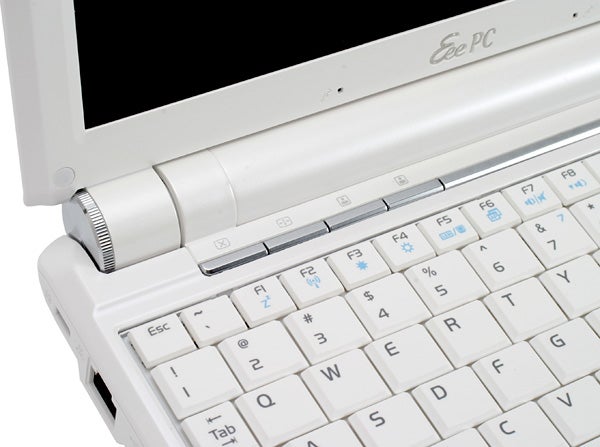
As with the MSI Wind, Asus has also adopted a CPU throttling scheme that it is calling Super Hybrid Engine – catchy, eh? It has three performance modes, Power Saver, High Performance and Super Performance. When left to its own devices the system will activate the Power Saver mode, which clocks the CPU down to 1.2GHz, when unplugged and activate the standard clocked 1.6GHz ‘High’ Performance mode when plugged in.
You then have the option to switch up to the Super Performance mode to gain an extra 200MHz, moving up to 1.8GHz. This might be handy for those moments when you’re doing something unusually demanding, but the rest of the time you probably won’t need this mode and it does mean the system runs warmer and more noisily.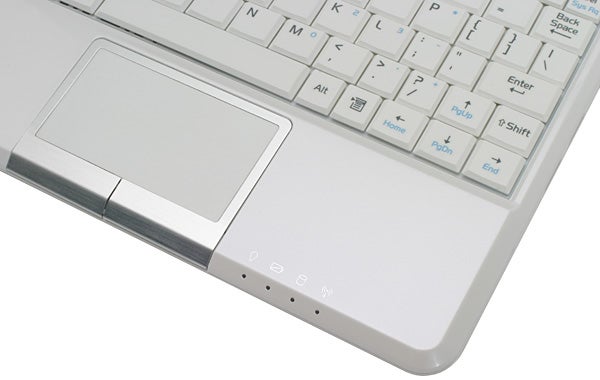
Further praise must also be heaped on the Eee’s custom Xandros Linux OS and the comprehensiveness of the pre-installed software. As an interface it’s effortlessly intuitive and once you know where everything is, nothing important is ever more than a couple of clicks away. As for the software itself, practically every base is covered. Be it instant messaging, Skype, web browsing, productivity or media playback, there’s something on hand to get you going and updates are downloaded automatically. It’s particularly refreshing to see Firefox add-ons installed as standard, with handy quick zooming and preview pane functions joining full support for the various web based media players.
Bizarrely, we’ve also come to rather like the voice activation application installed on Linux. When running it you press F10 and then launch programs, or even websites, simply by saying its name. It works surprisingly well, even if the recorded instructions are a tad annoying. Another useful addition is the YOStore online storage, which enables you to store up to 20GB of data online – useful if you’re using the Eee as a second laptop, as many will.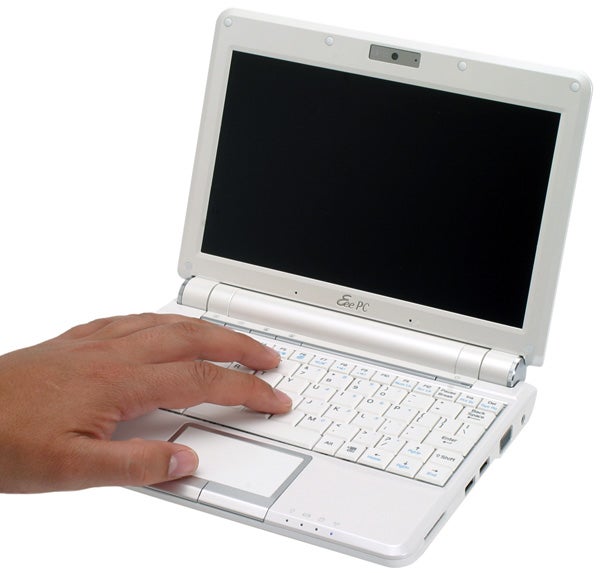
Overall, though XP remains an interesting option for the “power user”, many should and will find what’s already on offer just perfect. Obviously the Linux OS is faster than XP, particularly at boot-up and shutdown, but the simplicity of it all is also very appealing and with the extra storage you get from sticking with Linux, this is definitely the version we’d recommend – you can always install XP yourself after all.
There is, however, one area where the Eee PC 901 is still usurped by its pretenders: the keyboard. Yet, it’s an issue that can be really overplayed. For starters, the keyboard isn’t as bad some might suggest. Key response, for example, is very good and though the small keys and slightly cramped layout don’t make it ideal for writing long documents – e.g reviews – is the Eee really meant for such tasks?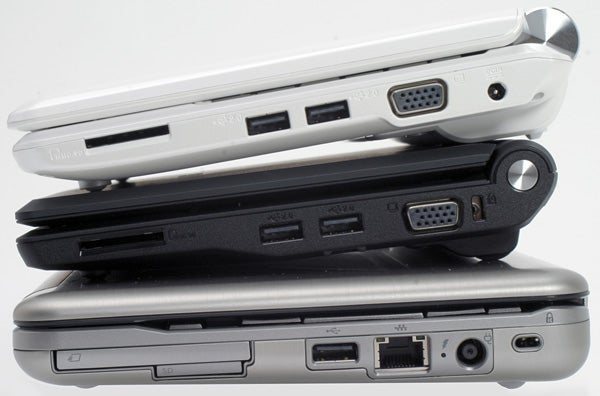
If we’re talking about the Eee PC 901, then the answer is a definite no. At most it is meant for writing the occasional email, notes in a lecture or seminar, or for instant messaging, not for writing long documents of import. You use a proper PC or notebook for such activities, leaving your Eee PC for those moments when you want to quickly check through something on the train, or plane, surf the Internet and watch videos.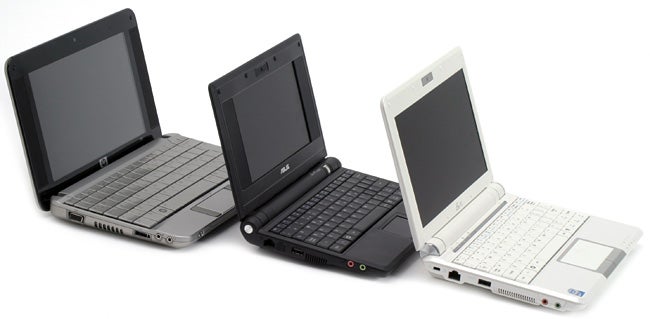
Of course, others have taken a different approach and this is reflected in our comparative shots with the HP Mini-Note, which is considerably wider to allow for its admittedly excellent keyboard. Ultimately, whereas many recent/imminent arrivals seem more intent on trying to be a bit like proper notebooks, the 901 is content with what it was meant to be in the first place; a cheap and extremely portable computer that can fit in a small bag and be enjoyed anywhere.
And in this the Eee PC 901 is still without peer. Now, with its Atom CPU and prodigious battery life it feels like the natural culmination of what we first saw back in October. Having ironed out the edges and rectified the issues raised, Asus has produced exactly what was required of it and more. With the 10in Eee PC 1000 due soon as well, with a larger more comfortable keyboard, some might prefer to wait for that, but even with its compact keyboard the Eee PC 901 is quite superb.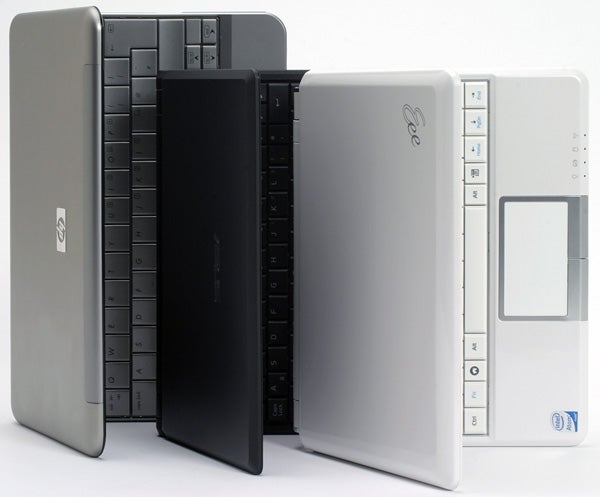
”’Verdict”’
Brimming with features and with a new CPU and better battery, the Eee PC 901 personifies exactly the spirit in which the original was created. It may be a bit more expensive than the original and lack a more comfortable keyboard, but for a balance of features, size, usability and value, the 901 has once again set the standard. For the moment, at least, the (new) original is still the best.
”’Related Articles”’
ASUS Eee PC 4G 701 review
ASUS Eee PC 900 review
How we test laptops
Unlike other sites, we test every laptop we review thoroughly over an extended period of time. We use industry standard tests to compare features properly. We’ll always tell you what we find. We never, ever, accept money to review a product.
Trusted Score
Score in detail
-
Performance 9
-
Design 9
-
Value 10
-
Features 9


Editorial independence
Editorial independence means being able to give an unbiased verdict about a product or company, with the avoidance of conflicts of interest. To ensure this is possible, every member of the editorial staff follows a clear code of conduct.

Professional conduct
We also expect our journalists to follow clear ethical standards in their work. Our staff members must strive for honesty and accuracy in everything they do. We follow the IPSO Editors’ code of practice to underpin these standards.
Editorial independence
Editorial independence means being able to give an unbiased verdict about a product or company, with the avoidance of conflicts of interest. To ensure this is possible, every member of the editorial staff follows a clear code of conduct.
Professional conduct
We also expect our journalists to follow clear ethical standards in their work. Our staff members must strive for honesty and accuracy in everything they do. We follow the IPSO Editors’ code of practice to underpin these standards.
