

Verdict


Pros
- Solid unibody aluminium chassis with soft-touch
- Excellent battery life
- Flexible specs including 3G
- High-res screen
- Good value
Cons
- Chunky and heavy
- TN screen with average viewing angles
- No touch for Windows 8 (yet?)
Key Specifications
- Review Price: £840.00
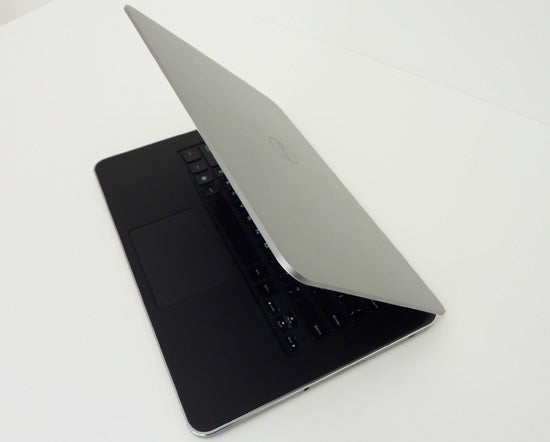
- Aluminium unibody chassis
- 14in 1600 x 900 TN screen with Gorilla glass
- Up to Core i7, 8GB RAM, 512GB SSD
- Full-size HDMI, mini DisplayPort, 3 x USB 3.0
- Optional Nvidia GeForce 630M graphics
- Optional 3G
Intro
Dell was a little late to the Ultrabook game, but it made a stunning entrance with its original XPS 13 – slim, sleek and screaming premium from every inch, the XPS 13 was a success, and was quickly followed by the similarly-styled XPS 14 and XPS 15. We’re looking at the former to see how a traditional MacBook Pro-like Ultrabook with no touchscreen option in the works (yet?) holds up.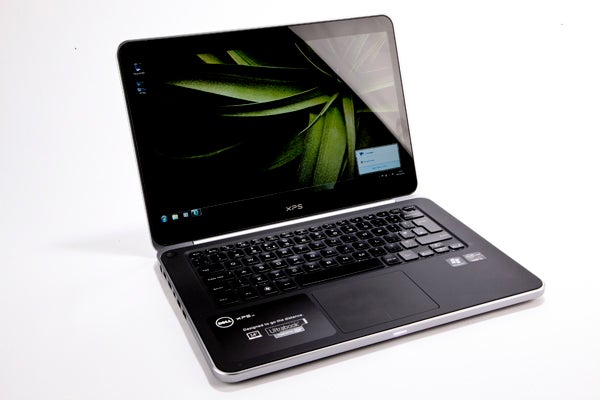
What are you getting for around £950? A beautifully constructed slab of unibody aluminium with a 14-inch, 1,600 x 900 screen protected by Gorilla glass, Core i5 processor, dedicated Nvidia graphics, and TPM which gives the Dell XPS 14 business appeal.
The base model offers 4GB of RAM and a 500GB hybrid hard drive, or you can opt for the £1,280 version and get 8GB of RAM along with a whopping 512GB SSD, plus optional mobile broadband. Those are some pretty juicy specs so let’s see if the XPS 14 has the body to go along with them.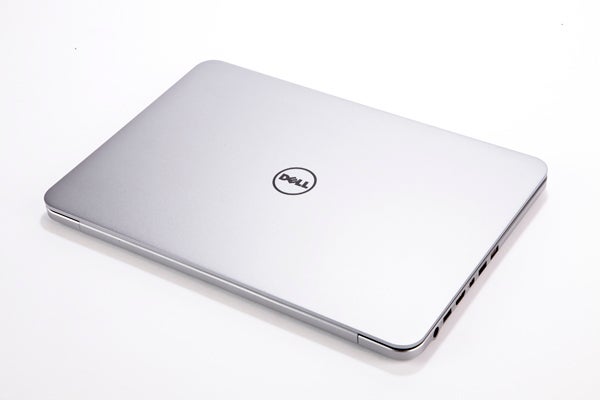
Dell XPS 14 – Design and Build
When it comes to design the XPS 14 isn’t just a larger version of its 13-inch sibling. It forgoes the tapering slimness of its predecessor and instead opts for a more MacBook Pro-like design that means it maintains the same 20.7mm thickness throughout. Mind you, it’s certainly no less attractive for it – but it does increase the impression of weightiness and, at just over 2kg, that’s the last thing the XPS 14 needs.
Essentially though, if you like the edgy, simplistic design of the older MacBook Pros, you’ll be happy with this Dell. Even the usual LED indicators are blended into a single, beautifully integrated strip at the laptop’s front. Only on the inside and bottom do things veer away significantly, as these are black soft-touch plastic, while the ‘bezel-free’ screen sports a glossy black bezel. 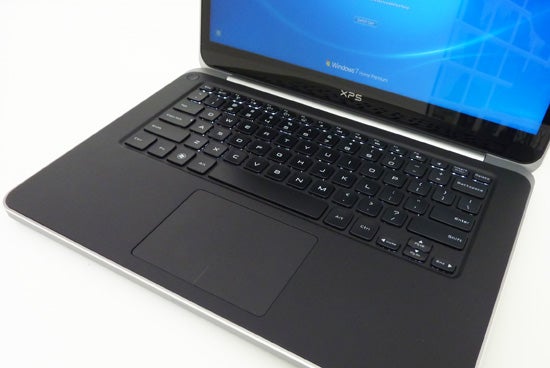
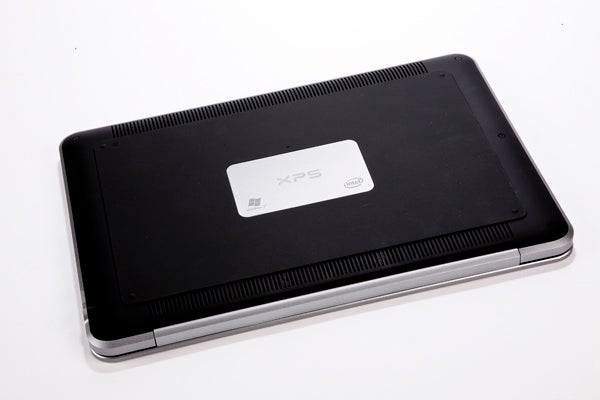
The soft keyboard surround makes resting your palms while typing a pleasure. On the XPS 14’s base, meanwhile, there’s a further thick sheet of rubber that gives this Ultrabook a superb grip even on sloped, slippery surfaces. Frankly, we’ve never encountered a laptop that felt as secure on our lap as this one, and applaud Dell for daring to be different and elevating function over form to this extent on a designer laptop.
Build quality of the Dell XPS 14 is superb, easily matching the best of the rest. Both the lid and base use milled aluminium unibody enclosures, ensuring there is not even a hint of flex. The anodised outer finish doesn’t show off fingerprints, while the soft-touch black plastic used on the inside only shows grease marks from a certain angle. Gorilla glass ensures the XPS 14’s screen is as well-protected as they get, and this is one display you can poke fingers or even biros at with impunity.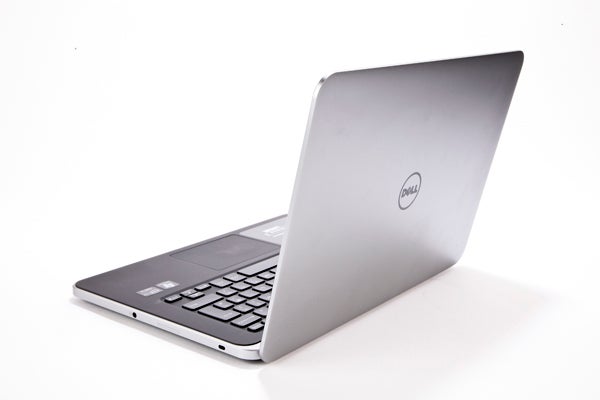
Dell XPS 14 – Connectivity
As you would expect from a powerful, productivity-oriented Ultrabook, the XPS 14 is stuffed with connectivity. On the left we have the power jack, a flip-out Gigabit Ethernet port, full-size HDMI, micro DisplayPort and twin USB 3.0 ports for hooking up fast external devices and quick charging. The XPS 14’s right side is left mostly clean, with only a combined microphone/headphone jack, SDXC card reader, and Kensington lock slot. All this is a major improvement over the XPS 13, which was a bit lacking in the connections department.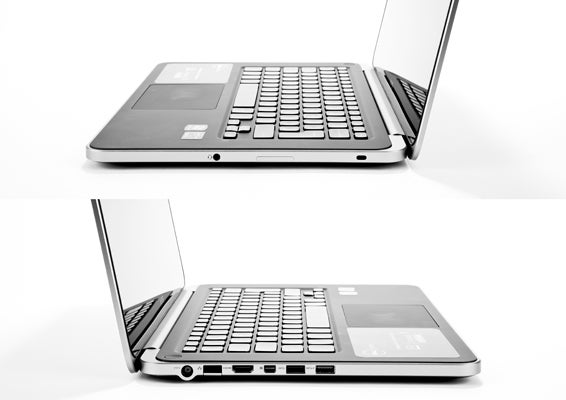
On the wireless side of things Wi-Fi and Bluetooth come as standard, then things get a little complicated where 3G mobile broadband is concerned. You see, the XPS 14 with wireless broadband is not technically an Ultrabook as it’s just a tad too thick. It also isn’t available with dedicated Nvidia graphics, nor with an SSD of up to 512GB as on the XPS 14 Ultrabook. While we’re glad Dell is offering a 3G option in its premium 14-inch laptop line with some business features, we can’t help but wish you wouldn’t have to compromise to get it.
Dell XPS 14 – Keyboard
The typing experience offered by Lenovo’s laptops, like the recent ThinkPad X1 Carbon, are still the yard-stick against which we measure all other laptop keyboards, but thankfully this Dell doesn’t fare too badly. Its Chiclet-style keyboard offers large, ever-so-slightly curved keys with white backlighting. Layout is spot-on though key spacing is just a little far apart. Travel is decent and there’s a reasonably solid click to indicate a pressed key. 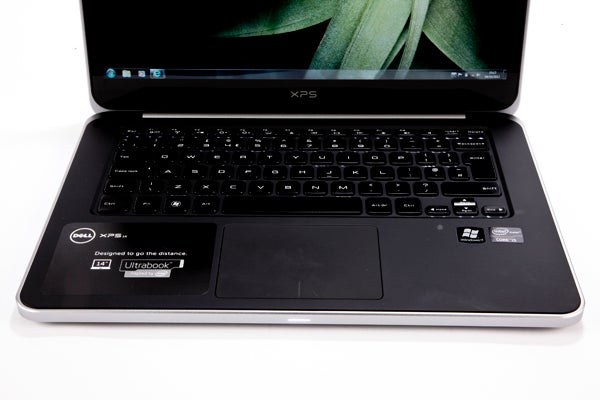
Dell XPS 14 – Touchpad
As with most premium Ultrabooks, the XPS 14 sports a huge glass ‘buttonless’ touchpad. Beautifully integrated into its soft-touch surround, the pad is responsive with a nice click to its clearly differentiated ‘button areas’. Naturally, it supports multi-touch and, as Dell offers no touch-screen option for its XPS 14 yet, is the only way to navigate smoothly through Windows 8’s tile-style interface.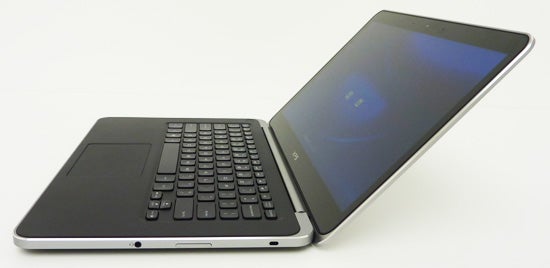
Dell XPS 14 – Screen
As its name implies, the XPS 14 gives you 14 inches of screen real estate, along with a nice 1,600 x 900 resolution and high 400nits brightness. Unfortunately, the panel is still TN rather than IPS or PVA, but at least it holds up reasonably well.
Dark detailing is decent with most of the darker shades visible, and though blacks are far from the deepest we’ve seen, the glass layer in front of the screen helps to improve perceived contrast while adding a little extra punch to colours. Of course, it also adds annoying reflections, and whether the trade-off is worth it only you can decide. 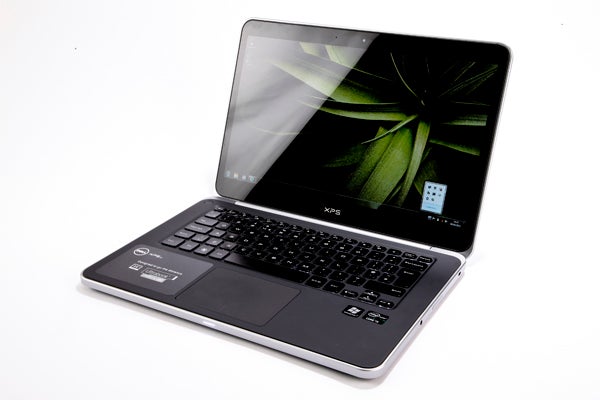
Backlighting was even too, with slight bezel-pinch near the screen’s bottom causing backlight bleed that was so minimal as to be virtually unnoticeable. And last but not least on the positives, everything is very sharp thanks to that high resolution.
As usual with TN screens it’s viewing angles where the XPS 14 fails to impress. We’d class them as just about average, with no issues when sitting in a 60 degree sweet spot but anything much beyond that showing up the inevitable contrast shift both vertically and horizontally. As we said, the XPS 14’s screen is by no means bad, but on a laptop this premium in every other regard, it is the weakest link. You also don’t get a touch option for Windows 8, though Dell may be offering one down the line.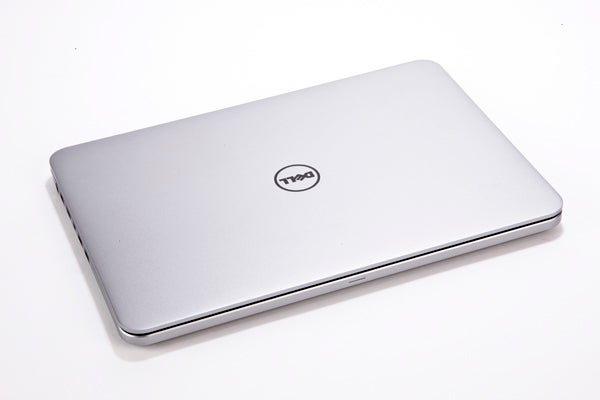
Dell XPS 14 – Speakers
On the audio front, Dell’s latest XPS line has lost the prominent, up-facing JBL speakers of older models but their subtly integrated replacements sound pretty decent. There’s quite a bit of volume and punch on offer, though clarity is lacking. Still, there’s no distortion and we’d use them for a movie at a pinch.
Dell XPS 14 – Specs
Given that this 14-inch XPS has a little more room in its chassis, it’s no surprise that it offers significantly better specs than its XPS 13 sibling. This being a premium laptop, you get a choice between Intel Core i5 or Core i7 processors, our review sample rocking a dual-core Core i5-3317U that runs at 1.7GHz by default but can Turbo Clock up to 2.6GHz and with support for up to four virtual cores.
(u)PCMark 07(/u)
General: 3433
Entertainment: 2726
As ever it’s backed by 4GB of RAM as standard, but you can select a model with a more generous 8GB if you love to multi-task intensively or are likely to do demanding tasks like video editing. Storage is generously catered for with your choice of a 500GB/32GB hybrid hard drive/SSD or even up to a whopping 512GB pure SSD on the £1,280 non-3G XPS 14 configuration. That’s very impressive stuff.
(u)Gaming(/u)
TrackMania Nations Forever (average fps, 720p, Medium Detail)
40.8
S.T.A.L.K.E.R: Call of Pripyat (average fps, 720p, Medium Detail)
21.1
3DMark 11
Graphics: 459
Physics: 2815
Unfortunately, our review sample only came with Intel’s integrated HD 4000 graphics rather than the dedicated Nvidia GeForce 630M that’s offered on XPS 14 models without mobile broadband. Mind you, the 630M can hardly be considered a game-worthy card, but even for Physx acceleration it’s a nice-to-have. As is, only casual gamers should apply for this 3G-enabled laptop, and this is confirmed by our slow 20fps average result in the undemanding Stalker title (generally 30fps is considered the minimum for smooth gaming). 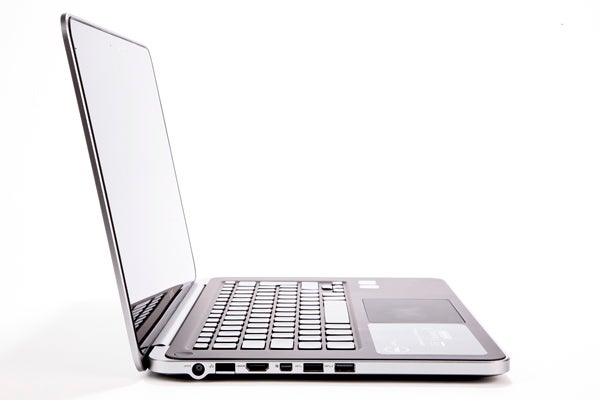
Dell XPS 14 – Battery Life
When it comes to battery life, this XPS 14 is jolly impressive. As you may have noticed, we’re changing our battery testing procedure to give our laptops a more intensive workout. Where before the figures represented a maximum with wireless disabled, our new test throws in some web browsing.
As such, going by the performance of previous laptops, the Dell XPS 14 scored a whopping nine and a half hours, up there with the best of the rest. With a slightly heavier workload including web-browsing, this goes down to a more modest seven and a half, which is still plenty to make it through a working day.
(u)Battery(/u)
(40 percent screen brightness, mixed productivity and web-browsing)
7 hours 33 minutes
These figures put the XPS 14 at the top of the 14-inch Ultrabook food chain. And although it is a weighty beast, as we saw with the equally heavy HP Envy 14 Spectre, that’s no guarantee of longevity, so we’re glad to see this Dell putting in a performance worthy of its weight.
Dell XPS 14 – Value
Designer laptops are rarely cheap, and the Dell XPS 14 starts off at £980 for a Core i5 with dedicated graphics, 4GB of RAM and a 500GB hybrid hard drive. However, currently an online discount when buying direct from Dell brings that down to £840, though savings on the top-end spec with 8GB of RAM and a 512GB SSD are far less and it will still set you back £1,280.
It’s a bit difficult to judge value right now as we’re in a transition period with touch-enabled Windows 8 convertibles coming onto the market. However, there’s less competition in the 14-inch designer Ultrabook arena, with HP’s Envy 14 Spectre being the obvious rival. That machine is still around £1,000 with a 128GB SSD but no dedicated graphics. Considering the XPS 14 is better-looking, better-built and offers far better battery life for a £160 saving, we’d say the choice is obvious.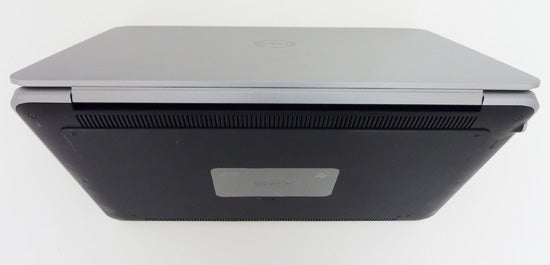
Compared to the MacBook Pro, a non-Retina 13-inch (there is no 14-inch model) will set you back around £1,000 as well, albeit with a ‘regular’ hard drive and lower screen res – if better viewing angles. Upgrade that to a 512GB SSD as on the £1,280 Dell, and Apple charges a ludicrous £1,800…
Verdict
The Dell XPS 14 is a worthy MacBook Pro rival with its beautifully minimalist yet incredibly solid aluminium chassis and stylish lines, and the soft-touch keyboard surround and grippy rubber base elevate it a step above. The range of available specs is equally impressive for the price and battery life is top of its game, though at just over 2kg you’d expect no less. The only real fly in the Ultrabook ointment is the admittedly high-resolution TN screen, which suffers from the usual poor viewing angles. If you can live with this and don’t need touch for Windows 8, the Dell XPS 14 makes for a good if somewhat weighty choice.
How we test laptops
Unlike other sites, we test every laptop we review thoroughly over an extended period of time. We use industry standard tests to compare features properly. We’ll always tell you what we find. We never, ever, accept money to review a product.
Trusted Score
Score in detail
-
Performance 8
-
Design 8
-
Screen Quality 7
-
Value 8
-
Features 8
-
Battery Life 9


Editorial independence
Editorial independence means being able to give an unbiased verdict about a product or company, with the avoidance of conflicts of interest. To ensure this is possible, every member of the editorial staff follows a clear code of conduct.

Professional conduct
We also expect our journalists to follow clear ethical standards in their work. Our staff members must strive for honesty and accuracy in everything they do. We follow the IPSO Editors’ code of practice to underpin these standards.
Editorial independence
Editorial independence means being able to give an unbiased verdict about a product or company, with the avoidance of conflicts of interest. To ensure this is possible, every member of the editorial staff follows a clear code of conduct.
Professional conduct
We also expect our journalists to follow clear ethical standards in their work. Our staff members must strive for honesty and accuracy in everything they do. We follow the IPSO Editors’ code of practice to underpin these standards.
