

Verdict


Key Specifications
- Review Price: £49.43
It has been said plenty of times before; wires are annoying. Nowhere is this truer than in audio, where the wires from speakers or headphones are inevitably long and prone to entanglement. This makes a wireless headset like the Plantronics .Audio 995s we’re looking at today a tempting proposition.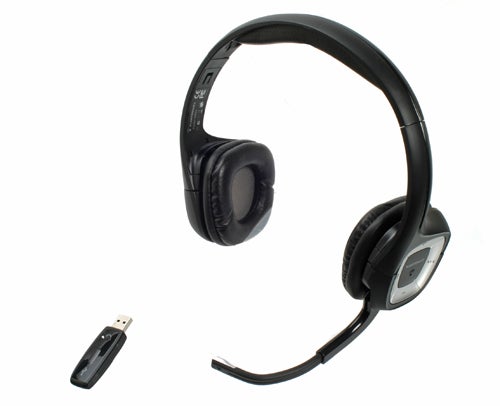
This set is marketed as something of a jack of all trades for your PC or laptop, where it can be used for music listening, film viewing, gaming and video chatting. Like the similar Creative HS-1200 set, it uses RF technology (not Bluetooth) to transmit audio from your PC to the headphones.
This requires a USB dongle and it and the headphones come pre-paired, so getting started with the .Audio 995s is as simple as turning on the headset and plugging in the dongle. Both Windows and Mac are supported and no software installation is required, which gives it an edge over Creative’s effort that couldn’t be used on Apple machines.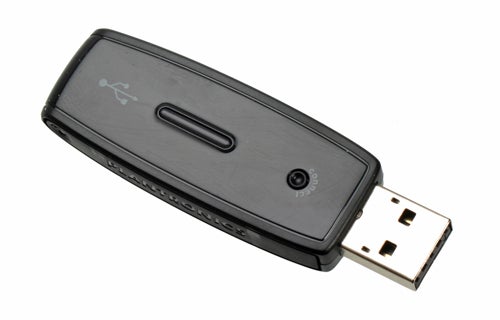
Another difference between the two is the form of the dongle itself. The Creative set uses a disc-shaped wired dongle, whereas the Plantronics take a more traditional approach with a self-contained dongle that plugs straight into the port. Which is better is a matter of argument and circumstance; the former won’t block a port but isn’t so convenient, while the latter is arguably more convenient but could block adjacent ports.
Like the Creative’s, the Plantronics set feature integrated audio controls. These are housed on the left cup and comprise volume controls, a play/pause button and a single button to skip forward. They’re very large buttons and once you’re acquainted with their positioning, using them is very intuitive. Also on the left side is the retractable boom mic, which automatically mutes itself when not in use.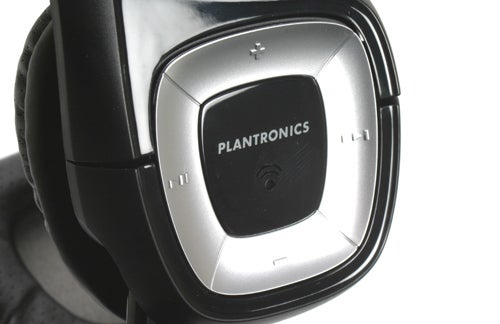
Before you can use the set it must be charged. This is performed through USB with a provided cable, but unlike Creative’s effort you can’t use the headset when plugged in. This is a fairly significant oversight in our minds, since there will always be times when waiting for it to charge won’t be an option. A minimum of an hour of charging is recommended, with a full charge taking between three to four hours.
Aesthetically, the 995s aren’t anything special, but what they lack in visual flair they make up for in comfort. Unlike the Creative set, they don’t put adverse pressure on your ears, so remain comfortable for reasonable lengths of time. Padding is ample and very soft, while the adjustable headband and tilting ear-cups ensure that a comfortable fit is found.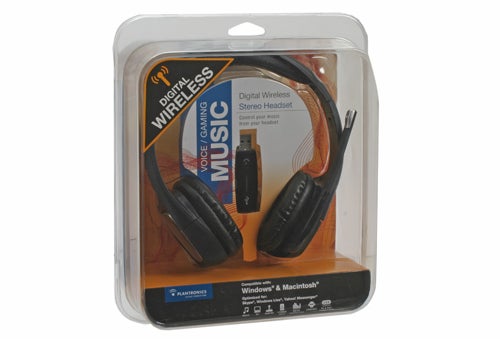
So far, then, this set is acquitting itself pretty well. The fact you can’t use them over USB is disappointing, but they’re very easy to use and very comfortable to wear – two important features for any wireless headset. However, all this good work is let down by mediocre sound quality.
Initially, the .Audio 995s sound passable but the longer you use them, the more their deficiencies become apparent. First, is the general lack of clarity. This is particularly apparent with rock music, where the percussion seems strangely distant. This is coupled with a general lack of power and richness. While the mid-range is clear and audible, the overall sound is thin and lacks contrast. Lighter types of music fare much better, but anything requiring a little oomph comes out sounding rather flat.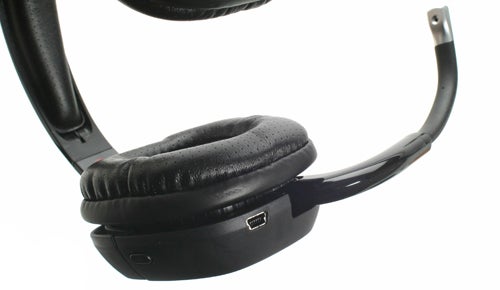
This lack of power and clarity isn’t a big issue when enjoying a film, unless it’s very action packed, but does rule the set out for serious gaming duties. That’s a shame given the microphone, which features active noise cancelling, is very good. It captures very crisp and well-defined audio and though the noise cancelling isn’t faultless, background interference is rarely a problem.
You should be able to chat for a long time, too. Strangely, Plantronics doesn’t make any specific claims about battery life, but we used the set for around eight hours before it finally required charging. Plantronics does quote a range of 30 metres, which is suitably impressive, though doors and walls will reduce this figure. We didn’t have any problems roaming around our office, so unless you live in a warehouse, range shouldn’t be an issue.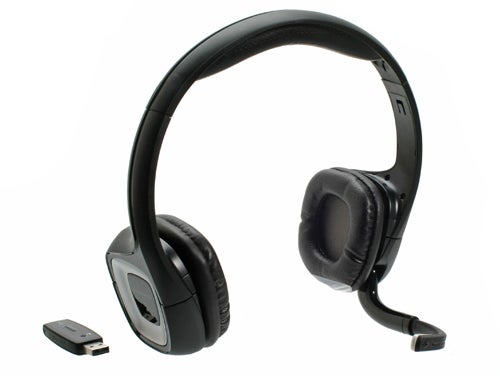
Verdict
This is a decent wireless headset, but it’s let down by under-par sound quality. If you’re after convenience at relatively little cost, the .Audio 995s are just fine, but more discerning ears will be disappointed.
Trusted Score
Score in detail
-
Value 8
-
Features 7
-
Design 7


Editorial independence
Editorial independence means being able to give an unbiased verdict about a product or company, with the avoidance of conflicts of interest. To ensure this is possible, every member of the editorial staff follows a clear code of conduct.

Professional conduct
We also expect our journalists to follow clear ethical standards in their work. Our staff members must strive for honesty and accuracy in everything they do. We follow the IPSO Editors’ code of practice to underpin these standards.
Editorial independence
Editorial independence means being able to give an unbiased verdict about a product or company, with the avoidance of conflicts of interest. To ensure this is possible, every member of the editorial staff follows a clear code of conduct.
Professional conduct
We also expect our journalists to follow clear ethical standards in their work. Our staff members must strive for honesty and accuracy in everything they do. We follow the IPSO Editors’ code of practice to underpin these standards.
