

Verdict


Key Specifications
- Review Price: £127.03
It’s inevitable that networking vendors always release a broadband router first and then make everyone wait for a version with an integral ADSL modem. So it is with Belkin’s latest N1 Vision (the F5D8632UK4A) as we looked at the version with an Ethernet WAN port quite a few months ago and it’s only now that the Wireless Modem Router makes its way on to the market.
Is the wait worthwhile? You bet, as the N1 Vision is the swankiest looking ADSL router on the market. Belkin moved the design bar up quite a few notches when it released the first model as its cool black fascia really does need to be on display where it can’t be missed. In fact, the gloss black colour scheme is proving such a hit that even Netgear has followed suit with its dual-band RangeMax WNDR3300 which has ditched the trademark clinical white boxes in favour of the same finish. 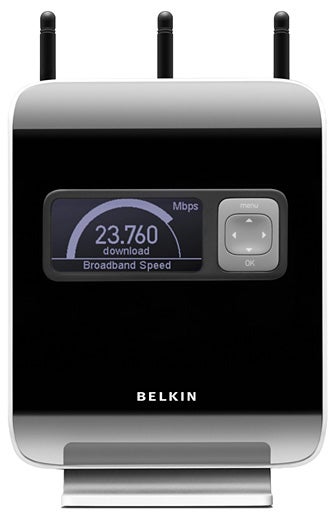
The front panel incorporates a large backlit LCD display that can be controlled via a rubberised key pad alongside. The display opens with a line of icons showing the status of the Internet connection, the wireless network status, whether security is enabled and reveals if any wired and wireless systems are connected. Using the buttons you can scroll through displaying a single speedometer showing download speeds or move on to another which has an extra dial for upload speeds.
Next up is a view of all connected clients and their current Internet usage whilst the next shows their bandwidth consumption for the past 24 hours. Having used the original N1 Vision for a while now we find the wireless connection icon really useful as we can see at a glance if any clients are using these services. For the price you’d expect Gigabit Ethernet and you won’t be disappointed as the N1 has a high-speed four-port switch and the wireless-N access point is Draft 2.0 compliant.
For installation Belkin prefers you not to use the CD-ROM. Instead you follow the wiring instructions in the quick start guide, power the router up and open a web browser. It’s supposed to go straight to the router’s home page but although this didn’t work for us, entering ‘routersetup’ as the URL did. A wizard then takes you through setting the country, choosing an ISP from a drop-down list and entering your account details. Our BT Broadband connection was listed so we were up and running in a matter of minutes.
The main interface is nicely designed and easy to navigate and a useful feature is the option to have the router automatically check for new firmware upgrades. When you log in, the router pops up a message box advising on whether it’s found anything to download. You get a NAT/SPI firewall as standard and this can be disabled if you want to live dangerously. Virtual servers are used to route inbound traffic to specific servers based on port ranges and you have twenty entries available.
A single DMZ (demilitarised zone) entry allows one LAN system to step away from the firewall whilst client IP filters can be used to specify ranges of LAN IP addresses and limit their access to selected services. The filters can be set permanently or switched on and off to a daily schedule. You also get MAC address filtering which can be used to block specific machines from accessing the Internet. Usefully, you can view the DHCP client list and get the MAC addresses from here. 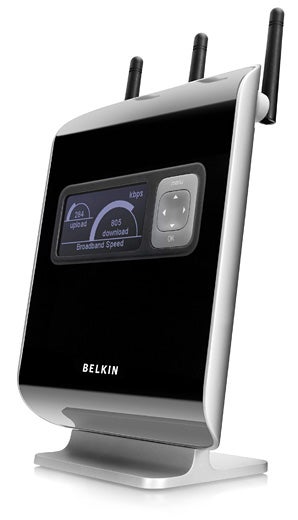
Wireless features are definitely a cut above the rest as the router offers a pair of SSIDs. One is for normal use where clients have access to systems on the LAN and the Internet whilst the second is purely for guests where they can only access the Internet. You don’t even need to use the web interface to set up guest access as this can be done from the router’s operator panel. Three button presses turns it on and it automatically generates a guest WPA key that you can view from the display. WPS (Wi-Fi Protected Setup) is also available with support for PIN and PBS (Push Button Setup) methods.
Wireless security for the main SSID is all present and correct with WEP and WPA/WPA2 on the main menu with SSID masking and MAC address filters as side dishes. To test wireless performance we used a Fujitsu Siemens notebook running Windows XP SP2, equipped with a Belkin N1 Wireless Notebook Card. The results weren’t stunning as a copy of a 690MB video clip to a Boston Supermicro 3.2GHz Pentium D PC on the LAN returned an average of 48Mbps with WPA encryption. Moving the laptop to the floor below the router saw an expected drop in signal strength down to around 50 per cent and copy speeds falling by around 33 per cent.
”’Verdict”’
For the price the N1 Vision offers a good hardware specification with integral ADSL2/2+ modem, quad Gigabit Ethernet and dual wireless-N SSIDs at the top of the list. General features and wireless performance are average at best but this wireless modem router redefines the meaning of cool.
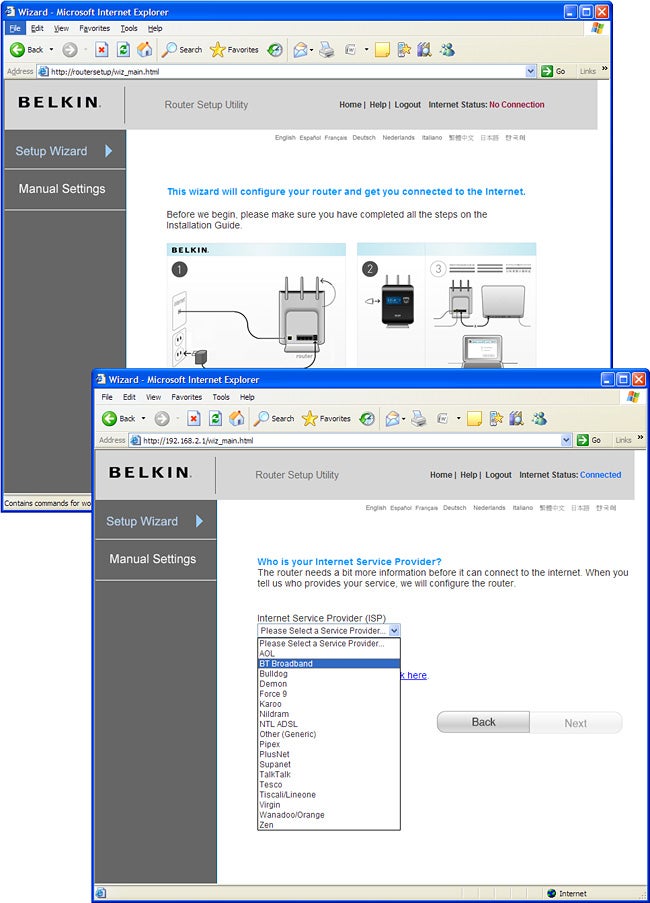 (centre)”’A quick start wizard helps get the ADSL modem configured and offers a range of predefined ISPs.”’(/centre)
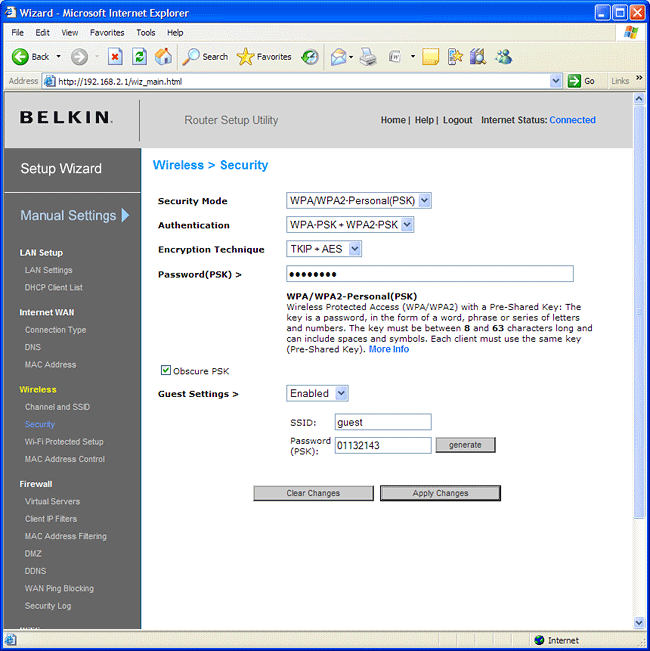 (centre)”’The dual wireless SSIDs will be valuable if you want to dish out guest access to the Internet only.”’(/centre)
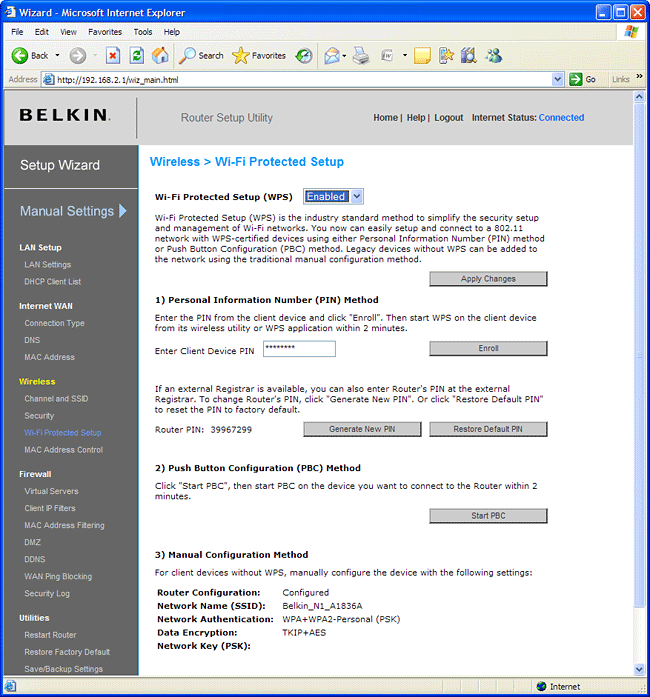 (centre)”’WPS is supported with both PIN and push button methods available.”’(/centre)
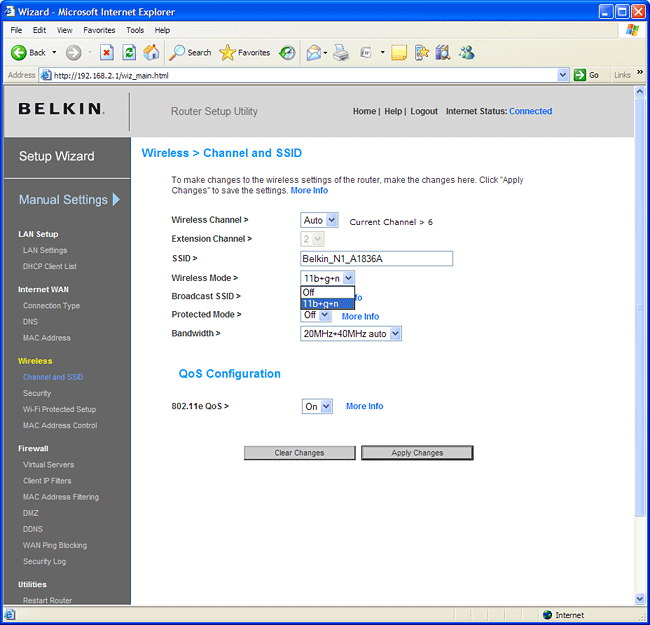 (centre)”’The N1 only supports a mixture of 802.11b/g/n wireless clients or the access point can be switched off.”’(/centre)
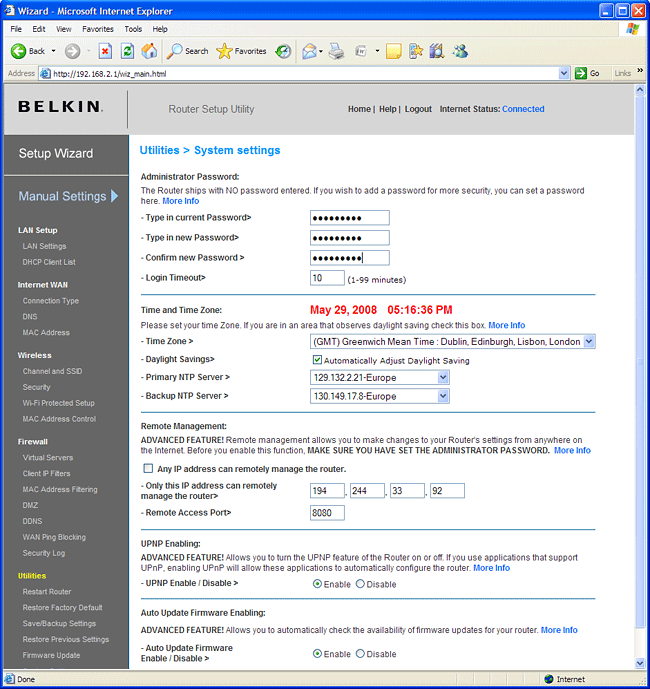 (centre)”’You can restrict remote administrative access and get the router to check for firmware upgrades.”’(/centre)
Trusted Score
Score in detail
-
Value 8
-
Features 8


Editorial independence
Editorial independence means being able to give an unbiased verdict about a product or company, with the avoidance of conflicts of interest. To ensure this is possible, every member of the editorial staff follows a clear code of conduct.

Professional conduct
We also expect our journalists to follow clear ethical standards in their work. Our staff members must strive for honesty and accuracy in everything they do. We follow the IPSO Editors’ code of practice to underpin these standards.
Editorial independence
Editorial independence means being able to give an unbiased verdict about a product or company, with the avoidance of conflicts of interest. To ensure this is possible, every member of the editorial staff follows a clear code of conduct.
Professional conduct
We also expect our journalists to follow clear ethical standards in their work. Our staff members must strive for honesty and accuracy in everything they do. We follow the IPSO Editors’ code of practice to underpin these standards.
