

Verdict


Key Specifications
- Review Price: £222.37
QNAP has traditionally focused mainly on home users with its NAS appliances but the latest TS-209 Pro signals a move into small business territory as well. There’s a lot of competition in this market and this compact desktop box stands out as it takes all the features that impressed us from its TS-109 Pro and amalgamates them into a compact desktop box that supports a pair of SATA hard disks and brings hot-swap capabilities plus mirroring and striping to the table.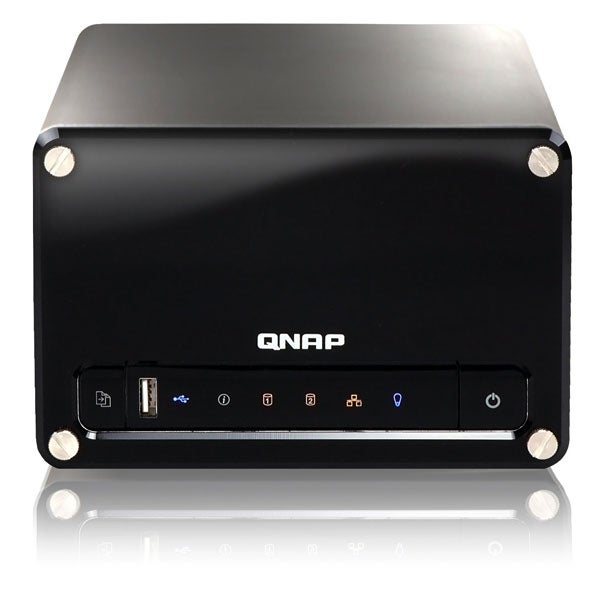
The TS-209 employs the same low power embedded 500MHz SoC (System on Chip) processor as its smaller brethren and this is also partnered by 128MB of DDR2 and 8MB of Flash memory. A single Gigabit Ethernet port is provided as are three USB ports which can be used for adding external storage devices or for sharing printers but you don’t get the high-speed eSATA port as provided on the single drive models. The two drive bays are accessed from behind the removable front panel where you fit your choice of hard disk into the carriers, slip them into the appliance and screw them down. The appliance has a large fan at the rear which we found unobtrusive on the automatic setting but you can manually set the speed if you wish and the drives can be powered down after a period of inactivity if required. 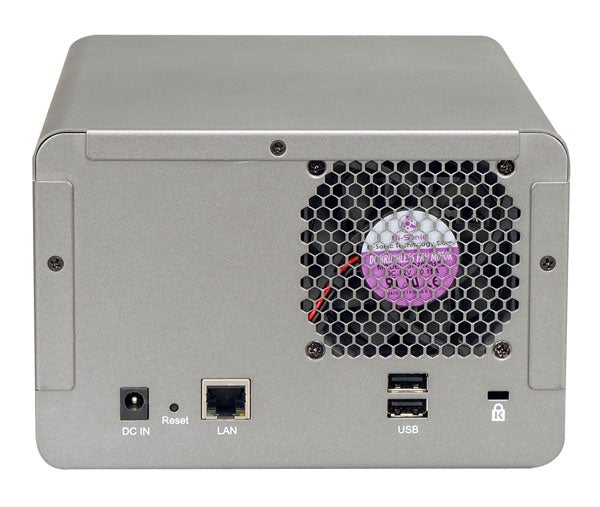
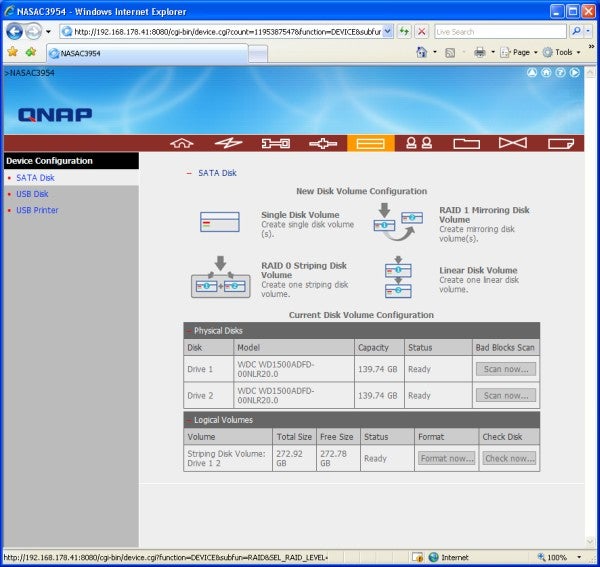
The bundled Finder software locates the appliance on the network and on first contact runs through a ten-step installation phase which sets up the network parameters, initialises the hard disks and downloads the firmware. Four choices for disk configuration are on offer where you can go for a mirror, a stripe, a single linear volume or two separate drives. For testing we slipped in a pair of 150GB Western Digital Raptor 1500ADFD drives, which we configured as a RAID-1 mirror. To test hot-swap functions we pulled the lower drive to simulate a failure and the appliance duly noted this and showed the array as degraded. We replaced the drive and the appliance automatically rebuilt the array as soon as the drive had powered up.
QNAP has a reputation for cramming its appliances with features and the TS-209 is no exception although how many of them will appeal to businesses is debatable. Multimedia is high on the list as you get a TwonkyMedia server which can be configured from the web interface and an iTunes server as well. For the latter your music files are imported into a default folder and are made available to any system running the iTunes client. Photographs can be stored and viewed using the Multimedia Station, which creates thumbnails of your pictures after they have been uploaded. A slideshow runs through them at a preset interval in seconds and you can save them off and print them directly from the interface.
Client support is particularly good as Windows, Linux, Unix and Mac users can access the appliance and security extends to lists of local users and groups plus integration with an Active Directory server. During shared folder creation you can decide on read and write access rights and set a global quota limit and individual quotas for each user as well. The IP Filter is a unique feature, which lets list of addresses be created which can be blocked or allowed. Support for PHP and an integral MySQL server means you can also use the appliance as a web server.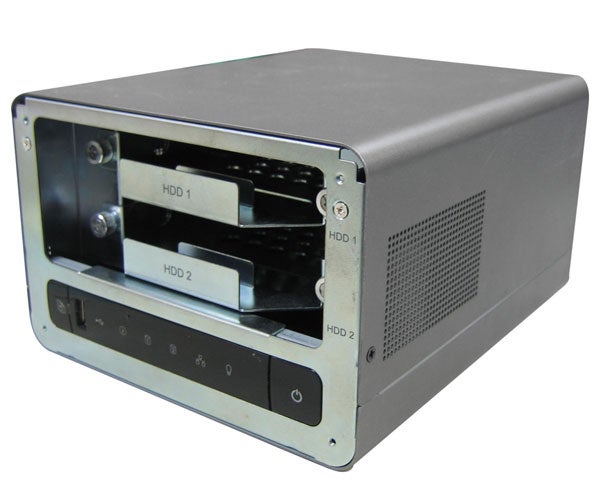
Business environments need good backup facilities and QNAP offers a reasonable range of tools. First up is remote replication where you select a source folder on the appliance and schedule a daily weekly or monthly job that will copy it to a remote Turbo Station. Handy features are encryption and file compression plus the option to run incremental replication where only new and modified files are copied on subsequent runs. For client backup you only get the NetBak Replicator Windows tool, which provides a more basic selection of features. A setup wizard helps choose the appliance and destination folder and you then select the source files on your workstation and schedule the job at regular intervals. It worked well enough during testing but note that it only supports a single backup job on each workstation. Last up is the Download Station, which is used for retrieving remote files using BitTorrent, HTTP and FTP although this is also severely limited by the lack of any scheduling facilities.
In the performance stakes the TS-209 posted some reasonable if uninspiring results. We copied a 690MB video file from a Supermicro Pentium D 3.2GHz PC to the appliance and back again over Gigabit Ethernet in 51 seconds and 44 seconds for write and read rates of 13.5MB/sec and 15.7MB/sec respectively. FTP speeds were in the same ball park as using the FileZilla utility we uploaded and downloaded the same file at rates of 14.1MB/sec and 14.7MB/sec.
”’Verdict”’
There’s no denying the TS-209 Pro is offering a wealth of features at a very reasonable price although performance isn’t particularly exciting and the client backup software is very basic for an appliance aimed at business usage.
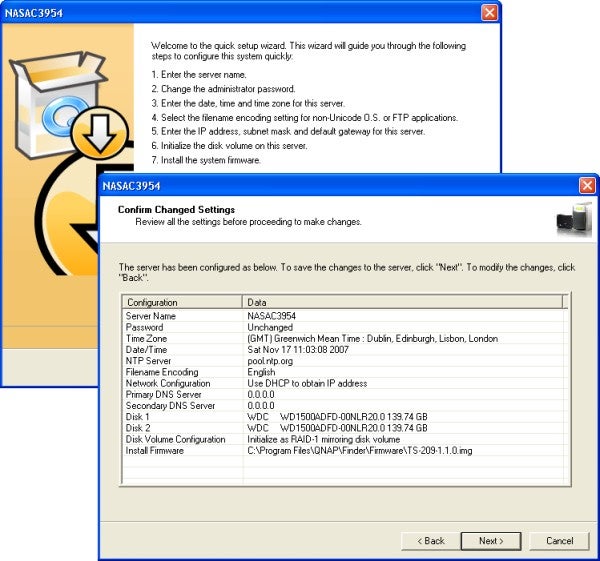
(centre)”’An installation wizard helps with initial configuration and downloads the firmware as well.
—-
—-
QNAP offers four choices of hard disk configurations.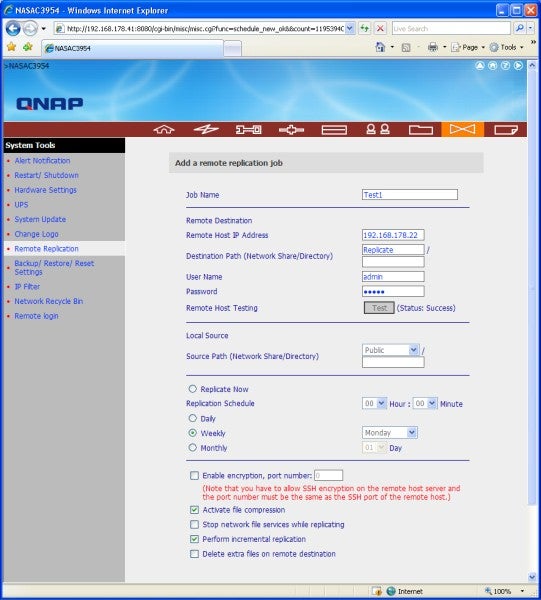
—-
Remote replication allows selected folders to be copies to another QNAP appliance.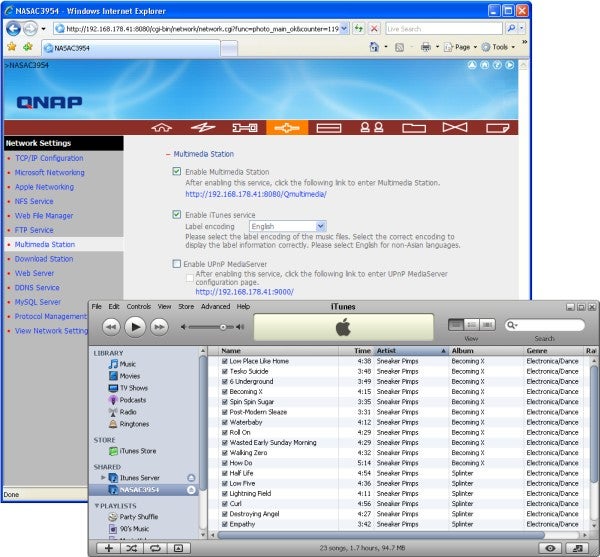
—-
Multimedia functions include the ubiquitous iTunes server for sharing your music.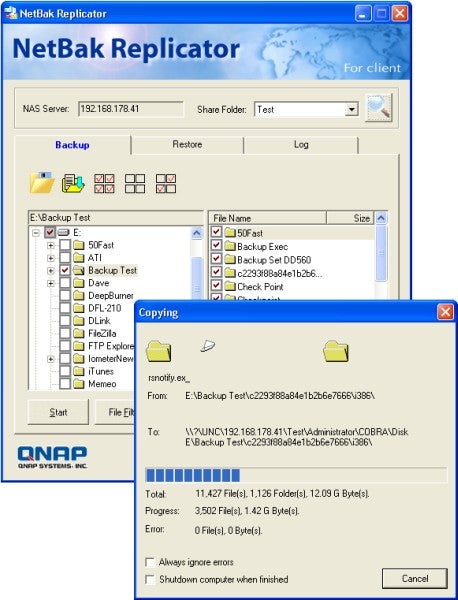
NetBak Replicator looks after workstation backup but it’s very limited on features.
—-
Trusted Score
Score in detail
-
Value 8
-
Features 8


Editorial independence
Editorial independence means being able to give an unbiased verdict about a product or company, with the avoidance of conflicts of interest. To ensure this is possible, every member of the editorial staff follows a clear code of conduct.

Professional conduct
We also expect our journalists to follow clear ethical standards in their work. Our staff members must strive for honesty and accuracy in everything they do. We follow the IPSO Editors’ code of practice to underpin these standards.
Editorial independence
Editorial independence means being able to give an unbiased verdict about a product or company, with the avoidance of conflicts of interest. To ensure this is possible, every member of the editorial staff follows a clear code of conduct.
Professional conduct
We also expect our journalists to follow clear ethical standards in their work. Our staff members must strive for honesty and accuracy in everything they do. We follow the IPSO Editors’ code of practice to underpin these standards.
