

Verdict


Key Specifications
- Review Price: £94.92
When we looked at Netgear’s DG834N wireless router we alluded to a Gigabit Ethernet equipped version that this vendor had in the pipeline. Now, we’ve finally got our hands on one. Even better is the fact that it can be had for around half the price we had originally expected. With draft 802.11n in the mix it makes absolute sense to equip these routers with high speed LAN ports as the standard Fast Ethernet variety could cause a bottleneck. Most vendors claim a top wireless speed of 300Mbps which we all know by now is total codswallop but even if it weren’t it would be impossible to achieve these speeds between WLAN and LAN systems if the router only has 100Mbps Fast Ethernet ports.
The WNR854T uses the same slab-sided white chassis as the DG834N and for good reason as the multiple aerials needed for MIMO operations are all hidden inside. At the rear you have a quartet of switched Gigabit Ethernet ports and a separate RJ-45 WAN port, which incidentally is also Gigabit, so you’ll be needing a separate ADSL or cable modem with an Ethernet port. We tested with our trusty Actiontec intelligent ADSL modem and also with the WAN port linked to a network gateway and encountered no problems.
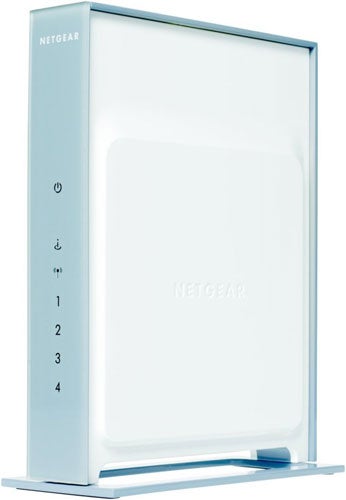
Installation kicks off by running the CD-ROM based setup utility, which helps you connect the router and checks your Internet connection is working. If, like us, your modem is already configured with an ISP account and running a DHCP server then there’s virtually nothing to do except plug everything together as instructed. If the setup utility is happy with everything, it transports you directly to the router’s main web interface and leaves you alone to play.
Before we dive into the guts of the router we would strongly recommend that you check its firmware version and upgrade to the latest. We received an early sample of this router and the older firmware version only allowed wireless clients to connect at 54Mbps over a single channel. Once the update was applied we were seeing our laptop’s PC Card utility registering a dual-channel, 300Mbps link. Usefully, the web interface has an option to automatically check for the latest version and download it for you.

For general features you get pretty much the same as those offered by the DG834N with a NAT/SPI firewall at the top of the list. You can add custom firewall and port forwarding rules for handling particular services and for the latter there’s a few services already defined.
Netgear’s web access controls are nothing to write home about as all you can do is manually create a list of blocked domains or URLs that match a list of up to 255 keywords. There’s nothing that enables you to block all Internet access except to only those sites you list. Wireless security is present and correct with support for WPA and WPA2 at the higher speeds along with the standard SSID masking and MAC address access controls. The router employs Netgear’s Steady Stream technology which, as far as we can see from its web site, is just another name for MIMO.
To give a clear indication of the performance benefits of Gigabit Ethernet we connected a couple of Supermicro dual 3Ghz 5160 Xeon servers to a Fast Ethernet switch. Copying a 690MB video file between them took 64 seconds for an average speed of 86Mbps. A 418MB collection of large graphics files was also copied across in 41 seconds at a rate of 81Mbps. Moving the servers onto the router’s Gigabit LAN ports saw the same video file copied across in a mere 12 seconds for an average speed of 460Mbps. The graphics collection was also shifted between the servers in only eight seconds at a rate 418Mbps.
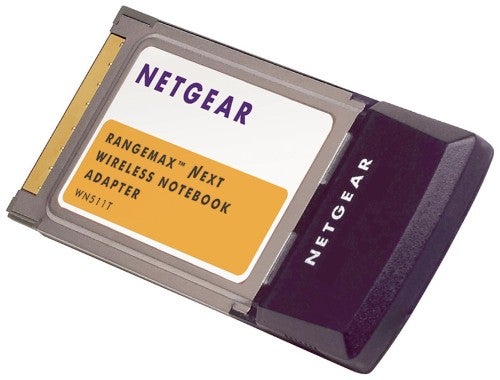
To test wireless performance we installed Netgear’s new WN511T PC Card in a 1.6GHz Fujitsu Siemens notebook running Windows XP SP2. The bundled utility makes very light work of wireless connections as it scans for access points, works out which encryption scheme is active and, once you’ve entered a key, sets the connection up for you. We used the open source Iometer to measure read performance with a Supermicro Pentium D 3.2GHz PC on the LAN and saw an open, close range link return 84Mbps and a WPA2 encrypted link deliver 70Mbps. With the notebook positioned down on the floor below with two brick walls in the way we saw an encrypted link return a reasonable 56Mbps with the PC Card utility reporting a drop in signal strength of around 50 per cent.
Real world performance tests also delivered better speeds than other draft-n products with our video file taking 80 seconds to be transferred from the notebook to the PC for an average of 69Mbps. We also noticed that during the copy the notebook’s CPU usage rarely went below 55 per cent.
”’Verdict”’
Still well short of the mark but Netgear’s WNR854T is fastest of the wireless draft-n bunch. Its Gigabit ports will have a huge impact on LAN performance and although general router features are a little basic it still looks very good value.
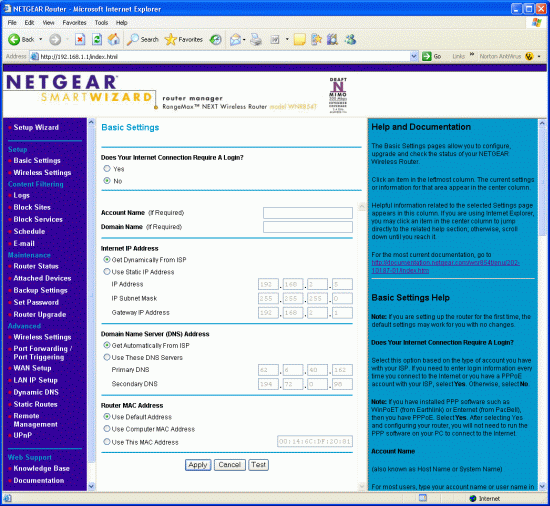
Initial setup is a breeze and the management interface is common to all Netgear routers.
—-
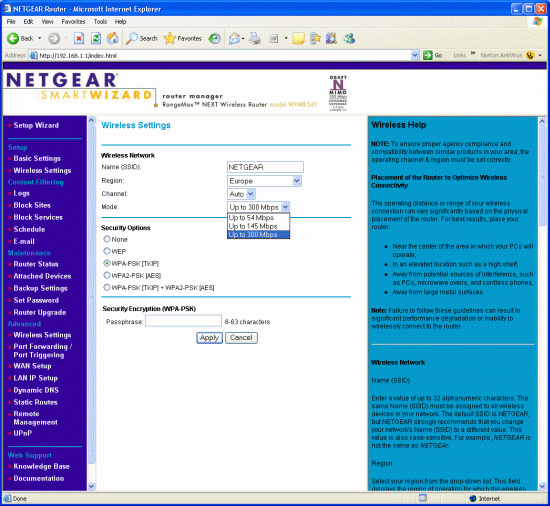
Three wireless speeds can be selected along with a good range of encryption options.
—-
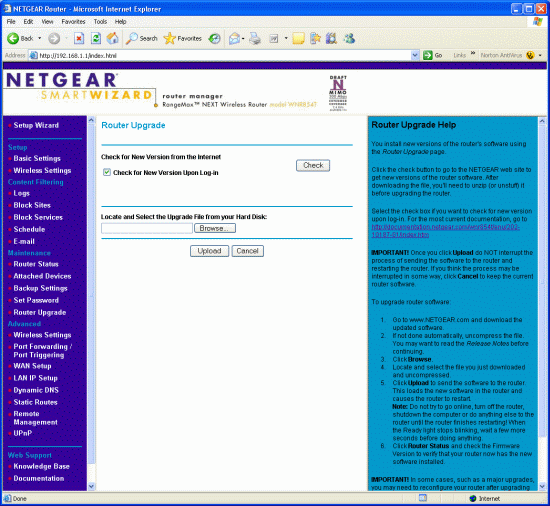
Usefully, the router can automatically check Netgear’s web site for firmware upgrades.
—-
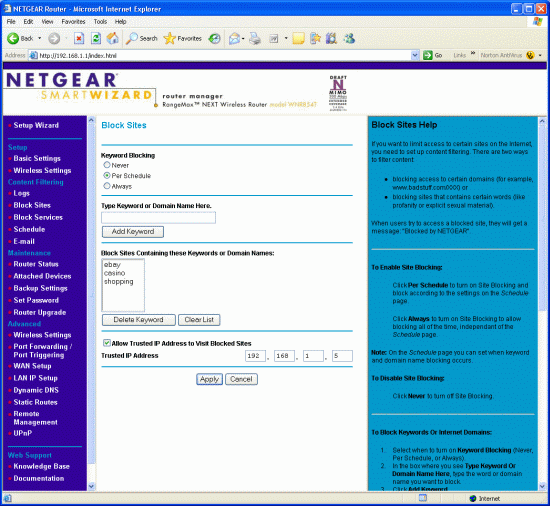
Web site access controls are really very basic and hardly worth bothering with.
—-
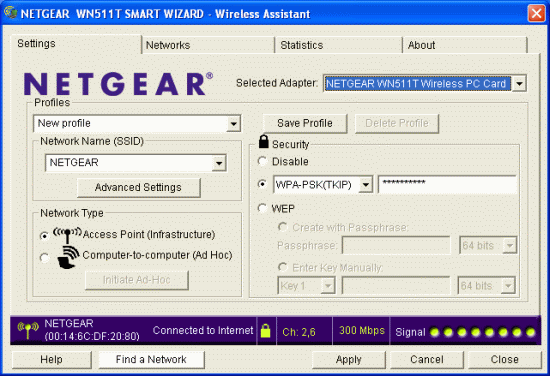
Netgear’s PC Card utility provides plenty of help for connection setup but don’t believe the speeds being reported.
—-
Trusted Score
Score in detail
-
Value 8
-
Features 6


Editorial independence
Editorial independence means being able to give an unbiased verdict about a product or company, with the avoidance of conflicts of interest. To ensure this is possible, every member of the editorial staff follows a clear code of conduct.

Professional conduct
We also expect our journalists to follow clear ethical standards in their work. Our staff members must strive for honesty and accuracy in everything they do. We follow the IPSO Editors’ code of practice to underpin these standards.
Editorial independence
Editorial independence means being able to give an unbiased verdict about a product or company, with the avoidance of conflicts of interest. To ensure this is possible, every member of the editorial staff follows a clear code of conduct.
Professional conduct
We also expect our journalists to follow clear ethical standards in their work. Our staff members must strive for honesty and accuracy in everything they do. We follow the IPSO Editors’ code of practice to underpin these standards.
