

Verdict


Key Specifications
- Review Price: £147.03
Having slumbered in the doldrums for a few years HomePlug technology is enjoying something of a renaissance with a number of vendors recently releasing compliant products. The Solwise HomePlug Ethernet PL-85PE kit impressed us, as although we felt it was a little pricey it did offer good overall performance. Develo delivered a remarkably similar solution a few months earlier with its Microlink dLan plugs offering the same feature set and a theoretical top speed of 85Mbit/sec. With the dLan 200 AVdesk products Devolo raises the bar as these support the latest HomePlug AV specification which claims to deliver a top speed of 200Mbit/sec.
At their foundation all HomePlug products aim to provide a discrete way of networking your PCs and that is their key selling point. Essentially, they hitch a ride on your premises’ existing electrical cabling to create an Ethernet network – no fuss and virtually no wires. They compete strongly with wireless networks and can be a better choice in environments where building structures interfere with reception. Security is also a key feature of the AVdesk products as these video cassette sized slabs of plastic automatically implement 128-bit AES encryption on all traffic passing between each unit. You can also set each one up so it can only communicate with specific AVdesk units allowing you to create a closed network.
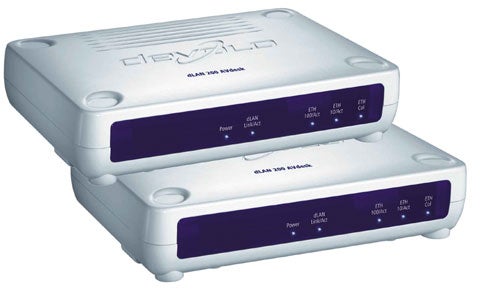
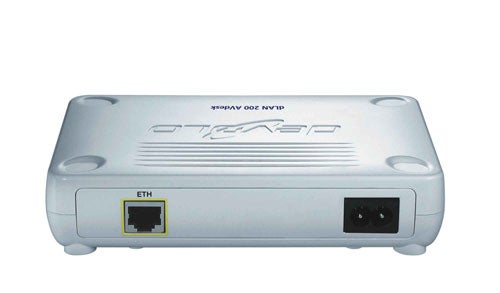
The kit comes with a couple of units and installation starts by plugging them in and attaching a PC or notebook to them via the supplied Ethernet cables. A configuration wizard has to be run on each system where it requests a password to be used for encryption. Next you create a list of all authorised units by adding their security codes to a list. You run this on each system and then you’re ready to go. So far, so good but it would have been useful if Devolo bothered to provide more information in its manual about IP address assignments. Without a DHCP server on the HomePlug network you’ll have to provide each system with a static IP address and all in the same subnet otherwise they can’t communicate with each other for standard Windows networking functions.
One scenario Devolo suggests is to use one AVdesk unit attached to your broadband router where it can then make the unit’s DHCP server available. However, before you can connect it to the router you need to plug it into a PC and set it up to work with your other units. Once you’ve done this the unit can then be swapped over to the router where we found it worked fine with our other test client – IP addresses were dished out readily and Internet access was ours for the taking.
The bundle includes three software utilities with the Informer providing a quick view of all accessible AVdesk units. EasyClean is a simple but handy tool for cleaning up the mess after a browser session while EasyShare provides a neat interface for chatting with other AVdesk users and publishing shares for file downloads. The latter is a nice idea although the Norton AntiVirus running on one test PC didn’t think much of it as it considered it an intrusion attempt by a worm and blocked it from communicating. This is easy enough to get round though as we simply added the EasyShare executable to the AntiVirus permitted program list.
We’ve always looked askance at any network product’s claimed top speed as they are rarely achievable in the real world. The AVdesk products aren’t the first HomePlug devices that tout a 200Mbit/sec top speed as we first saw this with Corinex’ ultimately flawed AV PowerLine Ethernet Adapters. Performance testing with Corinex returned a paltry maximum speed of 21.2Mbit/sec and this required a registry hack to achieve as well. Devolo faired slightly better but performance was still well short of the mark. We linked a 1.6Ghz Fujitsu Siemens notebook with a Supermicro Pentium D 3.2GHz PC and initially connected them to the same plug board so distance was at a minimum. Running Iometer between them returned a raw throughput of only 35Mbit/sec – well below the claimed speeds. We confirmed this by copying a 691MB video file from the PC to the notebook and saw this take 171 seconds for an average of 32.3Mbit/sec. Using EasyShare didn’t make any difference as this took 176 seconds to download the same file from the PC to the notebook. We then moved the notebook to the floor below and to the furthest reaches of our residential power grid and reran the same test. As we saw with the Corinex products, distance can have a negative impact on performance although Devolo didn’t suffer as badly with the same file copy taking 185 seconds for an average speed of 29.8Mbit/sec.
”’Verdict”’
The AVdesk kit is a simple method of reducing cable related clutter on your network but you do pay a premium for the privilege. Nevertheless, although still well short of the manufacturer’s claims, they deliver the best speeds we’ve yet seen from HomePlug AV compliant devices and are relatively simple to install and use.
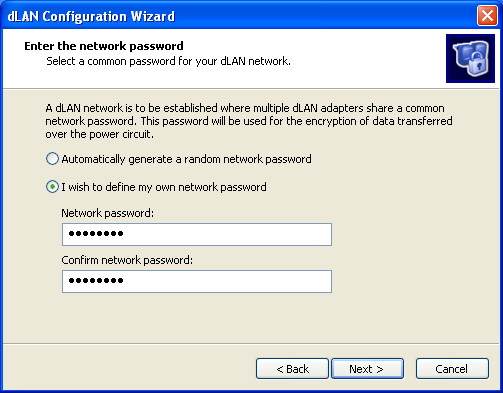
During installation a password is created and used for encrypting traffic passing between AVdesk units.
—-
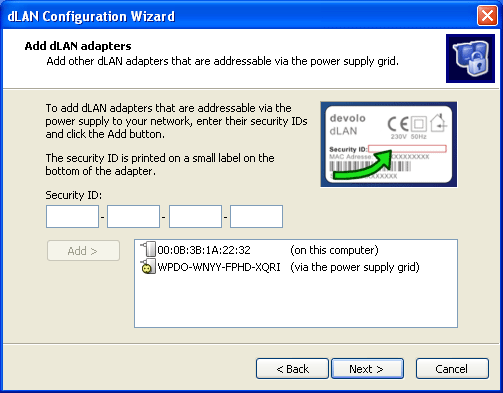
The next step allows you to decide which AVdesk units are allowed to communicate with you.
—-
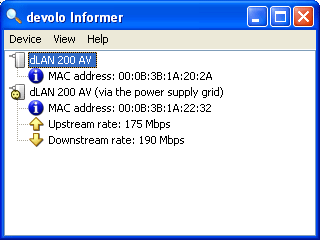
Informer keeps you posted on who else is on the network but don’t believe the displayed transfer rates.
—-
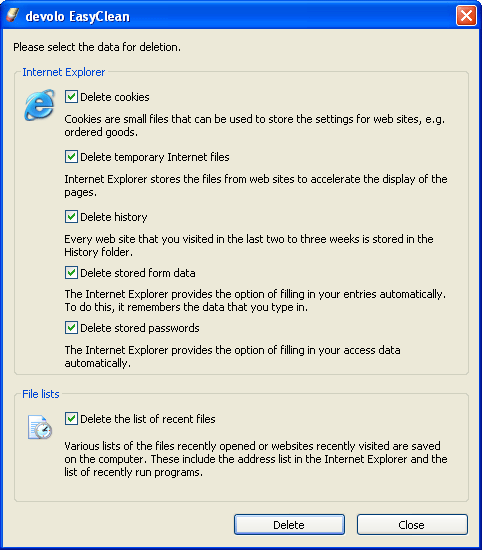
EasyClean is a handy tool for clearing up after browser sessions.
—-
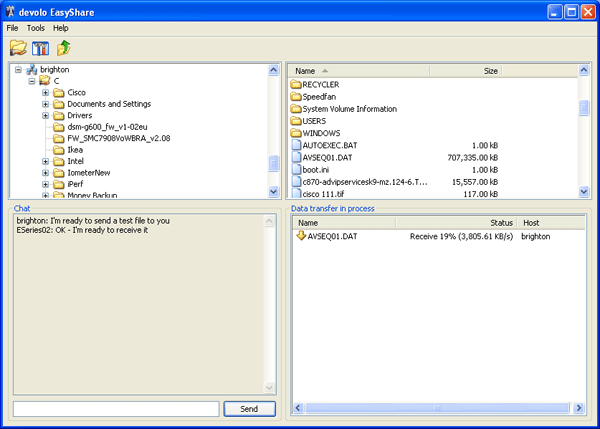
EasyShare allows you to publish shares with other AVdesk users and chat with them.
—-
Trusted Score
Score in detail
-
Value 7
-
Features 8


Editorial independence
Editorial independence means being able to give an unbiased verdict about a product or company, with the avoidance of conflicts of interest. To ensure this is possible, every member of the editorial staff follows a clear code of conduct.

Professional conduct
We also expect our journalists to follow clear ethical standards in their work. Our staff members must strive for honesty and accuracy in everything they do. We follow the IPSO Editors’ code of practice to underpin these standards.
Editorial independence
Editorial independence means being able to give an unbiased verdict about a product or company, with the avoidance of conflicts of interest. To ensure this is possible, every member of the editorial staff follows a clear code of conduct.
Professional conduct
We also expect our journalists to follow clear ethical standards in their work. Our staff members must strive for honesty and accuracy in everything they do. We follow the IPSO Editors’ code of practice to underpin these standards.
