

Verdict


Pros
- Network-enabled
- Excellent connectivity
- Improved functionality
Cons
- No inbuilt wireless
- Lacks RMVB support
Key Specifications
- Review Price: £102.20
- Network connectivity
- Bundled online services
- Remote control
Western Digital’s original WDTV was one of our favourite products of last year. Never before had we seen such an easy to use media player that could play so many formats and that cost so little. Of course, time waits for no man or company, though, and today there are many rival devices available that offer similar or better functionality for the same money. So today we’re looking at Western Digital’s long-awaited successor to the WDTV, the WDTV Live.
Like the original, the WDTV Live’s main purpose is to playback on your TV; music, video, and photos from USB hard drives, thumb drives, or any storage device that can be connected by USB. With this latest model there are a few additions, though. The main one of these is network connectivity, which comes in the form of an Ethernet socket on the back. There’s no inbuilt wireless but you could use a wireless-to-wired adapter or a USB wireless adapter (a list of compatible adapters is available here). Once connected, you can access shared drives or media servers on your home network and connect to a number of online services. At present these consist of YouTube, Live365 Internet Radio, Pandora music streaming, and Flickr but we’re led to believe other services may become available in the coming months. 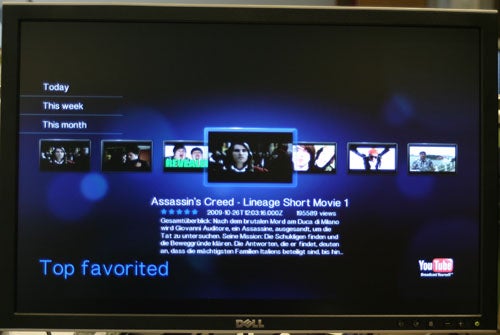
Those services that are currently included are nicely presented and easy to navigate and set up. However, the reliance on an onscreen keyboard to search for things is somewhat tedious. 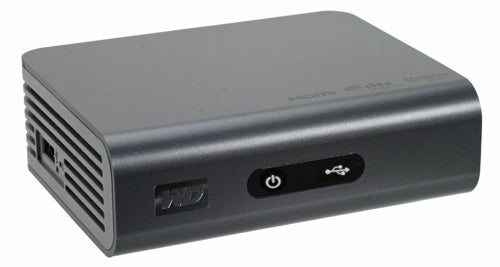
The device itself has had a minor overhaul as well, with a change from glossy black plastic to matt grey. It’s also slightly smaller than its predecessor. On the left side is a single USB port, as on the original, while round the back is the new Ethernet port and two jack sockets that join the existing HDMI, optical digital audio, second USB port, and power socket. The two jack plugs that are labelled ‘AV OUT’ and ‘Y Pb Pr’ use proprietary cables to add stereo audio and composite video and component video, respectively. The HDMI port is now version 1.3 compliant so can transport the latest audio formats and supports deep color mode. All told, where the original WDTV had somewhat limited connectivity, the Live caters for near enough every connectivity eventuality. 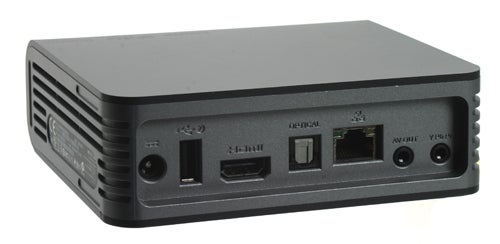
The remote is essentially identical to the original WDTV’s, except for a change to a matt finish to match the main unit, so remains just as logically laid out and easy to use. That said, if Western Digital had added a numpad, it would have made typing quicker and easier. 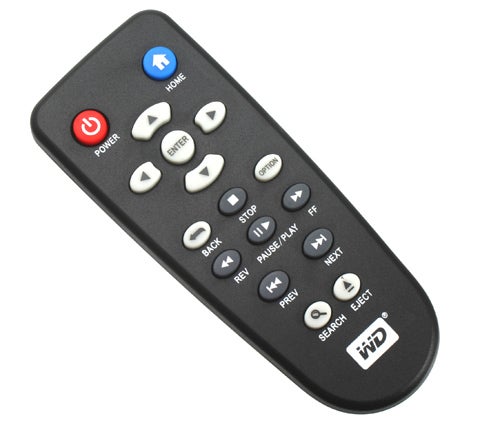
Although that covers the main feature updates to the WDTV Live, there is a little more going on including a complete overhaul of the menu system. As such, everything looks and feels a little slicker and it’s easier to find the files you’re looking for. In particular, music is now organised into a proper library so you can whittle down your music selection by Artist >> Album >> Track, whereas the previous version just presented a list of all tracks by an artist or on an album.
There are also three different view options, now, for browsing your media either as a list, as thumbnails or as a list with a preview on the right. This makes it quicker and easier than ever before to find your media, though again the search process is slowed down by using the onscreen keyboard, and does rely on you having all your media correctly named. 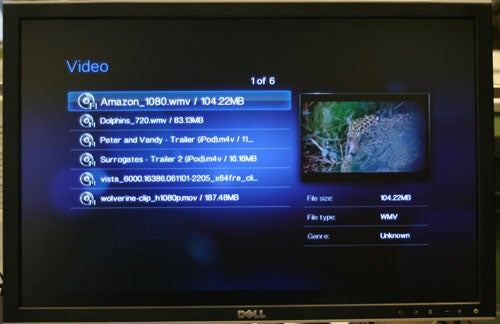
Other new features include the ability to copy, delete, and move files from one attached device, or network location, to another. The WDTV Live also supports Picture Transfer Protocol (PTP), which is the standard used by digital cameras to let other devices read the contents of the camera when connected over USB. Essentially, you can plug your camera straight into the WDTV Live and view the pictures on it – assuming your camera also supports PTP.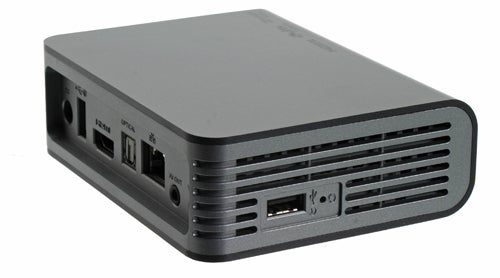
When viewing media, you can zoom into and pan around images, and video can be fast-forwarded, rewound and skipped through by chapter. All these operations are performed almost instantly, which makes it easy to locate a video playback point without overshooting it, for instance. 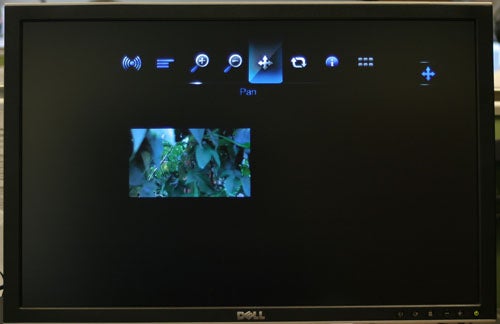
As with the original WDTV, the WDTV Live has little in the way of sophisticated video processing to improve image quality but it still produces a very watchable picture. Indeed, assuming you use a digital connection and rely on your TV’s native picture processing, it can be very impressive. Likewise, audio quality from the inbuilt analogue outputs is fine but we’d recommend using the digital outputs where possible.
So that’s pretty much it for the WDTV Live in terms of functionality; it’s a tidied up version of the original with network connectivity. However, there’s one fundamental area that hasn’t been updated and that’s its file format support. The original was hardly lacking on this front, but there was one omission that many people wanted: RealMedia Variable Bitrate (RMVB). With this latest version, RMVB support still remains absent. For a full list of supported file formats, please refer to the next page. 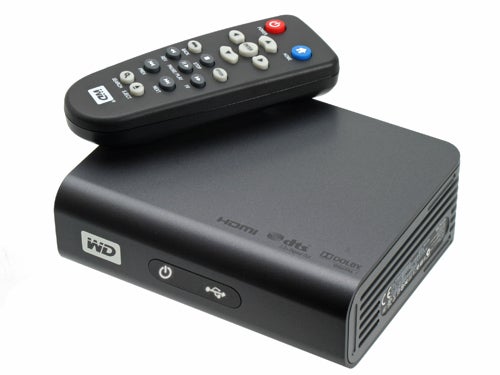
If the lack of RMVB support was the only factor letting the WDTV Live down, we’d still recommend it . After all, it offers more functionality than the previous version for the same price. However, one device in particular, the Asus O!Play HDP-R1, not only offers support for this format but also undercuts the WDTV Live by £20. Sure, it’s not quite as well made or easy to use and lacks the online services, but we’d happily take that on the chin and pocket the extra £20.
”’Verdict”’
The Western Digital WDTV Live is a worthy successor to the barnstorming original, adding support for networking and making playing your multimedia files on your TV easier than ever before. However, other devices on the market offer the same and better functionality for less money.
”’Video”’
- AVI (Xvid, AVC, MPEG1/2/4)
- MPG/MPEG
- VOB
- MKV (h.264, x.264, AVC, MPEG1/2/4, VC-1)
- TS/TP/M2T (MPEG1/2/4, AVC, VC-1)
- MP4/MOV (MPEG4, h.264)
- M2TS
- WMV9
”’Image”’
- JPEG
- GIF
- TIF/TIFF
- BMP
- PNG
”’Audio”’
- MP3
- WAV/PCM/LPCM
- WMA
- AAC
- FLAC
- MKA
- AIF/AIFF
- OGG
- Dolby Digital
- DTS
”’Playlist”’
- PLS
- M3U
- WPL
”’Subtitle”’
- SRT
- ASS
- SSA
- SUB
- SMI
Trusted Score
Score in detail
-
Value 8
-
Features 8
-
Design 8


Editorial independence
Editorial independence means being able to give an unbiased verdict about a product or company, with the avoidance of conflicts of interest. To ensure this is possible, every member of the editorial staff follows a clear code of conduct.

Professional conduct
We also expect our journalists to follow clear ethical standards in their work. Our staff members must strive for honesty and accuracy in everything they do. We follow the IPSO Editors’ code of practice to underpin these standards.
Editorial independence
Editorial independence means being able to give an unbiased verdict about a product or company, with the avoidance of conflicts of interest. To ensure this is possible, every member of the editorial staff follows a clear code of conduct.
Professional conduct
We also expect our journalists to follow clear ethical standards in their work. Our staff members must strive for honesty and accuracy in everything they do. We follow the IPSO Editors’ code of practice to underpin these standards.
