

Verdict


Key Specifications
- Review Price: £443.00
Imagine a device somewhere between A4 and A5 in size that lets you read e-texts and make your own annotations. And imagine it offers you a screen format that is so easy on the eye that reading text on it is almost like reading a book or a newspaper. Even outdoors in bright sunlight. This is what you get from the iLiad Reader.
The iLiad is not the first of its kind, with Sony’s eBook reader using the same screen technology. The Sony device however, has less advanced specifications and is compatible with fewer file formats. Also, crucially for our UK based readers, the Sony Reader is not available in this county.
iRex, the company behind the iLiad Reader, suggests a myriad of uses from the educational to business sectors. If you only think of it as a way of reading the occasional novel then according to iRex, you are missing a trick. It is compatible with a seriously useful array of file formats: PDF, HTML, TXT, JPG, BMP, PNG and PRC (Mobipocket).
Plain text and PDF are probably the crucial formats in the list. Plain text based e-books are widely available for free on the Internet and Project Gutenberg is a great place to start searching. 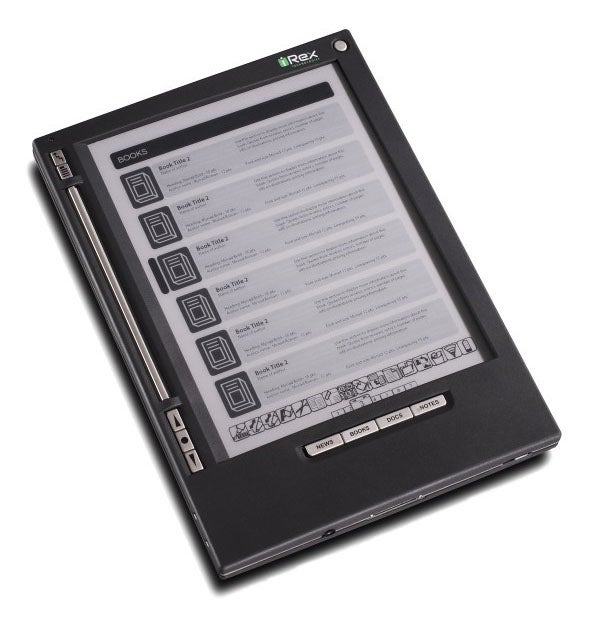
Anything you can see on your PC can be saved as a PDF, and there are free PDF creators out there if you don’t happen to have creation as part of another application you are using. So anything, from a screen shot to a Web page or a diagram, can be read on the iLiad Reader.
There is 128MB of accessible storage built in. As for getting content onto it, well you can connect to a PC via USB or Ethernet using a separate hub unit that connects to a slot on the bottom edge of the device. But there are much easier ways.
It has built-in Compact Flash, SD and USB slots and will read content direct from flash storage including a USB stick so you can copy stuff from your hard drive and use a flash device as permanent storage for the iLiad Reader.
Another option is to use the free PC desktop companion software, which will queue files for sending over a wired or wireless connection (Wi-Fi is built in), as well as make a backup of your device and do fancy things with PDF documents – more on that later.
In theory you can subscribe to newspapers via your PC, as well as to other documents like comics. They’ll be downloaded to your PC and automatically transferred to the iLiad when you make a connection. I say in theory because I couldn’t get this to work as there was some sort of problem naming and setting a password for my review sample.
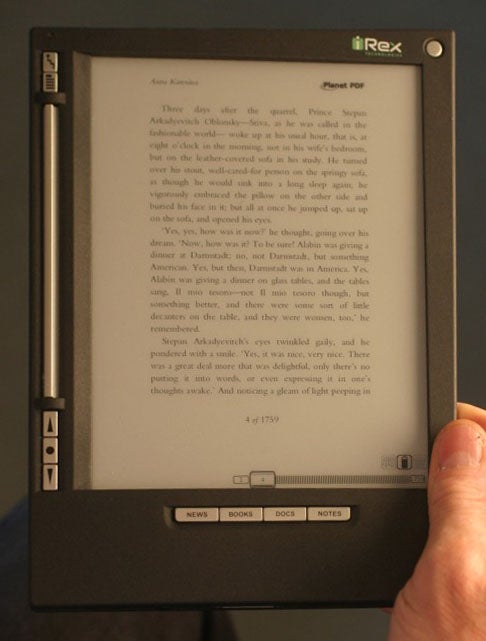
Battery life is quoted at 14 hours, which should see most people through all but the most word-intensive of days. The iLiad manages its long battery life on a screen that measures 8.1 diagonal inches thanks to its use of eInk technology. Now, I’ve written about this before on TrustedReviews in my review of Motorola’s MOTOFONE F3, but this time it is being used on a far larger scale.
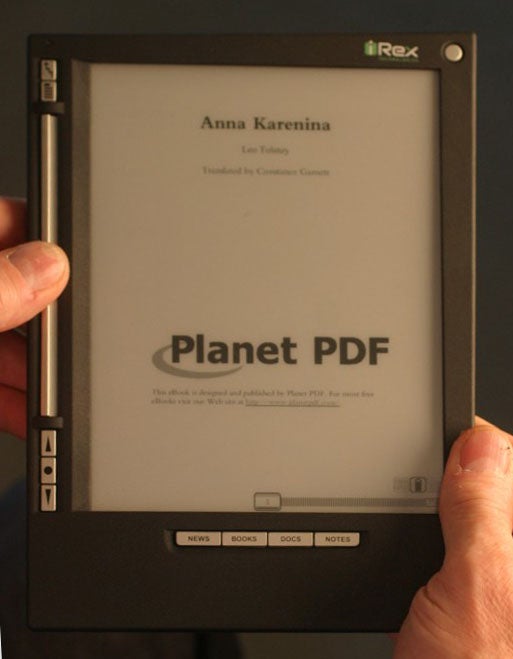
eInk is a technology for black and white displays, which offers a wide viewing angle, good visibility in sunlight, non reflectivity and, very importantly, long battery life.
The latter is possible because a charge is only applied to the display elements when they are required to change. In practical terms, all the time you are reading the same page of text the screen drains no power at all. It is only when you move the page or otherwise alter what is being displayed (for example by writing to the screen) that power is applied.
Yes, you can write to the screen. This is a feature of the iLiad Reader that differentiates it completely from Sony’s product.
The screen isn’t touch sensitive but relies on digitiser based stylus input. You can use the stylus to navigate by tapping on the screen, but more interestingly you can draw and write on blank ‘pages’ and annotate existing documents. There is even built-in handwriting recognition.
Now, you can’t make annotations to all data formats, just PDF, JPG, BMP and PNG at the time of writing. You are actually putting a new layer on top of the existing one, and edited files are saved with a new name that mirrors the existing document. When you edit an image file the new file is a .PNG file so you can view it on a PC.
If you annotate a PDF the resulting file is saved in a proprietary format, which can only be read on a PC after the free desktop software has been used to merge it and the original into a new PDF.
There is another application, called MyScript Notes, which for the princely sum of £40 will convert handwritten notes into editable text.
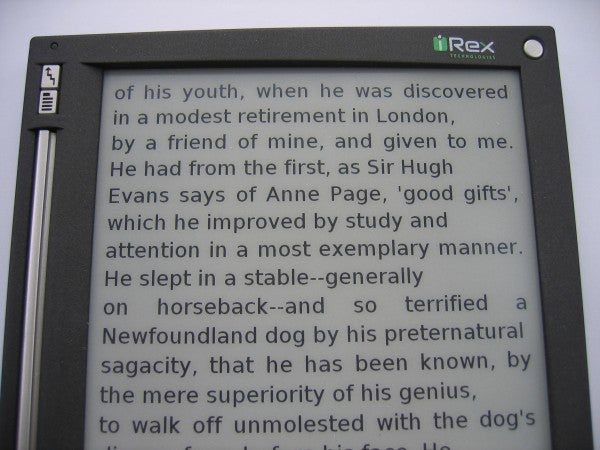
On the other hand, as an eReader the iLiad is simply wonderful. I have sat reading on it for periods of time longer than an hour at a stretch with no perceived eye strain and no arm-ache from holding it one-handed. It measures 217mm tall, 155mm wide and 16mm thick and it weighs 389g. By way of comparison, the hardback Harry Potter and the Deathly Hallows is 660g.
The display is capable of displaying 16 levels of greyscale, which means image reproduction is OK, but perhaps more importantly the 760 x 1,024 pixel screen allows for several variations of text size. I counted 14 different text sizes for plain text based ebooks, which should be enough to let anyone find something that suits their eyes.
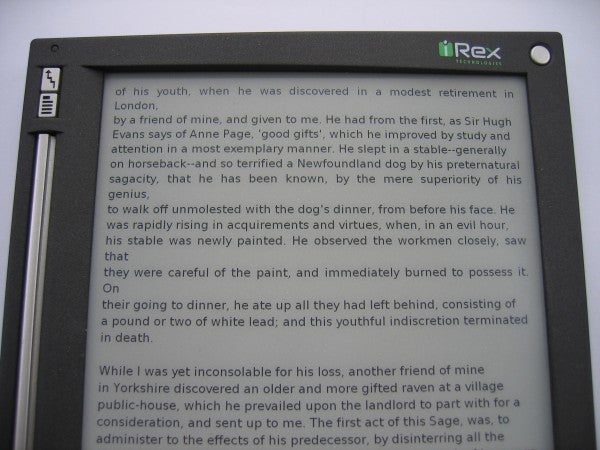
The navigation system is easy enough to get to grips with. A tall bar called the Flipbar to the left of the screen lets you go quickly forward and back between pages. Hold it and it’ll take you forward or back five pages. I found it counter-intuitive to flip the bar left to go forwards and right to go backwards, but I got used to it.
Buttons on this left hand edge provide further navigation options so you can switch into new documents, for example. A series of four buttons beneath the screen let you switch between different types of content: news, books, documents and notes. Touch sensitive on screen buttons let you do things such as move between pages, use the Wi-Fi, find files, display any new content that may have been downloaded to the device and use a PIN to control access to the device.
”’Verdict”’
The iLiad is a superb idea and the screen is wonderful and I could see myself using it as a document reader. However, despite the well put together documentation, you need to be tech savvy to get the most out of the device and overall, it’s expensive.
Trusted Score
Score in detail
-
Value 7
-
Features 8
-
Usability 7


Editorial independence
Editorial independence means being able to give an unbiased verdict about a product or company, with the avoidance of conflicts of interest. To ensure this is possible, every member of the editorial staff follows a clear code of conduct.

Professional conduct
We also expect our journalists to follow clear ethical standards in their work. Our staff members must strive for honesty and accuracy in everything they do. We follow the IPSO Editors’ code of practice to underpin these standards.
Editorial independence
Editorial independence means being able to give an unbiased verdict about a product or company, with the avoidance of conflicts of interest. To ensure this is possible, every member of the editorial staff follows a clear code of conduct.
Professional conduct
We also expect our journalists to follow clear ethical standards in their work. Our staff members must strive for honesty and accuracy in everything they do. We follow the IPSO Editors’ code of practice to underpin these standards.
