

Verdict


Key Specifications
- Review Price: £1526.33
The first 30in monitor I looked at was the Apple 30in Cinema Display back in 2005, and I was simply blown away by the amount of desktop real estate I had at my disposal. Of course the down sides were the fact that it cost over £2,000 and the number of graphics cards that could drive it were limited, to say the least. Apple also offered no screen adjustment for its 30in display, which meant that it always sat slightly too high for truly comfortable use.
Since then I’ve looked at several other 30in displays, like the excellent HP LP3065 and Samsung SuncMaster 305T. It’s probably fair to say that Dell has done much to drive interest in the 30in monitor market too, by offering affordable options and driving down the overall cost of these super-high resolution displays. That said, I was somewhat disappointed with the image quality of the Dell UltraSharp 3007WFP-HC 30in monitor, although if colour accuracy isn’t paramount to your needs, it does a reasonable job.
And that’s the problem with 30in monitors in general – they’re great for general Windows work, with the 2,560 x 1,600 resolution giving acres of desktop real estate, but when it comes to serious image quality and colour accuracy, they’re not quite up to the job. Don’t get me wrong, most 30in displays are great for Photoshop work, simply because you can work on very large images and see more of said images while you’re editing. But serious graphics professionals would probably settle for less resolution and better image quality and colour accuracy.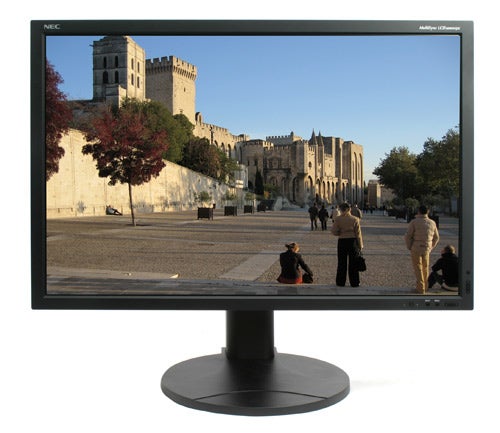
That situation is set to change however, since sitting before me right now is the NEC MultiSync LCD3090WQXi. Anyone who’s serious about image quality and colour accuracy in a monitor will probably have two names at the top of their list when buying a new display – NEC and Eizo. Both companies have built strong reputations for themselves in the worlds of professional graphics, image editing and CAD, offering truly superb image quality, but with a correspondingly high price. NEC’s first foray into the 30in LCD monitor market carries on that tradition of quality over price point, which poses the question – is this screen worth the money? As with all questions of value, it ultimately comes down to what’s important to you, but given the fact that this screen is aimed at high end users, I can’t help but think that the price premium is worth paying.
My first impressions of the 3090WQXi, after removing it from its huge box and setting it up on my desk, were pure astonishment. Without even the slightest hint of tweaking or calibration, the picture quality on this NEC is superb, and eclipses every other 30in monitor I have seen. That was just initial visual impact though, and further familiarity with this display just reinforced my first impression of this screen.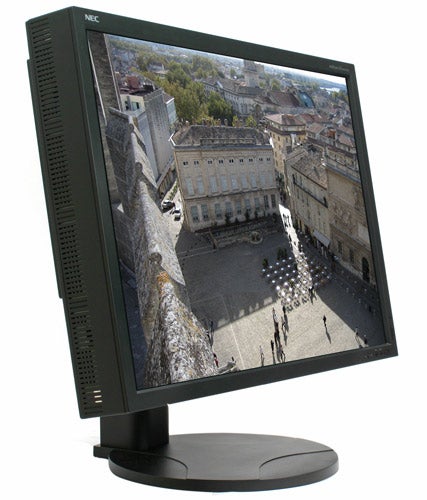
The image produced by the 3090WQXi has a warm, lifelike feel to it, that’s missing from so many LCD displays. Anyone who’s used an LED backlight monitor will understand what I’m talking about here – it’s almost as if the image you’re looking at is physically real, rather than made up of pixels. The overall effect is hard to describe, but despite its huge size, looking at this monitor for hours on end is gentler on the eye than many smaller displays.
Despite the 3090WQXi not falling under NEC’s SpectraView brand, the colour accuracy on this screen is superb – NEC quotes a wide colour gamut of 97.8 per cent of the AdobeRGB colour space. The viewing angles are also exemplary, with pretty much zero contrast or colour shift, no matter how acute the angle – the claimed viewing angle is 178 degrees, and I wouldn’t argue with that figure. This makes the 3090WQXi ideally suited to dual 30in display setups, where the user can’t help but be viewing parts of the screens off plane, due to their sheer size.
NEC has equipped the 3090WQXi with an -S-IPS panel, which, in theory at least, should produce better image quality than an S- PVA panel, especially when being viewed from an angle. However, the Dell UltraSharp 3007WFP-HC sported an S-IPS panel, and the Samsung SyncMaster 305t pretty much ran rings around it image quality wise, despite featuring a S-PVA panel. But that just proves that panel technology isn’t the be all and end all, and it’s as much to do with how a manufacturer implements that panel. So, while some manufacturers use In Plane Switching panels as a marketing tool, NEC has used the technology with image quality firmly in mind, resulting in the best 30in display I’ve ever seen. 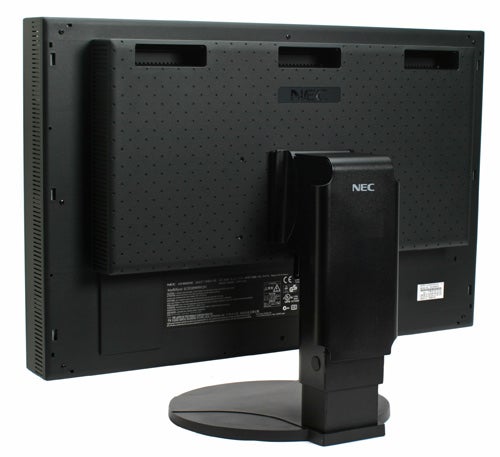
Launching DisplayMate just confirmed my initial impressions, with the 3090WQXi nailing each and every test without breaking a sweat. The Dark Screen test showed a completely uniform black image, without the slightest hint of backlight bleed from any of the edges. There’s no compression evident at either the high or low intensity ends of the spectrum, while the 3090WQXi produces convincingly uniform intensity transitions, with no banding whatsoever. The Colour Purity test showed completely solid and uniform colour across the whole screen surface, while many monitors exhibit dark patches. Likewise, the NEC gave an exemplary account of itself in the Colour Scales test, with every single bar fading uniformly and dropping off on the final block. There was also no evidence of colour in the greyscale tests – another area where even good monitors often stumble.
As I’ve said in the past, DisplayMate is designed to highlight weaknesses in monitors, and those issues may never present themselves in the real world. But in the case of the 3090WQXi, its outstanding performance under DisplayMate is carried over into real world applications. Viewing and editing high quality images in Photoshop using this monitor was an absolute joy. Not only are the colours scarily real, but the complete lack of high or low intensity compression means that you’re actually seeing detail that simply isn’t there on lesser screens. 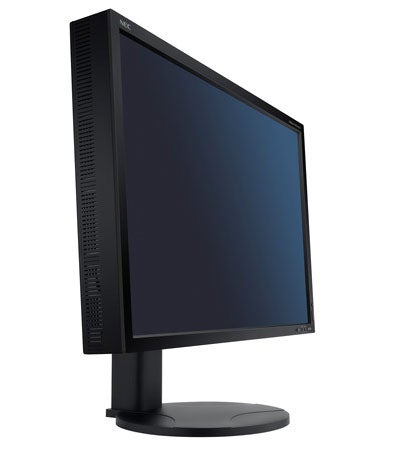
Despite the fact that the 3090WQXi comes out of the box looking fantastic (Dell take note), anyone buying this screen is likely to want to calibrate it themselves, which highlights another great feature – self calibration. If you want to calibrate a monitor, you usually have to use a sensor that plugs into your PC and a profiling utility, but with the 3090WQXi you can plug a sensor directly into the screen and let it calibrate itself. If you’re using two monitors, you can even match your second display to the first, reducing any variation between the monitors. The self calibration feature only works with an X-Rite i1 Display Sensor though, so it may mean investing in some new hardware if you want to calibrate this way. That said, if you’ve ordered multiple 3090WQXi screens for your business, it does mean that you can calibrate each and every one of them to match each other, without ever having to boot up a computer.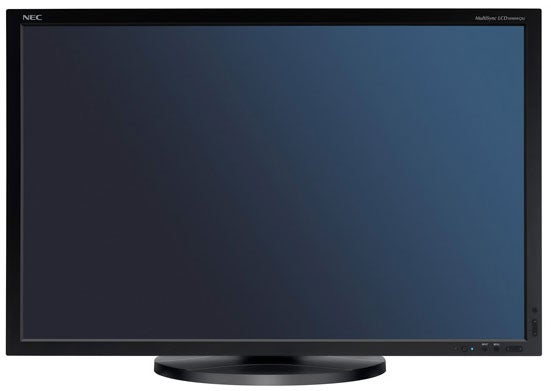
Since I’ve already mentioned that the 3090WQXi uses an S-IPS panel, it will come as no surprise that it’s an 8-bit screen with 16.7 million colours. Colour depth is something that you need to be wary of when buying an LCD monitor these days, since many manufacturers inaccurately cite 16.7 million colours for their 6-bit panels, when in reality these screens can only manage 16.2 million colours by employing dithering techniques. Talking of colours, the level of adjustment available is impressive – there are various colour temperature presets along with an sRGB setting that’s far more agreeable than on most displays. But it’s the Programmable colour setting that’s most interesting. Unlike most monitors, the Programmable setting doesn’t give you access to Red, Green and Blue sliders under the OSD, instead it lets you adjust the colours using NEC’s NaviSet software. Within NaviSet you’re able to customise your colour profile in both RGB and CMY, depending on whether you work in additive or subtractive colour models.
Although NEC monitors aren’t generally used for too much movie watching, it’s still good to see that that the DVI-D input is HDCP compliant, so should you wish to hook up a Blu-ray player to the 3090WQXi, you can. Even more impressive is the quality of video playback on this screen, despite the fact that even 1080p content is being massively scaled to expand it to the 2,560 x 1,600 native resolution. Even 720p footage zoomed to full screen looked mighty impressive by PC monitor standards, and the 3090WQXi could probably put some dedicated HDTVs to shame. Of course there is a 1:1 setting, but that will result in your video being played back in a tiny window, which somewhat negates the point of having a 30in screen in the first place.
Unlike the new Dell UltraSharp 3008WFP (a full review of which is coming soon), the NEC 3090WQXi doesn’t sport a dizzying amount of input options. What you get is two DVI ports, one DVI-D and one DVI-I, while both DVI to DVI and DVI to D-SUB cables are supplied. This may seem like an oversight on NEC’s part, but in reality NEC is just addressing its target market – this screen is aimed at users who are more concerned with image quality than being able to hook up their PS3, X360 and Wii. 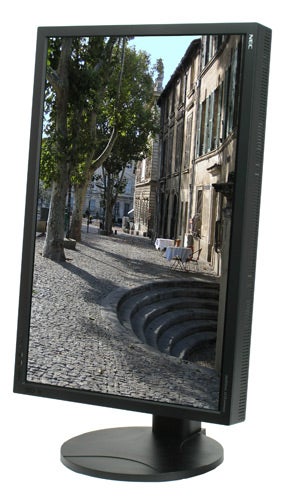
One feature that the 3090WQXi does have that I haven’t seen on any other 30in monitor is the ability to pivot. Obviously there are limited situations when you’d want to view a 30in monitor in portrait mode, but if you spend most of your time editing high resolution images, this feature alone could justify the purchase of the 3090WQXi – being able to edit portrait photos in a portrait aspect would be a real benefit. As well as pivoting, this screen has silky smooth vertical movement, with minimal effort needed for adjustments, despite the large screen. There’s also a pivot-pad mounted in the base, so panning from side to side is smooth too.
As with all of NEC’s high-end monitors, the 3090WQXi just oozes quality. The screen itself is about twice as deep as most LCD displays, but I can’t help but like the solid, chunky dimensions. And even though this display is deeper than most, the 22mm bezel surrounding the screen is very slim for a 30in panel, and gives the 3090WQXi a sleek, stylish and minimalist look.
It’s also worth mentioning that NEC has managed to develop the best OSD system I’ve ever seen on a monitor. The controls run around the bottom right corner of the screen, giving you dedicated up/down and left/right controls, but the best part is what happens when you press the Menu button. While most monitors expect you to psychicly know what each button does when in the OSD, the 3090WQXi actually tells you by applying overlaid labels on the screen next to each button. This makes navigating the OSD an absolute breeze, instead of a frustrating chore – well done NEC!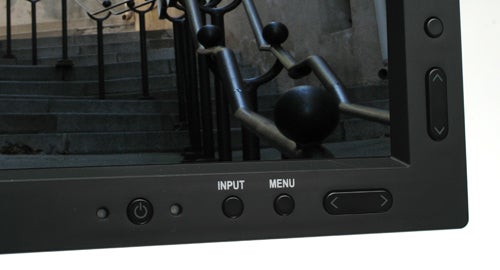
The 3090WQXi also features a dynamic brightness setting. Next to the power button is an ambient light sensor, which will adjust the brightness based on the current ambient lighting. However, there is a second dynamic brightness setting, which will adjust the brightness of the screen depending on the amount of white currently displayed on the screen.
Like previous 30in monitors, the 3090WQXi sports a native resolution of 2,560 x 1,600, which gives you a generous amount of desktop real estate. This means that you’ll need a graphics card with a dual-link DVI output to run it, but even modestly priced cards come dual-link equipped these days. NEC quotes a grey to grey response time, of 6ms, but is also honest enough to list an off-on-off response time of 12ms. Either way, NEC has managed to keep the response time commendably low, considering that this is one area where IPS panels have been traditionally weak. The low response time, coupled with NEC’s RapidMotion processing, made for smooth moving images too, with no discernible smearing. It’s good to see that even though watching video and gaming isn’t key to the 3090WQXi’s remit, NEC has still ensured that it performs well in this area.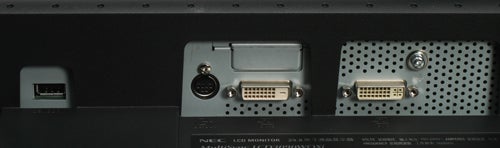
As with all high end monitors, especially those from NEC, the 3090WQXi carries a premium price – with a street price of over £1,500, it’s considerably more expensive than the majority of 30in displays available. However, it’s also worth remembering that the 3090WQXi performs considerably better than any other 30in monitor I’ve seen, and if you need the best possible image quality, you’re not going to mind paying a little extra for it.
”’Verdict”’
The NEC MultiSync is far and away the best 30in monitor I’ve ever had on my desk. The image quality is first rate, with supremely wide viewing angles that show what an S-IPS panel is capable of (take note Dell). The design is excellent, with extensive physical adjustments and the best OSD/control system I’ve ever come across.
If you’re a professional image editor, or work with CAD or 3D modelling, you will simply love this display. The pivot mode will make working on high resolution portrait orientation images far simpler, while the self calibration and multi-screen calibration matching, makes the 3090WQXi particularly compelling for multi-screen roll outs. There’s no denying that this is an expensive display, but considering its performance and features, it’s worth every penny.
Trusted Score
Score in detail
-
Image Quality 10
-
Design 10
-
Value 8
-
Features 9
Specs
| Screen Size (inches) (Inch) | 30 in, 29.8 in |
| Aspect Ratio | 16:10 |
| Response Time (Millisecond) | 6 ms |
| Brightness (Lumen) | 350 Nitlm, 350 cd/m?lm |
| Dot Pitch | 0.251 mm |
| Horizontal Viewing Angles | 178? |
| Vertical Viewing Angles | 178? |


Editorial independence
Editorial independence means being able to give an unbiased verdict about a product or company, with the avoidance of conflicts of interest. To ensure this is possible, every member of the editorial staff follows a clear code of conduct.

Professional conduct
We also expect our journalists to follow clear ethical standards in their work. Our staff members must strive for honesty and accuracy in everything they do. We follow the IPSO Editors’ code of practice to underpin these standards.
Editorial independence
Editorial independence means being able to give an unbiased verdict about a product or company, with the avoidance of conflicts of interest. To ensure this is possible, every member of the editorial staff follows a clear code of conduct.
Professional conduct
We also expect our journalists to follow clear ethical standards in their work. Our staff members must strive for honesty and accuracy in everything they do. We follow the IPSO Editors’ code of practice to underpin these standards.
