

Verdict


Key Specifications
- Review Price: £169.98
Speech recognition has been ‘the application to change the way we interact with our computers’ for the last 15 years or so. Over those years, buyouts of one company by another have reduced the number of developers until Nuance, formerly ScanSoft, formerly Dragon is now the only mainstream purveyor, other than Microsoft (in Vista). The Vista speech recognition is worth trying if you haven’t used the technology before, but Nuance’s Dragon Naturally Speaking (DNS) will give you more accurate results and has wider application.
DNS 10 is the latest iteration and claims several innovations to differentiate it from version 9. There are three main editions of the application: Standard, Preferred and Professional. Specialist medical and legal versions of the program exist, too, as well as two different versions of the Preferred edition: Wireless and Mobile.
DNS 10 Standard (£80) is good for dictation into mainstream programs, such as Word and WordPerfect, as well as controlling web browsers like Internet Explorer, Firefox and AOL. If you want control over a wider range of applications, DNS 10 Preferred (£150) also works with all of Office and e-mail clients like Outlook and Outlook Express. Finally, the Professional version (£758) adds network compatibility, multiple vocabularies and a full scripting language, to define your own commands.
We’re going to concentrate on DNS 10 Preferred Wireless (approx £200), which now includes a Bluetooth headset in the box. The Plantronics Calisto headset replaces the DECT wireless headset, which was supplied with DNS 9. The older DECT one included a cradle and worked via USB, but also had a mains power supply, which was needed to charge the device.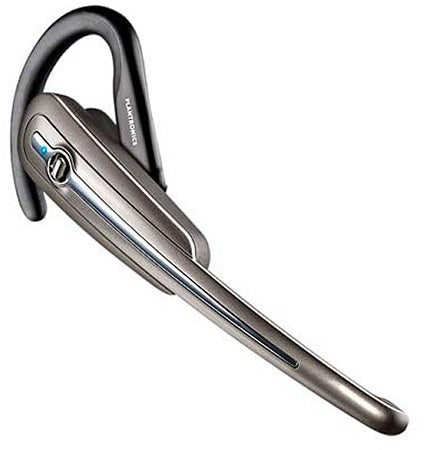
Now everything’s done from a USB Bluetooth adapter and a separate USB lead that you plug directly into the headset for charging. This is obviously quite a lot cheaper to include than the DECT headset, and would be more convenient, if it gave adequate speech quality. Unfortunately, the review sample we tried gave a lower speech quality index and when we listened to the input, was noticeably more distorted than the headset with DNS 9.
The big feature of the previous version of DNS was that it needed no training and could be used straight out of the box. As we said at the time, you would get better results if you did invest the 20 minutes or so in basic training and this is still true with version 10. It’s also worthwhile letting the program look through your documents and emails to build up a personalised vocabulary of the words you’re likely to be using.
Although Nuance claims a 20 per cent improvement over the 99 per cent accuracy of the previous version, its main claim this time is increased recognition speed. It’s certainly true that words pop up in the DNS speech bar more quickly than they used to and this is welcome, because otherwise if you’re forever waiting for the program to catch up, dictation becomes very hesitant. If you can speak in complete sentences, the recognition rate is faster still.
If your work allows you to speak fluently, in complete sentences, we see no reason why you shouldn’t be able to achieve the three-fold increase in speed over typing that Nuance claims for DNS 10. However, if your interaction with the software is more stop-start, the numbers of mis-recognition errors may increase and you will then spend more time going back and making corrections.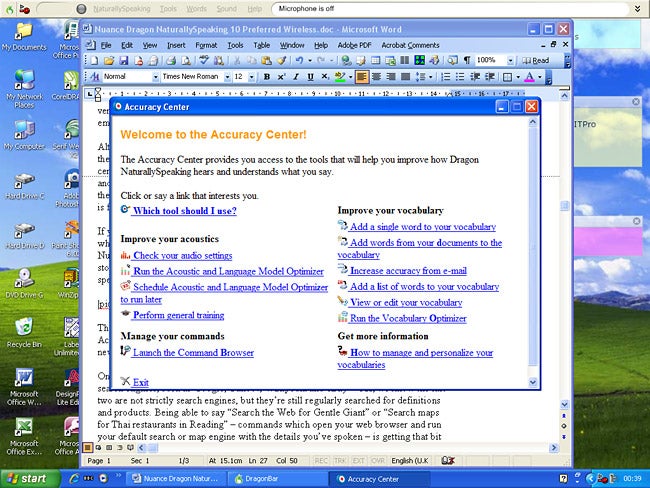
The DNS interface looks increasingly dated, with some sections – such as the Accuracy Center with its ugly font and hyperlinks – appearing pretty amateurish. The new icons are an improvement, but a complete overhaul is overdue.
One of the major extensions to the command set of DNS 10 is the ability to work with search engines, such as Google, Yahoo!, Wikipedia and eBay – OK, we know the last two are not strictly search engines, but they’re still regularly searched for definitions and products. Being able to say “Search the Web for Gentle Giant” or “Search maps for Thai restaurants in Reading” – commands that open your web browser and run your default search or map engine with the details you’ve spoken – is getting that bit closer to computer interaction on the bridge of Voyager.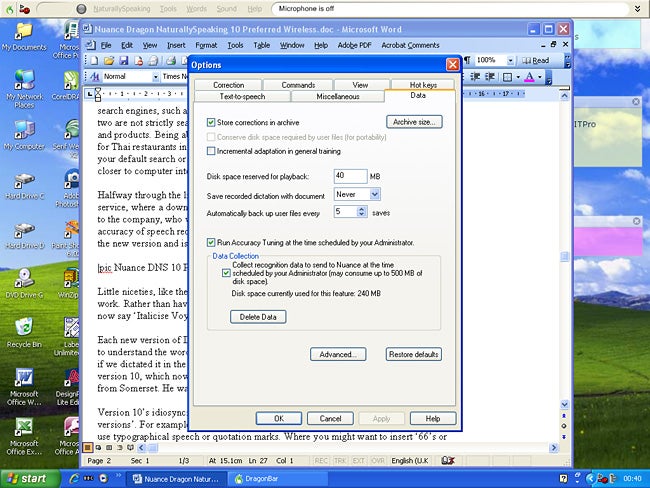
Halfway through the life of DNS 9, Nuance introduced a personalised vocabulary service, where a downloaded utility would collect your speech files and upload them to the company, who would then return an individually tailored vocabulary to increase the accuracy of speech recognition still further. That utility is now included as standard in the new version and is well worth taking advantage of.
Little niceties, like the streamlining of formatting commands can speed up everyday work. Rather than having to say ‘Select Voyager’ followed by ‘italicise that’, you can now say ‘Italicise Voyager’, to achieve the same effect.
Each new version of DNS has its own idiosyncrasies – we could never get version 9 to understand the word ‘are’, for example; it seemed to think we were hesitating, even if we dictated it in the middle of a sentence. That appears to have been fixed in version 10, which now understands ‘are’, even when it’s spoken by a tractor driver from Somerset. He was suitably impressed.
Version 10’s idiosyncrasies are more ‘Things we wish had been corrected from earlier versions’. For example, although DNS is quite tightly integrated with Word, it can’t use typographical speech or quotation marks. Where you might want to insert ‘66’s or ‘99’s, which Word is quite happy to do when you’re typing, ask DNS to open or close quotes or speech marks and you’ll get the bog standard ‘ and ” every time.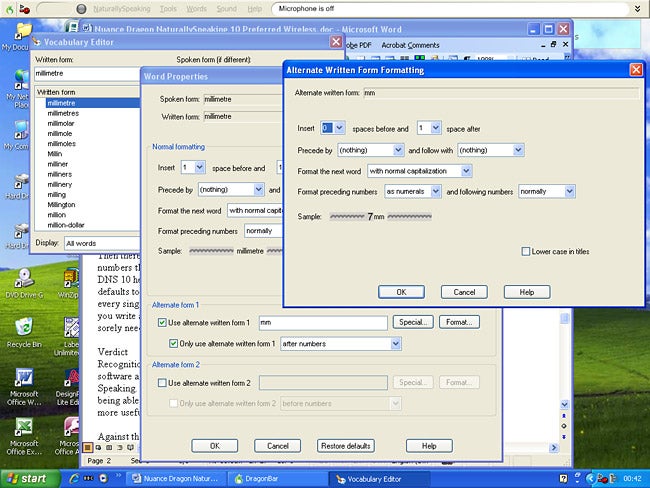
DNS 10 still tries to be clever, too, by guessing what you mean if it can’t make out exactly what you’ve said. So, for example, it will often add extra words into your dictation, because, according to its syntax rules, it feels they should be there. It would be good to have a ‘be stupid’ option, where it would respond completely literally to what it hears.
Then there are scientific units. We were always taught that units should butt up to the numbers that precede them: 3GHz rather than 3 GHz and 10mm rather than 10 mm. DNS 10 helpfully has separate formatting for units and their abbreviations, but defaults to a single space between the abbreviated units and preceding numbers…for every single unit. You have to make separate changes to the formatting of each one. If you write about technical subjects, this is a pain. A facility to change this globally is sorely needed.
”’Verdict”’
Recognition speed and accuracy are the core functions of any speech recognition software and both have been improved in the latest version of Dragon Naturally Speaking. The extension of speech commands into web browser control, particularly being able to conduct searches using popular search engines makes the software even more useful.
Against this are niggles, and they are only niggles, over the way the program handles some aspects of dictation. If you’re using it every day, little things like the look of speech and quotation marks and the inability to tailor the program easily to follow a house style are at least an irritation. If you already have DNS 9 Preferred Wireless, we’d also recommend you buy the non-wireless version and stick with your old headset.
Trusted Score
Score in detail
-
Features 8
-
Value 9
-
Usability 9
Features
| System Requirements | Processor: Intel Pentium 4 or later 1 GHz AMD Athlon (64-bit) or later Operating System: Windows Server 2000 (32-bit) Windows Server 2003 (32-bit) Windows XP with Service Pack 2 or higher (32-bit) Windows 2000 With Service Pack 4 or higher (32/64-bit) Windows Vista or Windows Vista with Service Pack 1 (32/64-bit) Hard Disk: 1 GB 2 GB for localized non-English versions Memory: 512 MB RAM 1 GB RAM for Windows Vista 512 KB (L2 Cache) Optical Drive: DVD-ROM Others: Microsoft Internet Explorer 6 or higher Nuance-approved noise-canceling headset microphone Note: A Web connection is required for activation 16 bit sound card |


Editorial independence
Editorial independence means being able to give an unbiased verdict about a product or company, with the avoidance of conflicts of interest. To ensure this is possible, every member of the editorial staff follows a clear code of conduct.

Professional conduct
We also expect our journalists to follow clear ethical standards in their work. Our staff members must strive for honesty and accuracy in everything they do. We follow the IPSO Editors’ code of practice to underpin these standards.
Editorial independence
Editorial independence means being able to give an unbiased verdict about a product or company, with the avoidance of conflicts of interest. To ensure this is possible, every member of the editorial staff follows a clear code of conduct.
Professional conduct
We also expect our journalists to follow clear ethical standards in their work. Our staff members must strive for honesty and accuracy in everything they do. We follow the IPSO Editors’ code of practice to underpin these standards.
