

Verdict


Key Specifications
- Review Price: £199.99
HP’s Photosmart A636 could just be the most innovative photo printer we’ll see this year. While at first sight it looks like any of the other, toaster-inspired dedicated ink-jet printers the company has produced in the last couple of years, on closer inspection, it includes a couple of spectacular improvements over what’s gone before.
Coloured in black and light grey the design follows the HP tradition. It has a cover that opens at the back to take up to 20 photo blanks loaded nearly vertically and a front cover which folds down to reveal four memory card sockets and one for PictBridge, as well as a wider than normal 13cm slot for prints to feed out from.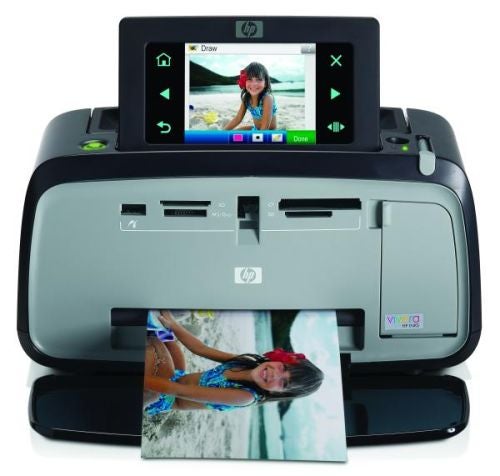
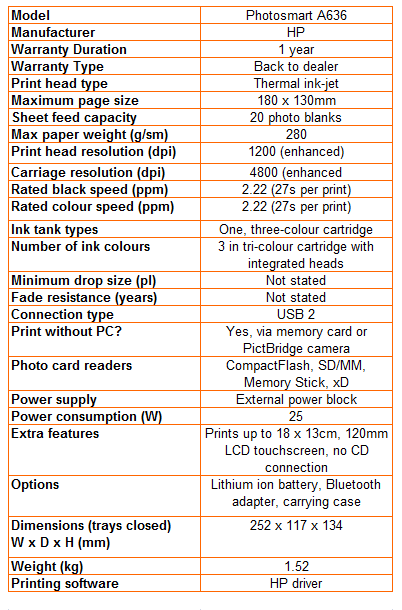
We say 13cm, as HP claims the machine can print 18 x 13cm photos, but in reality it’s 7 x 5-inch, smaller by several millimetres in both directions. We know, because we didn’t have any 18 x 13cm blanks and cut some down from A4 sheets of HP Advanced Paper… and they wouldn’t fit the Photosmart A636.
It’s the top of the printer which shows the most innovation as it uses what HP refers to as a 120mm touch screen. While this is technically correct, as this is the diagonal of the touch screen, the LCD display behind it is only 85mm and has a large, black border around it, with six illuminated icons for things like scrolling through images and navigating menus.
It’s not often we get to write the words ‘this printer is radically different in the way it installs’. Installation isn’t normally something anybody pays much attention to, but the Photosmart A636 has been re-engineered. The first inkling of this is the complete lack of a support CD.
All you do to set the printer up for PC printing is plug it into a USB port. Windows recognises it and downloads all the necessary software from the printer. The driver is held in the printer’s firmware and copies and installs as soon as you plug the printer in. It’s ideal for a portable machine like this, as you can plug it into almost any Windows PC and print photos from the computer, immediately. We reckon it would be a good selling point for just about any USB-based printer.
You can operate the touch screen with your finger, but HP also provides a stylus and even a little ‘inkwell’ to store it in, while working on a batch of images. The company has expanded on the range of effects and creative projects you can achieve, using just the stylus and the printer. Effects include red eye and pet eye retouching – animal eyes tend to reflect in blue or green, rather than the human red.
You can now add captions to a photograph, too, using an on-screen keyboard, in alphabetical rather than QWERTY order, and even choose different font sizes, colours and positions. You can do a lot, without needing access to any kind of computer and the touch screen control is intuitive, though building in gesture recognition, as on the iPhone, would improve things still further.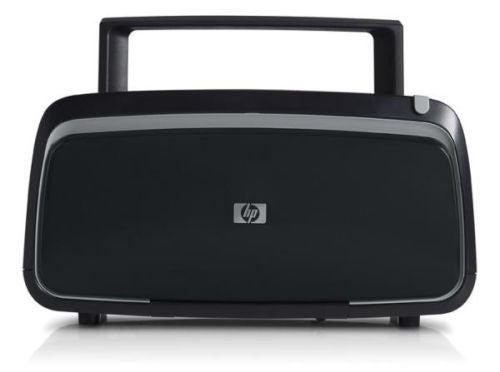
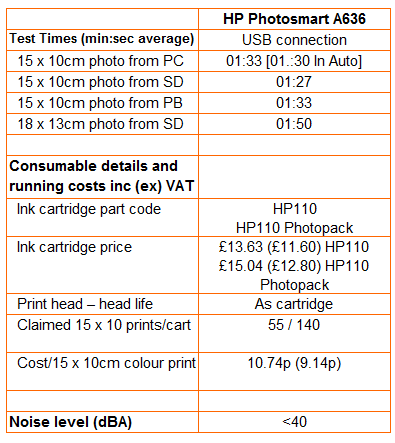
The headline print speed of 27 seconds for a 15 x 10cm photos, while achievable, is around a minute shorter than what you normally see. Leave all print and quality settings on automatic, as most people will, and it takes just over 1:30 to print from a PC or a PictBridge printer, though printing from a memory card is marginally quicker.
Print quality, in typical HP style, is pretty good. Our test images showed reasonable levels of foreground detail, as well as good shadow detail and very good colour transitions. Colours are bright, but natural and the three-colour cartridge does well in reproducing dark and light tints. For best results, you should use HP’s Advanced Photo Paper, though we also produced acceptable results using Premium Plus paper. The printer does just as well with images at 7 x 5 inches as at the default 15 x 10cm.
HP has succumbed to a mean streak, including a ‘starter’ cartridge rated at just 10, 15 x 10cm prints, presumably fewer if you’re printing at 7 x 5 inches. Given that one of those prints is required for mandatory printer calibration, you get just nine before having to go out and buy a ‘regular’ cartridge. The HP110 cartridge offers 55 prints, while the 110 Photopack is capable of 140 prints.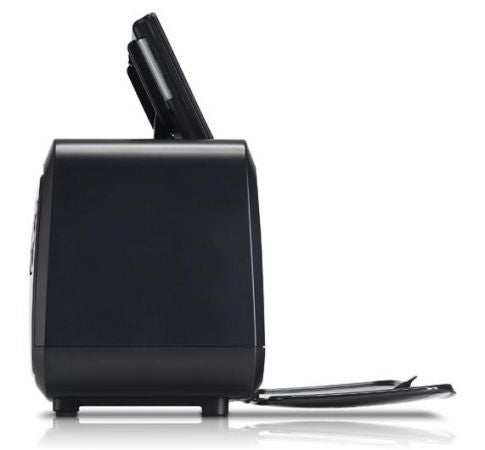
In mitigation for this cheapskate approach, we found the Photopack for £15.04, so the cost per print comes out at 10.7p. This is one of the least expensive print costs we’ve come across, so do shop around for consumables.
Verdict
The Photosmart A636 is a fine, dedicated photo printer, capable of both Bluetooth connection and battery operation with the appropriate options fitted. Its easy setup and touch screen use are both valuable innovations, and consumables are such that you pay very little for standard size prints. While HP may be taking the Mick with its tiny starter cartridge – it cost it a recommendation – in nearly all other respects this is an excellent machine.
Trusted Score
Score in detail
-
Print Speed 7
-
Features 9
-
Value 8
-
Print Quality 9


Editorial independence
Editorial independence means being able to give an unbiased verdict about a product or company, with the avoidance of conflicts of interest. To ensure this is possible, every member of the editorial staff follows a clear code of conduct.

Professional conduct
We also expect our journalists to follow clear ethical standards in their work. Our staff members must strive for honesty and accuracy in everything they do. We follow the IPSO Editors’ code of practice to underpin these standards.
Editorial independence
Editorial independence means being able to give an unbiased verdict about a product or company, with the avoidance of conflicts of interest. To ensure this is possible, every member of the editorial staff follows a clear code of conduct.
Professional conduct
We also expect our journalists to follow clear ethical standards in their work. Our staff members must strive for honesty and accuracy in everything they do. We follow the IPSO Editors’ code of practice to underpin these standards.
