

Verdict


The majority of desktop NAS appliance vendors have given up the battle for the greatest feature set and are now setting their focus on performance. Synology’s latest Disk Station DS-209+ gets the ball rolling as this compact dual-drive box claims to offer top read and write speeds of over 42MB/sec and 36MB/sec respectively, which would make it one of the fastest in its class. 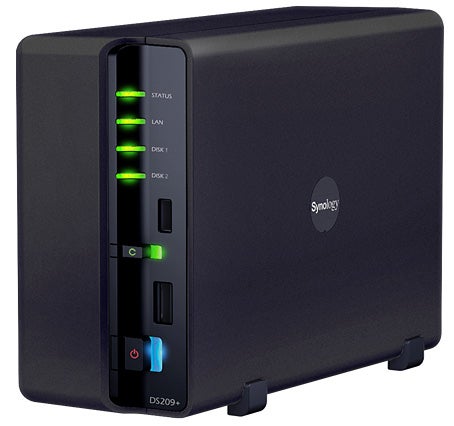
To achieve this speed boost Synology has taken much from its higher end Disk Station DS-508 so the DS-209+ now sports an 800MHz processor partnered by a healthy 512MB of memory. The appliance offers a single Gigabit port and three USB ports with the front one teamed up with a Copy button alongside. Pressing it will cause the contents of the attached USB storage device to be copied to a predefined location on the appliance. You have a high-speed eSATA port as well and the USB ports can also be used for printer sharing.
The appliance was supplied diskless and we fitted a couple of Western Digital Raptor SATA hard disks. This process is a little fiddly as the case has to be separated into two halves, the drives screwed into carriers sitting on the main board and each one wired up to power and SATA interfaces. Care should be taken for the latter manoeuvre as the reset button on the board is too close to the backs of the drives making cable connections a little tricky.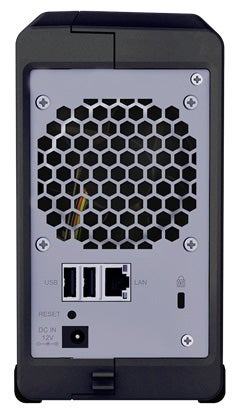
Installation is handled smoothly by the bundled Assistant utility which locates the appliance on the network and offers to set up a system partition on the drives and download the Linux kernel from the CD-ROM. You can then move over to the appliance’s web interface where you’ll be greeted by the new Ajax-based Disk Station Manager 2.0 interface which looks very smart. Your first job is to create volumes and you can opt for a stripe, a mirror or two single drives.
For performance testing we kicked off with a dual drive stripe which took a matter of seconds to create. For real world tests we copied a 2.52GB video clip between the appliance and a dual quad-core Xeon Dell PowerEdge 1950 server. Our results showed Synology to be slightly pessimistic as we saw read and write speeds of 49.3MB/sec and 36.3MB/sec. FTP speeds were even better as the FileZilla client reported average read and write rates of 65MB/sec and 42.4MB/sec.
Large collections of smaller files proved to be more of a challenge. We used the bundled Synology Replicator 3 to secure 16.9GB of data comprising over 12,000 files which took a shade over 12 minutes for an average write speed of 23.9MB/sec. Even so, the software looks particularly useful for workstation backup as it locates the appliance for you, displays shares that are available as targets and once a full backup has completed it keeps track of new files and modifications and secures them in real time.
Along with top performance, the DS-209+ also looks a winner for features as well. It supports Windows, Linux and Mac clients and access can be secured using a local user and group database or AD authentication. Quotas applied to each user also restrict the amount of space they are allowed to use. FTP services are on the menu, transmissions can be encrypted and you can set bandwidth usage limits on uploads and downloads. 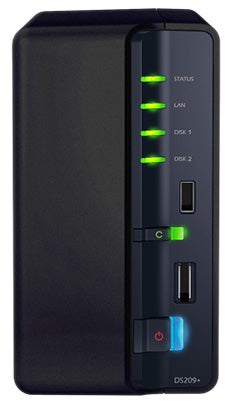
More backup features are up for grabs as the appliance can manage jobs that secure data from one local folder to another or to an external USB storage device. Data can also be secured to another Synology appliance over the network. You can run your own website from the appliance as it comes with an Apache web server along with PHP and the latest MySQL.
Synology’s Surveillance Station adds an extra dimension as this enables the appliance to take feeds from IP cameras such as those from Axis, Panasonic and Vivotek. We tested this with a Panasonic BB-HCM531 and it worked fine. Along with a live view you can also record the feed to the default Surveillance directory on the appliance and it includes motion detection as well. Note that although the appliance supports up to ten IP cameras you’ll have to buy more licenses if you want to use more than one.
Multimedia options are excellent as the iTunes server can password protect your music folder and allow you to create smart playlists on the appliance. Add in Synology’s optional Remote receptor plus a pair of certified USB speakers and the Audio Station can be used to play music directly from the appliance. Photo Station 3 allows you to store your pictures on the appliance and publish them on the web. The web interface has been spruced up making it even easier to use and it now includes a blog facility which can be accessed securely over HTTPS.
”’Verdict”’
It may be small but the Disk Station DS-209+ is undeniably fast. For a diskless appliance it’s a little pricey but the sleek new Disk Station Manager Web interface and the remarkable number of features on offer more than make up for this.
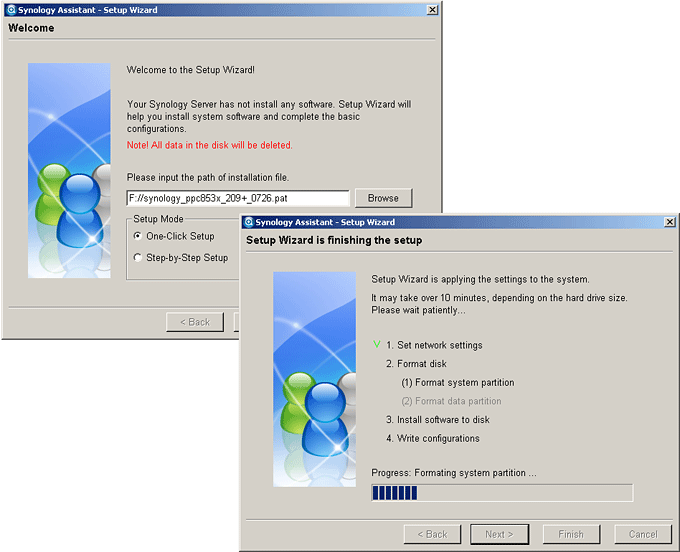
(centre)”’The Synology Assistant locates the appliance for you and downloads the Linux kernel automatically.”’(/centre)
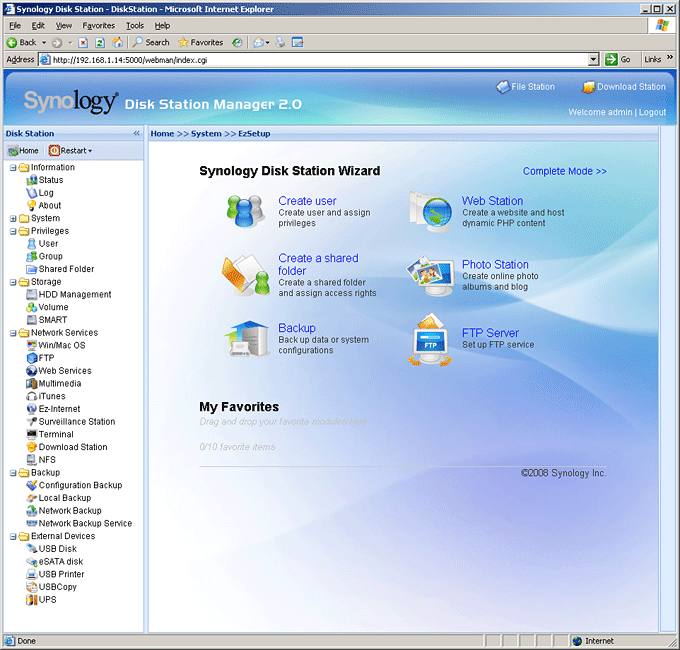
(centre)”’The new Disk Station Manager offers a very slick interface with easy access to the myriad features.”’(/centre)
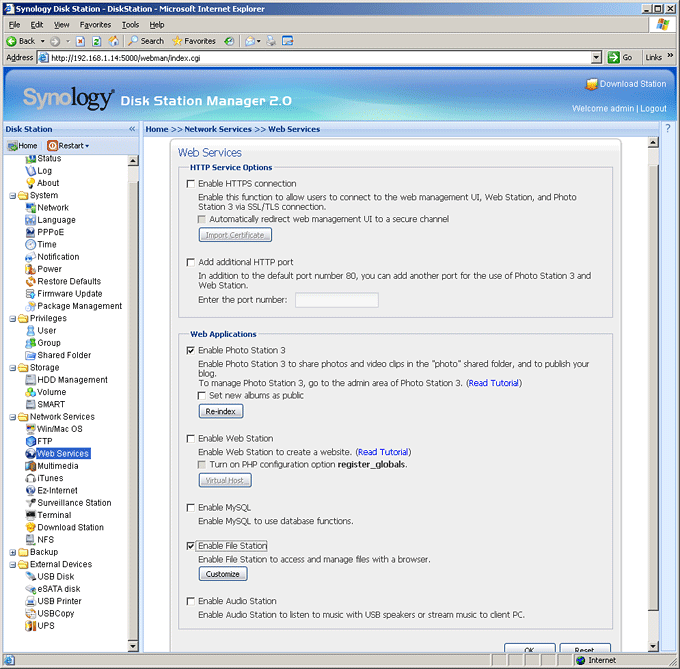
(centre)”’The appliance offers a wealth of web services including its own web server.”’(/centre)
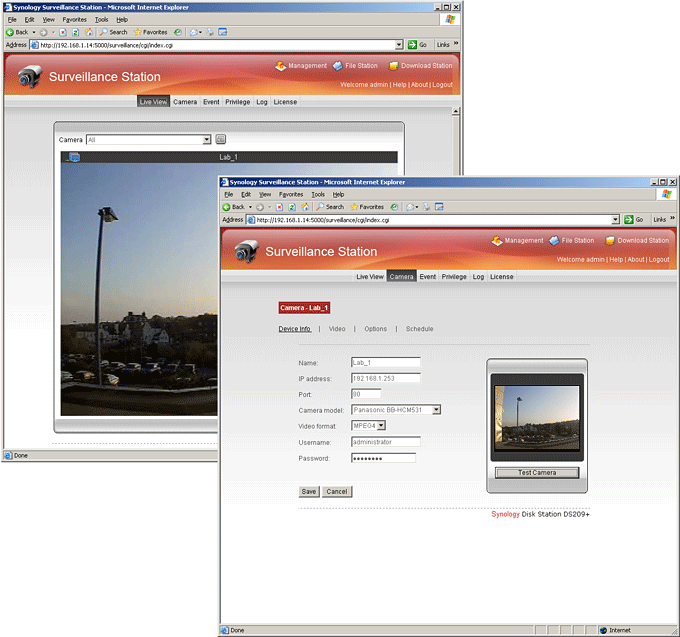
(centre)”’Synology’s Surveillance Station adds a new dimension to its NAS appliances.”’(/centre)
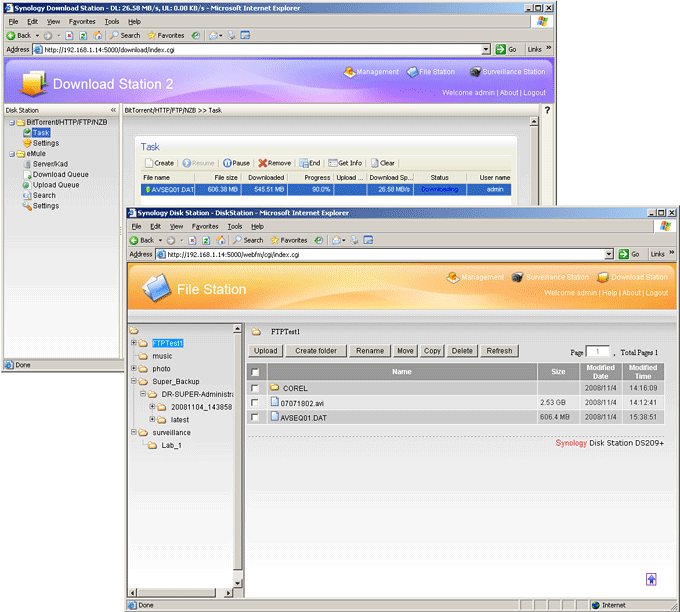
(centre)”’The Download and File Stations provide a useful range of access methods to your files.”’(/centre)
Trusted Score
Score in detail
-
Value 7
-
Features 9


Editorial independence
Editorial independence means being able to give an unbiased verdict about a product or company, with the avoidance of conflicts of interest. To ensure this is possible, every member of the editorial staff follows a clear code of conduct.

Professional conduct
We also expect our journalists to follow clear ethical standards in their work. Our staff members must strive for honesty and accuracy in everything they do. We follow the IPSO Editors’ code of practice to underpin these standards.
Editorial independence
Editorial independence means being able to give an unbiased verdict about a product or company, with the avoidance of conflicts of interest. To ensure this is possible, every member of the editorial staff follows a clear code of conduct.
Professional conduct
We also expect our journalists to follow clear ethical standards in their work. Our staff members must strive for honesty and accuracy in everything they do. We follow the IPSO Editors’ code of practice to underpin these standards.
