

Verdict


Key Specifications
- Review Price: £122.63
The hype surrounding the 802.11n high-speed wireless specification has triggered a deluge of compliant products with every vendor that’s anyone rushing to hit the market. We all know by now the status of this specification as in May the first working draft failed to achieve the required 75 per cent of votes to make it to the final draft stage. However, even though it’s a risky business producing products that may have no future, no vendor wants to get caught napping. We’ve seen Buffalo’s Nfiniti and D-Link’s DIR-635 draft-n routers and PC Cards and it’s now Netgear’s turn to step up and be counted.
The DG834N router certainly makes its mark physically as it is an almighty great slab of plastic with more than a hint of Apple-like design to its shiny white casing. The reason for its size is the multiple aerials needed for MIMO operations are hidden inside and the router has two groups of three fitted. It incorporates the standard quad of Fast Ethernet switched ports and combines these with an integral ADSL2/2+ modem. It comes with a small plastic stand and Netgear insists that it must not be left on its side. Presumably, this is to ensure air flow through the unit is unobstructed as there are vents at each end, although after running it for a week it stayed remarkably cool. Gone is the silly blue plastic dome and circulating lights of its predecessors to be replaced by a simple LED display at the front.
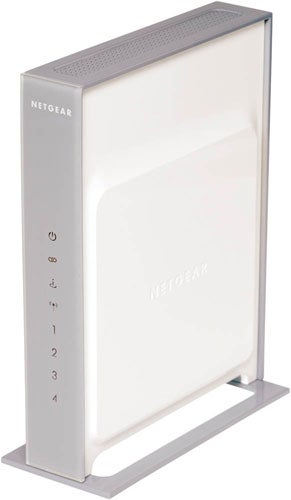
Before we take a closer look you should know that Netgear also has another version of this router that supports Gigabit Ethernet. Costing around £180 inc. VAT, the WNR854T comes with five Gigabit Ethernet ports but does not include an integral ADSL modem. There’s good reason to consider this as the Fast Ethernet ports on the current crop of draft-n routers could cause a bottleneck for data transfers between users on the LAN and WLAN if the quoted wireless speeds are to be believed.
And so to the DG834N – Netgear’s installation is a little more interesting than most as you run its SmartWizard routine from the supplied CD-ROM. This guides you gently through the physical installation of the router and then hunts it down on the network and attempts to identify the type of ADSL connection. It did a fine job for us as it discovered that PPPoA was in use and simply asked for our BT Broadband user credentials. Its last task is to sort out wireless access and security and then you’re up and running and all in a couple of minutes. It also drops a quick access icon on the desktop to make things easy.
The web interface is common to all Netgear routers and it provides the standard mix of SPI firewall and NAT protection. The former can be customised by adding your own firewall rules to handle specific services. Port forwarding inbound traffic to specific servers is supported so you can select from nearly forty predefined services, provide the server’s IP address and add either a single IP address or a range to define WAN users that are allowed access. Web access restrictions are nothing special as the router implements simple URL filtering so you’ll have to create lists of sites you want to block.
For wireless security, Netgear only supports WPA and WPA2 encryption when using the higher speeds but you also get SSID masking and MAC address access controls. Setting up an encrypted link with a WN511B draft-n PC Card is nicely automated as you scan the network, pick an access point and enter your credentials using Netgear’s connection wizard.
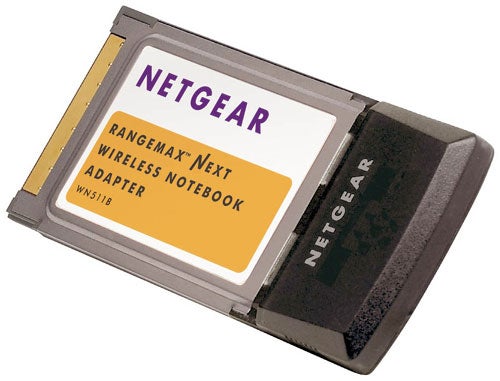
Testing the router in our standard residential environment produced some interesting performance results. Installing Netgear’s WN511B PC Card in a 1.6GHz Fujitsu Siemens notebook running Windows XP SP2 we used the open source Iometer utility to measure read performance with a Supermicro Pentium D 3.2GHz PC on the LAN. With no encryption over a two metre line of sight connection it reported an average raw read throughput of 67Mbit/sec – marginally faster than the D-Link draft-n products. We then activated the WPA2 encryption options and saw Iometer return a healthy 56Mbit/sec – also faster than the D-Link and Buffalo routers. For real world performance a 691MB video file was copied from the laptop over a close range open link to the PC in 97 seconds for an average speed of 56Mbit/sec and with WPA2 in action this only dropped down to 53Mbit/sec. Moving the laptop to the floor below and placing two brick walls in the way slowed Netgear down but not by as much as the competition with an open link delivering a more impressive 41Mbit/sec.
”’Verdict”’
So far Netgear is the best of the draft-n bunch for performance as this sleek white slab delivers better speeds over close range and at distance although it’s still well short of draft-n claims. It’s not as well featured as D-Link’s DIR-635 but if you are going to risk the lack of guarantees of forward compatibility then the DG834N should be at the top of your shopping list if speed is a priority.
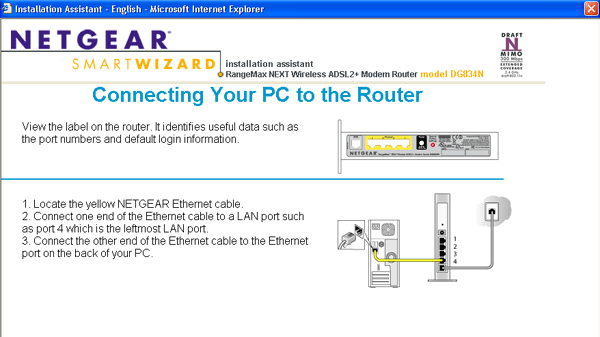
Netgear’s wizard routine makes light work of initial installation and gaining Internet access.
—-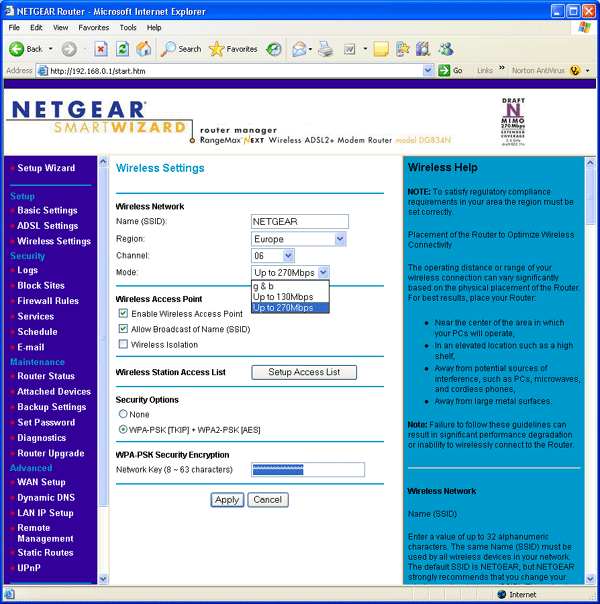
WEP encryption is only available if you drop down to the lower 802.11g speeds.
—-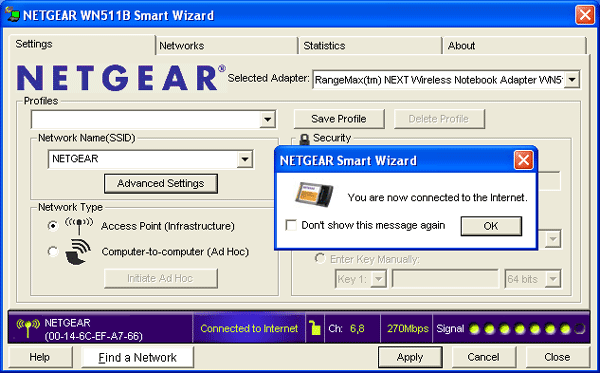
Encrypted laptop connections with the draft-n WN511B PC Card are handled by a new SmartWizard.
—-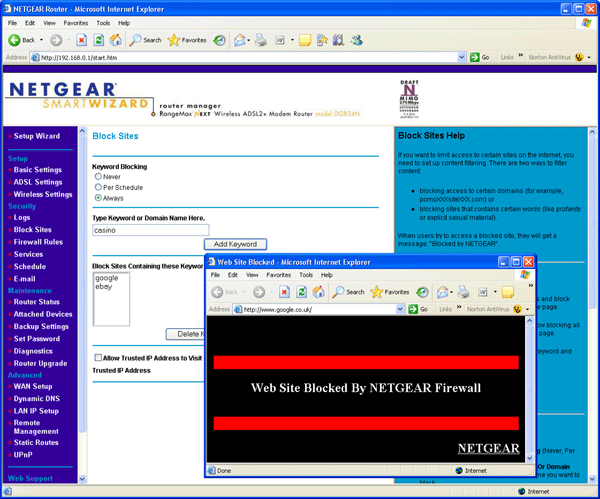
Web blocking is limited to creating lists of banned URLs and domains.
—-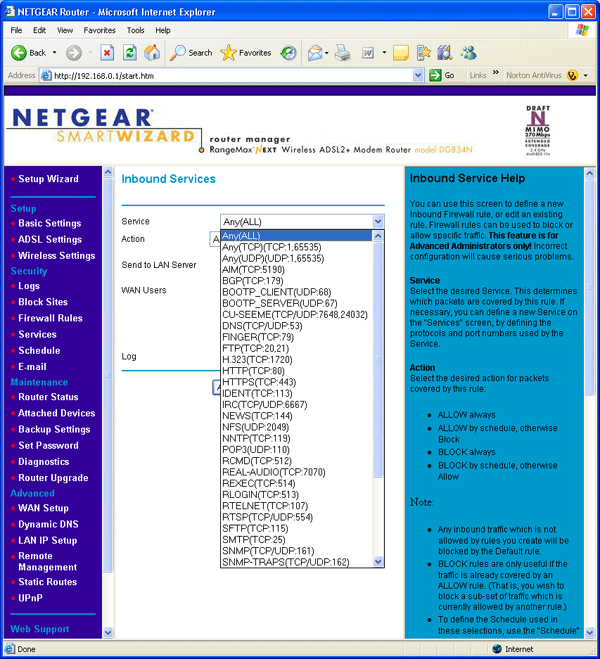
Port forwarding rule creation is helped along with a mass of predefined services.
—-
Trusted Score


Editorial independence
Editorial independence means being able to give an unbiased verdict about a product or company, with the avoidance of conflicts of interest. To ensure this is possible, every member of the editorial staff follows a clear code of conduct.

Professional conduct
We also expect our journalists to follow clear ethical standards in their work. Our staff members must strive for honesty and accuracy in everything they do. We follow the IPSO Editors’ code of practice to underpin these standards.
Editorial independence
Editorial independence means being able to give an unbiased verdict about a product or company, with the avoidance of conflicts of interest. To ensure this is possible, every member of the editorial staff follows a clear code of conduct.
Professional conduct
We also expect our journalists to follow clear ethical standards in their work. Our staff members must strive for honesty and accuracy in everything they do. We follow the IPSO Editors’ code of practice to underpin these standards.
