

Verdict


Key Specifications
- Review Price: £280.98
Most netbooks have very little to say for themselves aside from “I’m a netbook” and “so am I”. Yet, despite sharing most of the elements that comprise all netbooks – an Intel Atom processor, Wi-Fi, Bluetooth, a 10.1in screen and a 160GB hard drive – Lenovo’s IdeaPad S10e does at least have one unique feature; as well as Windows XP, it has an “instant-on” Linux operating system.
It’s called Lenovo QuickStart, but this is slightly misleading since it’s essentially a re-branded version of DeviceVM’s well known Splashtop software. This has a small component embedded into the BIOS that allows it to boot more or less instantly from the moment you hit the power button – in the case of the S10e it’s around five seconds. Based on Linux, it offers very basic functionality, comprising a fully-featured web browser, a photo gallery, a music player, instant messaging and Skype chat. 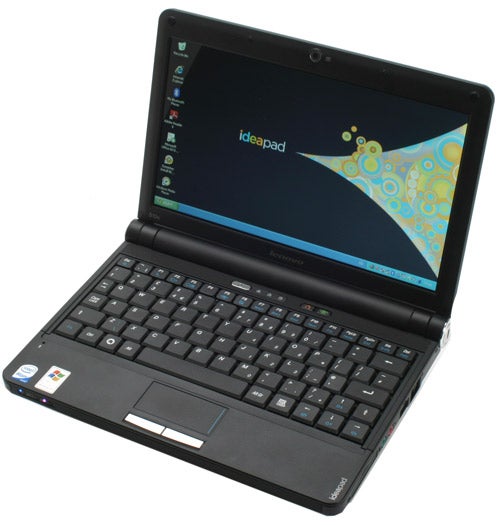
Combined with the power, flexibility and familiarity of Windows XP, on paper the IdeaPad S10e delivers an ideal balance of functionality. Such a combination has, after all, been much sought after by netbook communities for a while now.
Unfortunately, while the idea is sound, in this instance the execution leaves something to be desired. Sure enough when you hit the power button you’re quickly presented with options, but actually loading the web browser, for instance, takes around 40 to 50 seconds. This, as we quickly discovered, is barely faster than booting into Windows itself and obviously puts a dent in the instant-on credentials.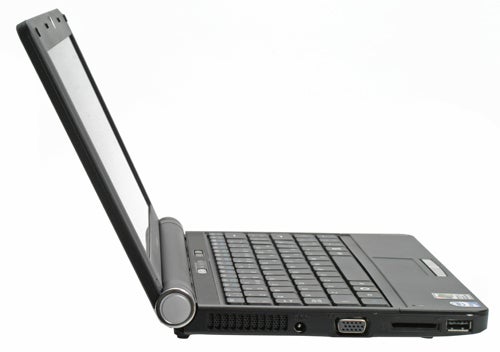
Other features, such as the music player, photo viewer and instant messaging client are more successful in the speed stakes. However, another issue is an insane level of sensitivity in the touchpad when using Lenovo QuickStart. You can’t adjust this sensitivity, either, so you’ll simply have to make do with it. Ultimately, though it’s not without merit, the implementation of this feature means it isn’t quite the killer feature Lenovo no doubt hoped it would be.
Outwardly, the S10e lacks any discernible visual flair, but this isn’t to say it’s ugly – simply understated. Aside from the silver plastic accenting on the end of the hinge section, the S10e has an almost ThinkPad-esque air to it. Mind you, this is partly due to its all black finish and should you want something a little more exciting, a red and white version is also available.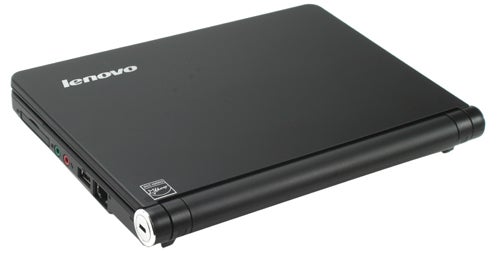
One thing that’s rather good about this design is the complete absence of glossy plastic. This makes the S10e less vulnerable to the usual proliferation of fingerprints and grease, though the smooth finish on the lid can become a little tainted in this regard. It is also one of the best made netbooks you’re likely to find. Its squared-off, simple design and good quality plastics are very reassuring and opening up the upgrade compartment reveals a very well secured hard drive, though there’s no other protection beyond this.
This sense of solidity is continued in the keyboard. Keys don’t have a tremendous amount of travel, but what is there is perfectly adequate and the key action as a whole is crisp, firm and provides plenty of tactile feedback. Likewise, though the keys themselves are arguably slightly smaller than on, for example, the Samsung NC10, they’re not small enough to cause any real problem.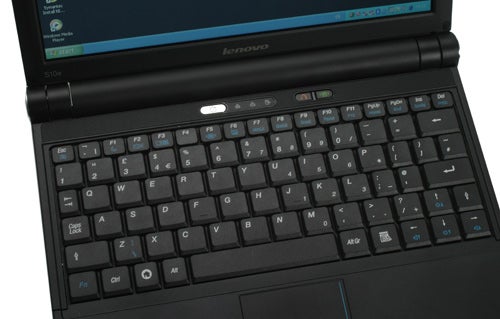
Regrettably, the same things can’t be said of the keyboard layout. Things start badly when we spotted the Fn key lurking outside the Ctrl key; a throwback to the ThinkPad range that still sports this irritating facet. However, where ThinkPad’s can get away with this by dint of familiarity (they’ve been like that since the beginning of time) there’s less reason for it on a netbook – a device meant for consumers familiar with a different layout.
Other annoyances include the half-height Return key and the right-Shift key that’s been reduced in size and placed to the outside of the Up cursor key. This, as is the case on the Eee PCs, is a constant irritant when typing, since you regularly find yourself moving up a line rather than creating a capital letter.
All three of these issues are, to our minds, fundamental problems that have a significant impact on typing speed and accuracy for anyone used to conventional keyboard layouts. Given that Samsung’s NC10, MSI’s Wind and, to a lesser extent, Asus’ Eee PC 1000 do these things better, it’s a key point of difference.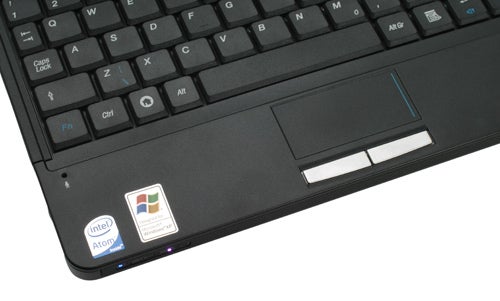
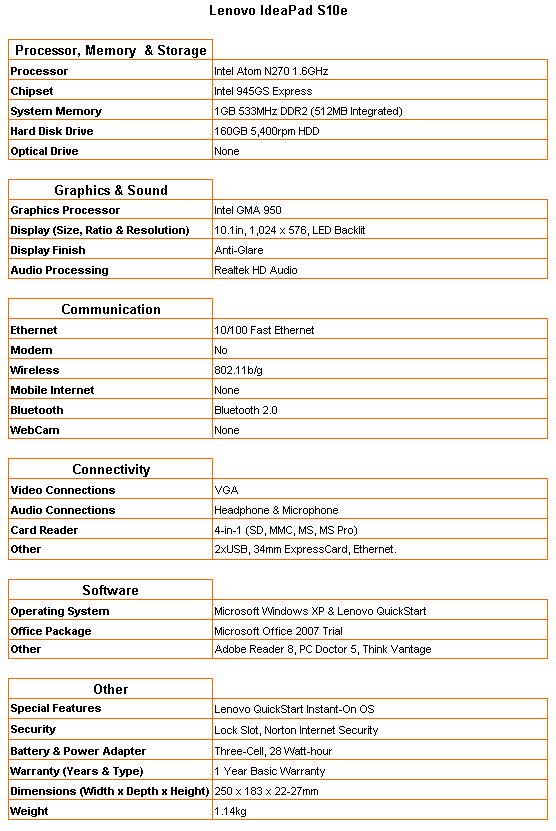
This is also true of the screen, though it’s less a fundamental problem than an oddity. Why? Because despite having the same 10.1in dimensions found on most 10in netbooks, the screen resolution is actually 1,024 x 576, rather than 1,024 x 600. This isn’t a massive difference, but when you don’t have many vertical pixels to play with in the first place, losing a few more could be an issue.
It’s worth noting, too, that the screen has a glossy high-contrast finish. This lends it a slightly more colourful and rich appearance, but will always be an issue when outdoors or viewing from an angle. Apart from this, however, the screen is very good, proving every bit as sharp and bright as any other netbook we’ve seen.
As summarised earlier, inside the S10e are all the same basic components that make up 99 per cent of netbooks. An Intel Atom N270 running at 1.6GHz provides the processing “power” and there’s 1GB of RAM, which is divided between 512MB hard wired to the motherboard and a 512MB upgradeable module. This means you could conceivably install a 2GB module and get 2.5GB of RAM in total.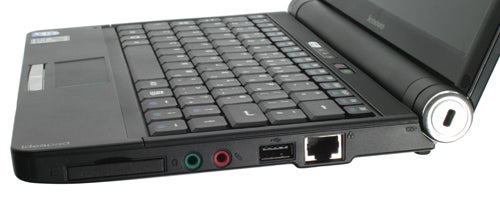
Aside from this you get 802.11b/g Wi-Fi, 10/100 Fast Ethernet and Bluetooth 2.0 – all the usual netbook staples. Connectivity, though, does differ somewhat from most netbooks, with the typical third USB port replaced by a 34mm ExpressCard slot. A memory card reader, headphone and microphone jacks and an Ethernet port round-off the remaining options, while above the screen sits the obligatory 1.3-megapixel webcam.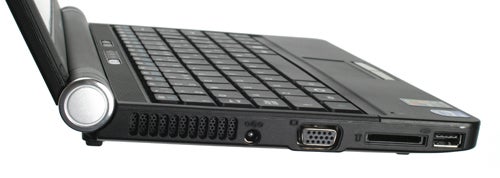
Much like a lot of netbooks, though, the S10e suffers due to a relatively low capacity battery – a three-cell, 28 Watt-hour unit. This does help keep the S10e fairly light, weighing just 1.14kg, but also ensures a fairly mediocre battery life of just two and a half hours. You might be able to manage three hours at a stretch, particularly when using the Splashtop option, but it’s nothing compared to what you get with any netbook that has a six-cell battery.
This would be okay if the S10e cost around £230 to £250, but the cheapest you’ll likely to find it is around £280. For that kind of money you could pick up an Eee PC 1000 with a six-cell battery or, if you spend a little more, an MSI Wind U100-291UK (also with a six-cell). A Samsung NC10 would cost more again, currently retailing for around £310, but any of these options or the likes of the Acer Aspire One, would all offer a more sensible alternative.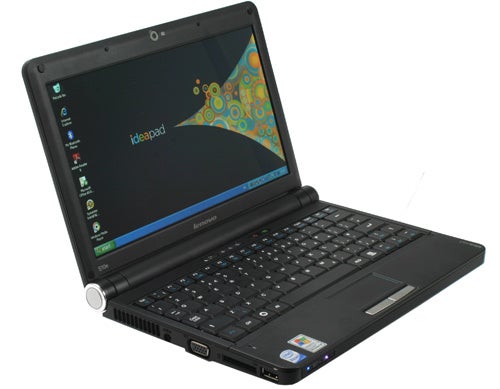
Verdict
Unfortunately for Lenovo, the IdeaPad S10e’s most interesting feature, the instant-on operating system, isn’t as compelling as it could be. Beyond this, it’s a fairly run-of-the-mill netbook that offers mediocre battery life and poor keyboard ergonomics.
How we test laptops
Unlike other sites, we test every laptop we review thoroughly over an extended period of time. We use industry standard tests to compare features properly. We’ll always tell you what we find. We never, ever, accept money to review a product.
Trusted Score
Score in detail
-
Performance 6
-
Design 7
-
Value 6
-
Features 7


Editorial independence
Editorial independence means being able to give an unbiased verdict about a product or company, with the avoidance of conflicts of interest. To ensure this is possible, every member of the editorial staff follows a clear code of conduct.

Professional conduct
We also expect our journalists to follow clear ethical standards in their work. Our staff members must strive for honesty and accuracy in everything they do. We follow the IPSO Editors’ code of practice to underpin these standards.
Editorial independence
Editorial independence means being able to give an unbiased verdict about a product or company, with the avoidance of conflicts of interest. To ensure this is possible, every member of the editorial staff follows a clear code of conduct.
Professional conduct
We also expect our journalists to follow clear ethical standards in their work. Our staff members must strive for honesty and accuracy in everything they do. We follow the IPSO Editors’ code of practice to underpin these standards.
