

Verdict


Pros
- Superlative design and build quality
- Classy sound quality
- Plentiful connections
- Quick disc loading
Cons
- No network streaming or web content
- Lacks Wi-Fi
- Dolby Virtual Speaker ineffective
Key Specifications
- Review Price: £649.99
- 3D Blu-ray playback
- 2 x 65W power
- BD Live
- Dolby Virtual Speaker
- 3 x HDMI inputs
- USB media playback
You can find 2.1-channel Blu-ray systems for peanuts these days, but if you’ve set your standards higher than a supermarket cheapie then Harman Kardon is here to show you what’s on offer with a bigger budget. At around £650 the BDS 270 ain’t cheap but it oozes luxury from every pore, and if its sound quality is equally luxurious then we might have a must-buy on our hands.
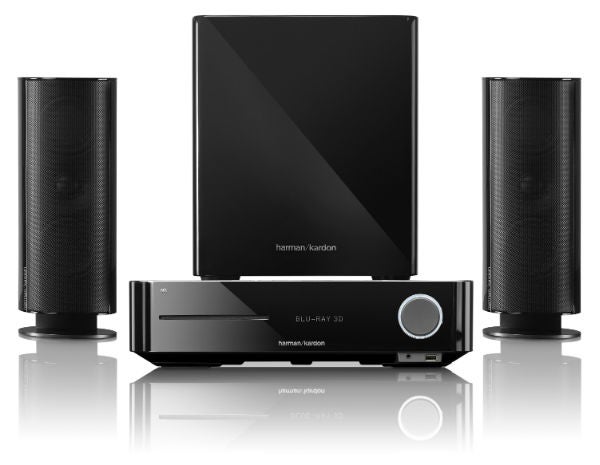
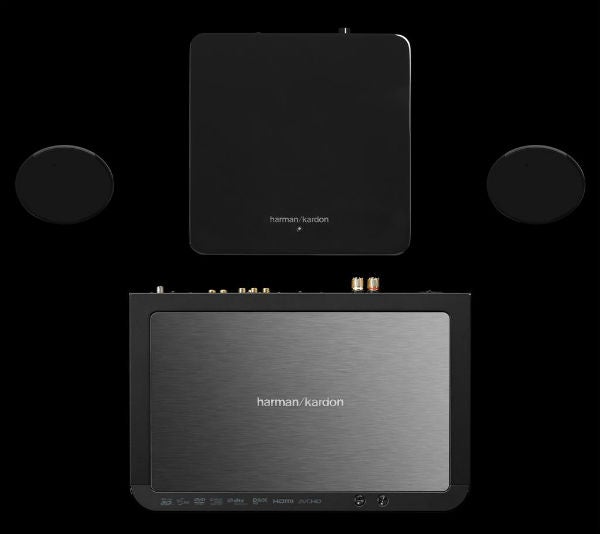
The system comprises the main BDS 270 unit, which includes a 3D-ready Blu-ray player and a 2 x 65W digital amplifier, plus the HKTS 200BQ/230 2.1-channel speaker pack (it’s sold in a single box). After unboxing the components it’s immediately clear that the BDS 270 is a cut above your average all-in-one system. The build quality of both the speakers and Blu-ray receiver is simply stunning – heavy, solid bodywork fashioned from high-grade materials across the board.
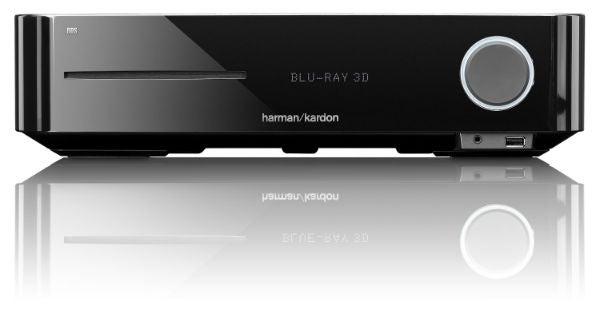
It also looks gorgeous. At 102mm high the Blu-ray receiver is chunky but in a good way, while the glossy black finish, curved corners and front-mounted disc slot are chic, distinctive touches. The white ring of light around the volume dial is another eye-catcher, although in the dark it’s a little distracting so you might want to dim it in the setup menu.
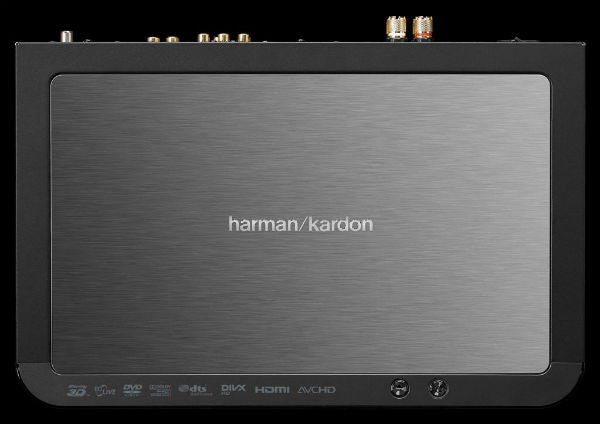
Tucked underneath this dial is a USB port, which allows you to play your digital media on the fly. The central dot-matrix display panel is easy to read, and on the brushed top panel you’ll find metal power and open/close buttons – the rest of the keys are reserved for the remote.
The rear panel is just as impressive, with a plentiful array of connections. Most pleasing is the provision of three HDMI inputs for running other HD kit through the system and an Audio Return Channel-compatible output. You even get component video input. Elsewhere there are two analogue stereo inputs and one output, three digital audio inputs (two optical, one coaxial), a remote control input, line-level subwoofer output and a linked trigger port that deactivates the sub when you switch off the main unit to save power.
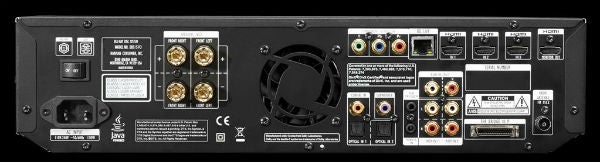
You can also connect an iPod/iPhone via Harman’s optional The Bridge III dock (connected to the proprietary port) and there’s an Ethernet port for the player’s online functionality (which is sadly limited to BD Live). Even the heavy duty gold-plated binding posts are of the highest order, not the cheap springclips found on lesser systems.
Speaker build quality has a massive bearing on the overall performance, and thankfully they don’t let the side down. The front speakers are almost cylindrical in shape, solid as oak and styled in an alluring gloss black finish. On the back are push-clip cable connections, and cleverly the wires can be hidden away by feeding them through a hole in the removable stand.
Even the subwoofer is a visual treat – with its curved corners, lustrous gloss-black finish and compact dimensions you won’t want to hide it away.
The BDS 270 lacks the abundance of features that you might get from a similarly-priced Samsung or Sony, but there are a few attractive tricks up its sleeve.
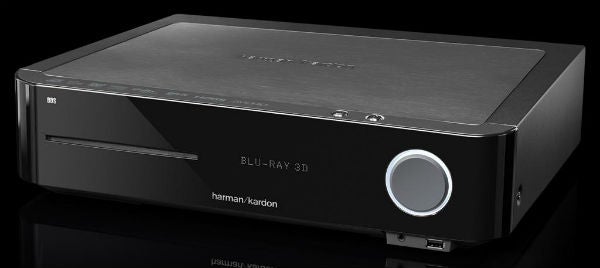
For those with compatible TVs, the obvious highlight is 3D support, but the HDMI v1.4 output’s ARC support means it can also receive audio signals directly from your TV to save you rigging up a separate audio cable.
The lack of Wi-Fi and DLNA media streaming does leave a big hole in the spec sheet, particularly as they’re found on many cheaper systems. Likewise the lack of access to websites like YouTube or BBC iPlayer, which are also increasingly common. So that leaves the USB port on as your only means of enjoying extra content, but thankfully it’ll play a decent range of formats including DivX (SD and HD), MP3, WMA, JPEG and AVCHD.
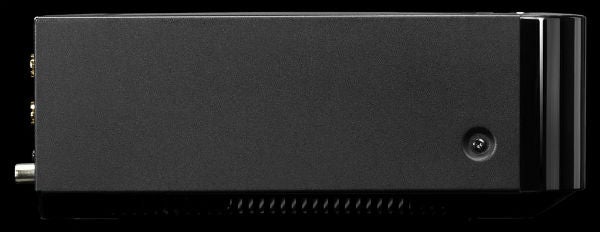
On the audio side, the system supports Dolby True HD and DTS HD Master Audio, and to make up for the lack of surround channels Harman has also included Dolby Virtual Speaker, which aims to generate a pseudo surround effect from two speakers. It comes in two settings, Reference and Wide.
Those are the highlights, but other features like Playlist (which recalls tracks from USB devices and CDs), album art display during USB playback and a built-in FM radio tuner are all welcome.
The BDS 270 is blissfully easy to use. The slim learning remote control matches the weighty build quality of the main unit, feeling comfortable in the hand and boasting a well-thought out arrangement of buttons. The rubber keys are firm and clicky, and there are two helpful rows of input selection buttons at the top that glow red when pressed. The only slight gripe is the tiny lettering, but it’s so intuitive that you won’t need to read them for very long.

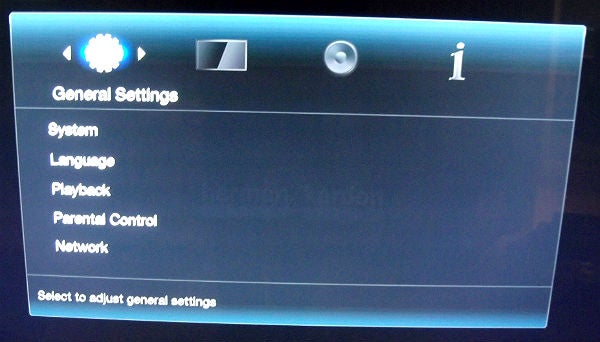
Onscreen business is well handled, with a funky looking set of displays. On the central ‘Home’ menu, fonts are crisp and legible, icons are eye-catching and the list of options affords you quick access to key functions and inputs.
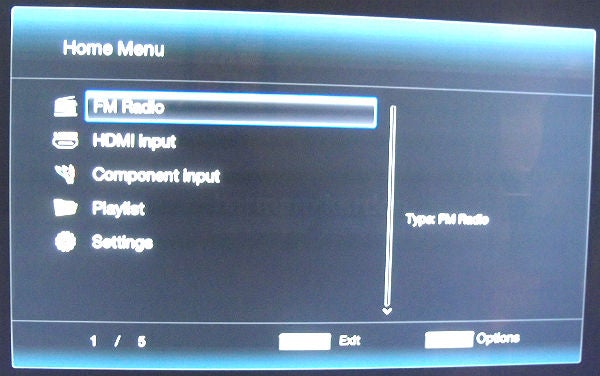
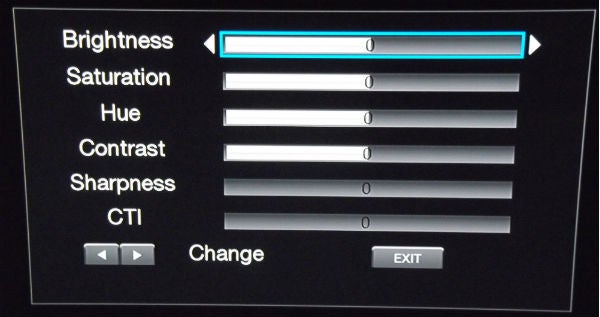
Handy onscreen boxes provide key info during playback, while the self-explanatory setup menu makes it easy to play around with the system’s settings. Among these is a Video Processing option, which offer three presets (Standard, Vivid, Cinema) and a Custom option where you can alter the levels of brightness, colour, hue, contrast, sharpness and CTI (colour transient improvement) in the image.
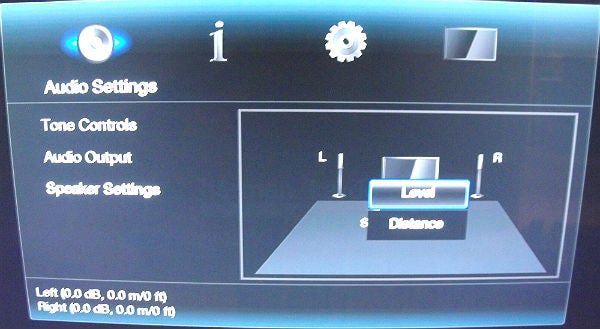
The setup menu also provides the tools you need to manually optimise the sound (tone controls, level and distance) but for added convenience you can use Harman’s Ez Set/EQ automatic calibration system and the supplied microphone. The system blasts the test tones loudly and seems to go on forever but the results are sound.
Bass optimisation can be carried out using the subwoofer’s rear-panel controls. Joining the level dial are three switches controlling Bass Boost, Phase and power mode, while sockets include line-level cinch and trigger minijack inputs.
The BDS 270’s opulent build quality lays the foundation for an accomplished performance. With The Dark Knight Blu-ray in the slot, the movie’s aggressive Dolby True HD track sounds remarkably polished, communicating set pieces like the opening bank robbery or the vehicle chase through Gotham with a smooth, even-handed tone. That means when the Joker’s bazooka blows stuff to smithereens, the explosions don’t assault your ears with excessive harshness or distortion. But it’s not at the expense of excitement or drive – this is as dynamic a performance as we’ve heard from a 2.1 system.
Cohesion between sats and sub is superb, although it took a bit of trial and error to find a sympathetic balance, even after running the auto calibration system. We started with the sub level dial up halfway, but was more powerful than expected and as a result swallowed up the sound from the front pair, so we had to turn it down. But when we did, it lent satisfyingly solid bottom end punch to the above action scenes.
The speakers also achieve a wide frequency range, simultaneously drawing out the subtlest high-frequency detail and low-end frequencies, making the latter sound deep and robust even without the sub’s support. They’re also well versed with dialogue, nailing the menacing texture of Batman and the Joker’s growly voices without making either one sound muffled.
This excellent articulation and detail retrieval also make the system well suited to music playback, which sounds smooth and open. In fact the only major criticism sound-wise is that Dolby Virtual Speaker doesn’t spread the sound as much as we hoped, but we’ve learned not to expect miracles from virtual surround modes.
We can’t fault the system’s pictures either. The Dark Knight’s IMAX-shot scenes are mesmerizingly sharp, while the colour balance and black depth are spot-on. And with its poised 3D pictures and smooth DVD upscaling, this system delivers the goods no matter what disc you throw at it.
We couldn’t even catch it out on the disc loading front. It fires up Terminator Salvation in 35 seconds, a good 10 seconds faster than the majority of dedicated Blu-ray players we’ve tested recently. And the only issue with the Silicon Optix HQV disc was some gentle flickering on the Film Resolution test pattern – everything else was processed flawlessly.
Verdict
The BDS 270 may not boast an abundance of features but its gorgeous, luxurious design, silky sound quality and razor-sharp Blu-ray pictures justify its high price tag. The lack of network media streaming (to a lesser extent, web content) might be too much for some to swallow – particularly when it’s found on so many cheaper 2.1 systems – but if that’s not important then the BDS 270 will be money well spent.
Trusted Score
Score in detail
-
Performance 9
-
Features 7
-
Value 8
-
Sound Quality 9
-
Design 10


Editorial independence
Editorial independence means being able to give an unbiased verdict about a product or company, with the avoidance of conflicts of interest. To ensure this is possible, every member of the editorial staff follows a clear code of conduct.

Professional conduct
We also expect our journalists to follow clear ethical standards in their work. Our staff members must strive for honesty and accuracy in everything they do. We follow the IPSO Editors’ code of practice to underpin these standards.
Editorial independence
Editorial independence means being able to give an unbiased verdict about a product or company, with the avoidance of conflicts of interest. To ensure this is possible, every member of the editorial staff follows a clear code of conduct.
Professional conduct
We also expect our journalists to follow clear ethical standards in their work. Our staff members must strive for honesty and accuracy in everything they do. We follow the IPSO Editors’ code of practice to underpin these standards.
