

Verdict


Key Specifications
- Review Price: £38.93
”’Platforms: PlayStation 3; Xbox 360; PC; PlayStation 3 version reviewed.”’
The perennial underdog of the driving game world, Codemasters’ TOCA series won and kept a hardcore fanbase, but never quite achieved the global recognition that the likes of Gran Turismo or Project Gotham Racing have enjoyed. This is a shame. The last effort, TOCA Race Driver 3, had its visual issues but offered one of the most authentic and exciting racing experiences on the last generation of consoles. Race Driver: GRID may have left the TOCA name behind, but it’s still full of the same qualities and – importantly – the same attitude that drove its antecedents. I just hope it leaves the ‘underdog’ reputation behind, because GRID deserves to be big. It’s not just comparable to the likes of Gran Turismo 5: Prologue, Forza 2 and Project Gotham Racing 4 – it’s actually a better game in some respects.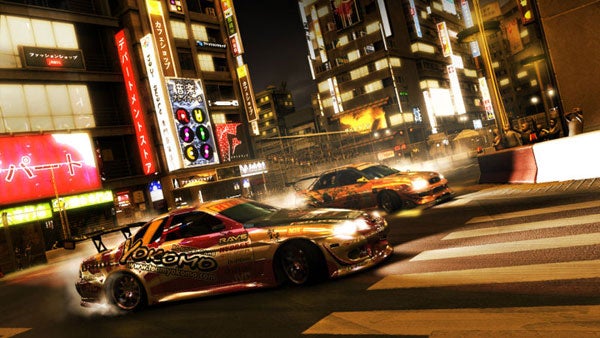
As with last year’s Colin McRae: DIRT, Codemasters has given GRID a slickness and a suspiciously US-friendly polish, but here there’s no sense that the development team has abandoned the elements that used to make the TOCA series special. GRID still scores where TOCA always scored: the racing. The tracks are packed with up to 20 racers, and each one of them is driven by an AI that won’t just sit on the racing line and wave cheerfully as you overtake. No, these sons of guns will try to block you, bash into you, and even knock you out of the way while trying to pull off some fearsome overtaking manoeuvres of their own. The competition is fierce, and even in the early stages on the easiest difficulty levels, you won’t be able to guarantee a win without some good driving or a little extra help (more of that later). What’s more, GRID’s realistic approach to car damage really does make you think twice about simply bullying your way through the pack or taking every corner with reckless abandon. The old bumper cars routine, still clearly visible in GT5: Prologue, won’t cut any ice here. 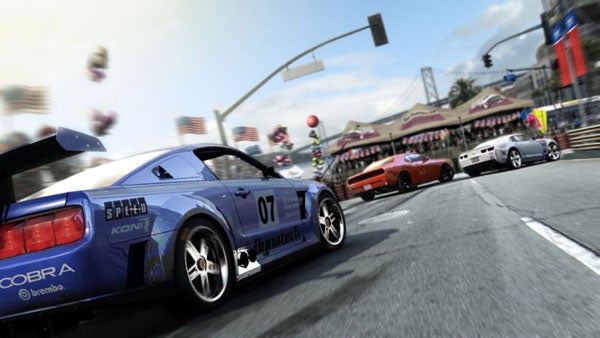
The result of this isn’t to make you feel cowed or useless on the track – it’s to give the racing a sense of risk, reward and danger that even the awesome PGR4 can’t match. The key is GRID’s most ingenious trick: a little feature called Flashback. Without it, all the carnage and aggression on the track would make the game unbearably frustrating. With it, the difficulty level is just about right. Here’s how it works. Take a bad corner on the final lap, spin off the track, write off your car or get blasted into a barrier by an over-zealous rival, and a simple press of a button puts you in an instant-replay mode. And when I say instant, I mean just a few seconds’ pause at most. Use the controls to zip forwards and backwards through a brief stretch of footage, find a good spot, whack the Flashback button, and within a moment you’ll be back on the track, doing whatever you need to in order to avoid whatever disastrous combination of events wrecked your race.
It’s a bit like the ‘sands of time’ from Prince of Persia, but fitted to a racing game, and it works like a treat. No longer will a bad move from an AI or a stupid mistake on the last of five laps leave you spitting and swearing at the screen in disbelief. No longer do you have to play it safe just because a risky manoeuvre could ruin your entire race. At the same time, you can only use Flashback a specific number of times, so while it will save your bacon at a crucial moment, you can’t employ it willy-nilly just because you’re sure you could have taken that corner slightly faster. And if you keep on crashing, you’ll eventually run out of second chances. In other words, it’s cool and not at all a game breaker.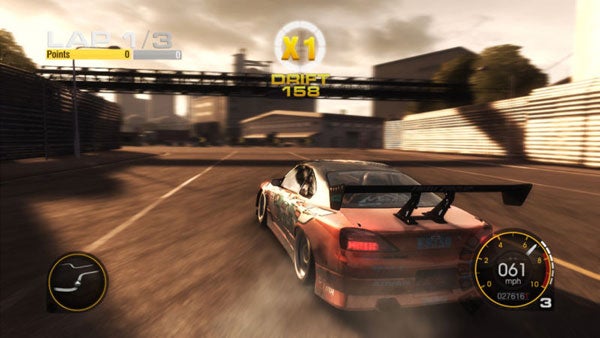
You’ll be using it for a while, because the handling takes a little getting used to. The last racing game I played in depth was GT5: Prologue, and the cars in GRID feel noticeably lighter and more bouncy on the tarmac, and more inclined to slide out if you’re too aggressive with the accelerator or the brake. Don’t worry – having acclimatised I loved the feel, and it all adds to that sense of reckless racing that makes GRID such a thriller on the track. In fact, this was the first racing game in ages where I felt excited about switching from a pad to my trusty Logitech steering wheel and pedals just so I could get a step closer to the real deal. 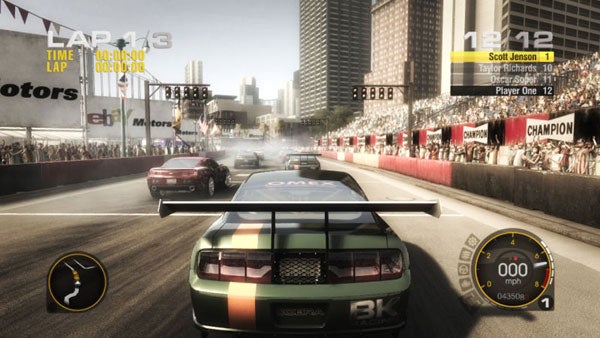
Better still, the game’s customisation options are excellent. Even if you switch off all the driving assists, switch off race restarts and lock the view to the cockpit camera (which is every bit as excellent as it was in Colin McRae: DIRT) the experience won’t be quite as realistic as FIA GTR2 on the PC, and I think the arguments between GRID fans and fans of Forza 2 or GT5: Prologue might go on for months. For me, however, it ticks all the right boxes. With the driving aids on, you can pick up the game reasonably quickly, but it takes a certain amount of skill and daring to really wring the most from your vehicle.
Meanwhile, the single-player career structure is excellent. GRID divides its races into three territories – Europe, the US and Japan – and several different types, ranging from straight races to destruction derbies, drift races and the touge; a Japanese mountain-racing tournament where two cars face off over two stretches of track. As with PGR4, it’s the variety of the events that keeps things fresh. One minute you’re engaged in a fierce muscle car brawl through the streets of San Francisco, the next you’re drifting for points on the neon-lit streets of Shibuya, the next you could be speeding through a Yokohama industrial district dodging stacks of packing crates and waiting trucks. Put that kind of thing together with plentiful car-nage and Flashback, and mucho hilarity ensues.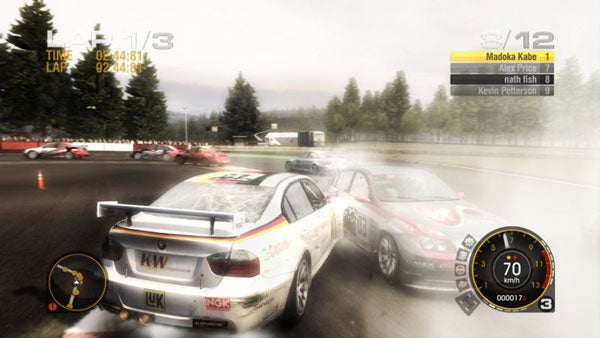
As in the TOCA Race Driver games, it’s all about simulating a racing career, but GRID differs in how it handles this. You kick off as a rookie driver with only one battered Mustang in the garage and some major repair bills to pay. You can take jobs as a fill-in driver for other teams, but once you’ve made enough to fix your vehicle you can start your own racing team and compete for yourself. It all comes down to winning cash and building your reputation – you’ll need the former to buy cars in which to compete in the various events, and the latter to earn new licenses in each of the three territories. New licenses then open up new events. The great thing is that you’re always making progress and that when you do hit a brick wall – and in this challenging driving game you will – there’s always something else you can try, whether another event or a quick little earner for another team.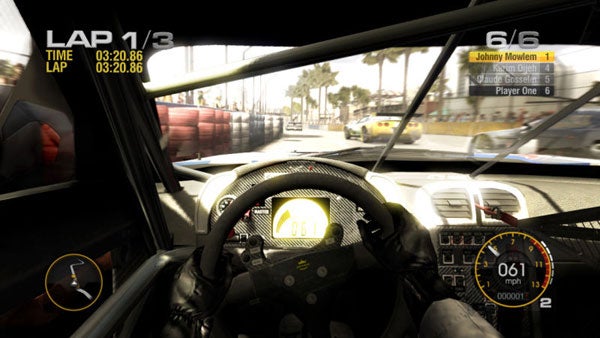
On top of this you get the very basics of team management. You’ll get offers from sponsors, which translate into cash bonuses when you achieve certain objectives in events. With only a certain number of slots on your cars you need to be careful; do you plump for high reward sponsors that only deliver when you win a race (or at least a podium place) or do you play it safe with the cheapskates who are even happy when you only finish? As the game progresses, you’ll also need to recruit and handle other drivers. As a one man band you can win all the races, but still lose the team championship to your rivals. It all helps to round the game out, and makes up for the lack of deep car customisation options.
The best news of all, however, is that GRID never falls down where its predecessor did: visual quality. You can never call this game inconsistent. Codemasters’ NEON engine was already impressive in Colin McRae: DIRT, but here it pulls off sterling work, managing up to twenty cars on spectacularly detailed tracks, complete with genuinely gorgeous lighting and some of the most lifelike reflection effects I’ve ever seen, and all with only the most occasional dropped frame or sign of tearing. I’m not usually one for copious post effects and depth-of-field or speed blurs, but here they work to give the game a rich cinematic sheen. And when something goes wrong and you see two vehicles collide in a snarling mass of shattered glass and twisted metal, the effects are breathtaking. In short, GRID really does look hot.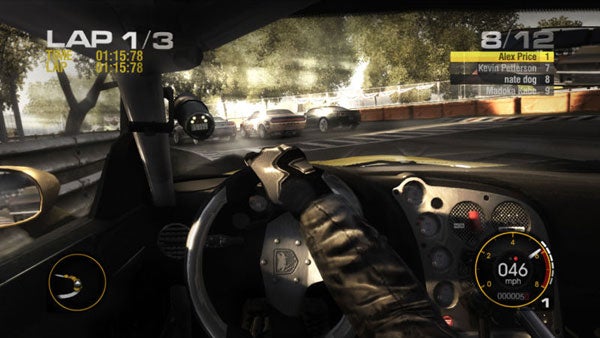
The icing on the cake is the online play. With twelve players on the track it’s fast and furious, and there’s none of the wussiness about car collisions that made GT5: Prologue a slightly odd experience when played live. Admittedly, the lack of Flashback (for obvious reasons) means you can wait several minutes to join a game only to get wiped out on the first tricky corner, but that’s a small price to pay for racing this raw and exciting. This one deserves to run and run.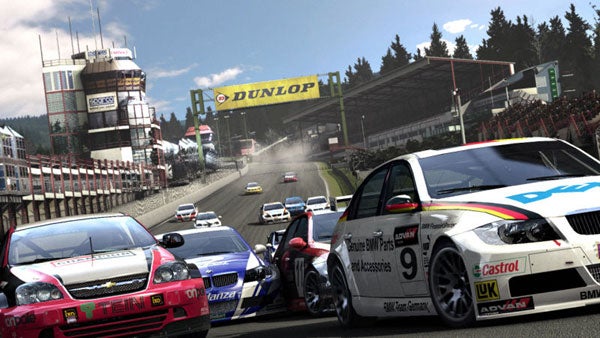
I hope that, by now, I’ve made my case clear. GRID is one of the premium driving games of this generation. On the PS3, there simply isn’t any serious competition; this is the best road racer on the system, and one that leaves GT5: Prologue feeling sterile and anaemic, for all the excellence of its visuals and its handling. I mean, even the crowd have more meat to them, cheering you on as you pass and cowering back as you plough out of control towards them. On the 360, where it faces Forza 2 and PGR4, it’s still a belter – it’s a far more engaging single-player game than the first, and it’s only the highly tuned gameplay and cool weather effects of Bizarre’s PGR swan song that make it a close call as to which game is the best. In any case, GRID deserves to be a part of any serious racer’s collection, and I’d urge anyone who even likes driving games to give it a look. You might have ignored TOCA, but this time there’s really no excuse.
”’Verdict”’
Forget the underdog tag; this time Codemasters has created one of the finest road racers of a console generation. New features like Flashbacks deserve to become standards, and the visual excellence and richness and variety of the racing make for an exceptional game.
Trusted Score
Features
| Genre | Racing |
| Player(s) | 12 |
| Online Multiplayer | With Online Multiplayer |


Editorial independence
Editorial independence means being able to give an unbiased verdict about a product or company, with the avoidance of conflicts of interest. To ensure this is possible, every member of the editorial staff follows a clear code of conduct.

Professional conduct
We also expect our journalists to follow clear ethical standards in their work. Our staff members must strive for honesty and accuracy in everything they do. We follow the IPSO Editors’ code of practice to underpin these standards.
Editorial independence
Editorial independence means being able to give an unbiased verdict about a product or company, with the avoidance of conflicts of interest. To ensure this is possible, every member of the editorial staff follows a clear code of conduct.
Professional conduct
We also expect our journalists to follow clear ethical standards in their work. Our staff members must strive for honesty and accuracy in everything they do. We follow the IPSO Editors’ code of practice to underpin these standards.
