

Verdict


Key Specifications
- Review Price: £244.00
I see an awful lot of digital cameras, most of them the very latest models, but it’s not often that I see something really new and different. However Nikon’s new CoolPix P1 is just that. It’s the first digital compact camera to come with wireless LAN, (Wi-Fi) connectivity straight out of the box. It is designed to connect to any computer, printer or other device equipped with a wireless network adapter, enabling you to download or print your pictures without having to either remove the memory card or plug in any cables.
Even aside from this clever innovation, the P1 is a very nice camera in many other ways too. Available at a high street price of a slightly steep £329, you can find it online as low as £243, although the usual caveats about grey imports apply to some retailers.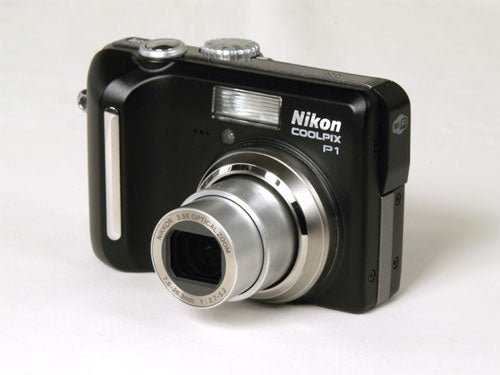
I’m not usually given to emotive outbursts, but there’s no denying that the P1 is a beautifully sleek and superbly well-designed camera. It bears a passing resemblance to the excellent CoolPix 7900, although the shape and proportions are slightly different and it has a huge 8.0MP sensor.
Build quality is outstanding, with a tough but light aluminium body available in either black or silver finishes. On the back is a very nice glare-resistant 2.5-inch LCD monitor that looks a lot sharper than its 110k pixel resolution would indicate. The control layout is simple and concise, with a good range of options available without recourse to the menu, including flash mode, macro, self timer and exposure compensation, which are selected via secondary functions of the D-pad. White balance, ISO and picture quality adjustments are quickly accessed via the mode dial on the top plate of the camera.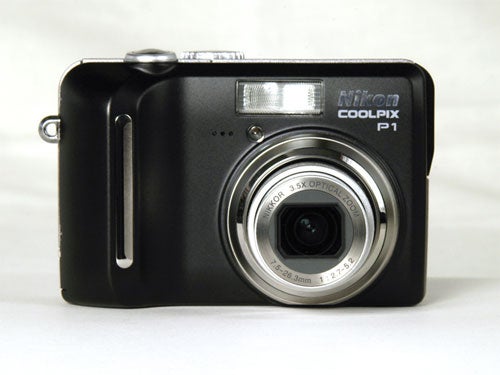
Delving into the menu reveals all of the above options duplicated for some reason, as well as metering mode, continuous drive mode, auto bracketing and adjustable contrast, sharpness and saturation. Also available is a potentially useful feature called Best Shot Selector. In this mode the camera shoots a burst of up to ten frames when the shutter is held down, and then automatically saves the sharpest one. It’s like a cheaper alternative to image stabilisation.
Even more impressive, and a lot more useful, is the P1’s Face AF, available in the Portrait scene mode. This clever but slightly unnerving piece of technical wizardry can recognise and focus on a human face anywhere in the frame. Watching it do this is rather spooky. It knows you’re there! It can see you! It seems to be almost infallible in good light, but its success rate drops off noticeably in darker or lower contrast conditions. Still, very clever.
There are 16 scene modes selected via a position on the main dial, including party/indoor, night portrait, landscape, sports, museum, panorama assist, night landscape, beach/snow, sunset, dusk/dawn, fireworks, backlight and close up. Most of them have secondary effects, including things like soft focus, enhanced colours or a starburst effects on point light sources. These modes and sub-settings are selected via the menu button.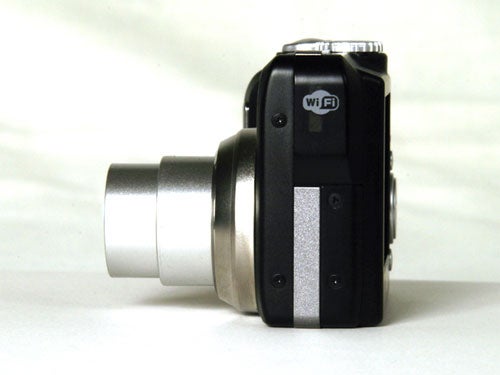
As well as scene modes, the P1 offers program auto, aperture priority and full auto “idiot-proof” mode, as well as a very good movie mode. This offers 640×480 resolution at 30 frames a second with audio, a lower res video mode, as well as a time-lapse option that can shoot up to 1800 640×480 frames at pre-set intervals between 30 seconds and 1 hour, and then compile the result into a 30fps movie. This is great for recording natural processes such as flowers growing, ice melting, the tide coming in etc.
I also have to mention that the manual is one of the best I’ve seen for a compact camera, and an object lesson that most of the other manufacturers would do well to learn. Major kudos to Nikon for that.
So, does that fancy wireless technology work then? Well yes it does, but setting it up can be tricky. The supplied wireless utility software has to be installed on a PC or laptop equipped with a wireless LAN network adapter and a profile created and transferred to the camera via the USB cable. This is fairly straightforward but if you use your PC as part of a home network via a wireless router access point, you’ll need to temporarily disable your PC’s network connection and set your wireless adapter to computer-to-computer (ad-hoc) before the camera will successfully connect to it. This isn’t a task for the faint-hearted, so unless you know what you’re doing it’s a good idea to ask someone more knowledgeable to help.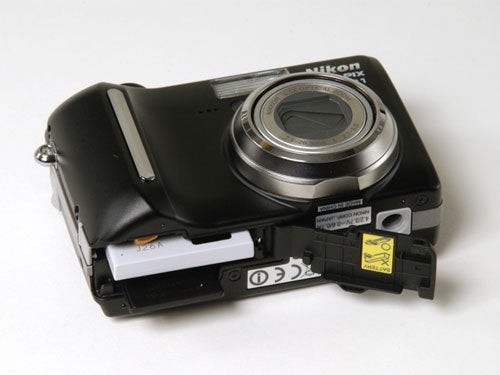
However once the wireless connection is established, it is child’s play to use, and enables easy downloading of recorded images, as well as the ability to shoot an image and transfer it directly to the laptop. Images are automatically displayed using the supplied PicturePerfect software.
Of course the wireless ability is just icing on a very tasty cake; even without it the P1 would be a superb camera by any standard. The weather this past week hasn’t been exactly conducive to high-quality photography, with grey overcast clouds and lots of rain, but the P1 has still managed to produce some outstanding shots, with bright rich colours, plenty of fine detail from that big 8.0 megapixel sensor. The exposure metering is absolutely perfect, capturing the subtleties of the light early on a frosty morning better than many semi-pro cameras that I’ve tried. A close-range wide-angle shot revealed some barrel distortion at the shortest end of the zoom range, but just stepping back a few feet and zooming in slightly eliminated this effect.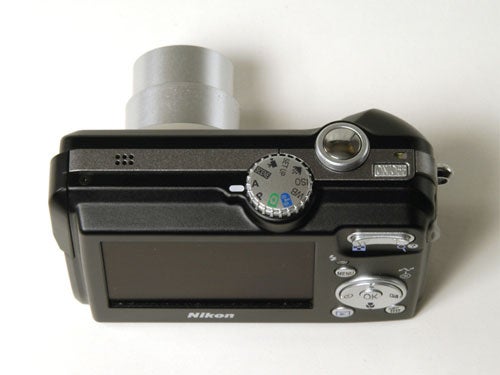
Noise control at 50 and 100 ISO is superb, with clean images at both lower speeds. There was some problem with noise at 200 and 400 ISO, but it wasn’t too bad.
Even without the wireless technology, the P1 would be an outstandingly good camera, although it does make it a little expensive compared to other cameras at this end of the market, such as the Olympus mju 800 or the Canon IXUS 55. The wireless connectivity is certainly more than a novelty, and it can match anything else in its class for picture quality.
”’Verdict”’
Even without wireless technology, the CoolPix P1 is a superb high-end compact camera, with attractive and user-friendly design, rock solid build quality, some dazzling technology and excellent picture quality. It’s a little pricy compared to some of its competition, but it’s got the quality to back it up.
(table:ft)
A range of test shots are shown over the next few pages. Here, the full size image has been reduced for bandwidth purposes, and a crop taken from the original full resolution image has been placed below it in order for you to gain an appreciation of the overall quality. The following pages consist of resized images so that you can evaluate the overall exposure. For those with a dial-up connection, please be patient while the pages download.
—-
—-
At the minimum setting of 50 ISO there is no image noise, although there is a little camera shake on this two second exposure, despite using a tripod.
—-
A one second exposure at 100 ISO and there’s still no image noise. The image is clean and sharp.
—-
At 200 ISO and a 0.6 second exposure there is some image noise, especially in the darker areas of the shot.
—-
At the maximum setting of 400 ISO there is image noise clearly visible.
”’Test Shots – Exposure Evaluation”’
This page consists of resized images so that you can evaluate the overall exposure.
—-

The P1’s exposure meter has got this shot just right, and managed to bring up plenty of detail in a shot that would have been a dull silhouette with many other cameras.
—-

The early morning light on frosty grass is a difficult exposure, but the P1 has handled it beautifully again. Note the rich colour of the grass, even in this low light.
—-
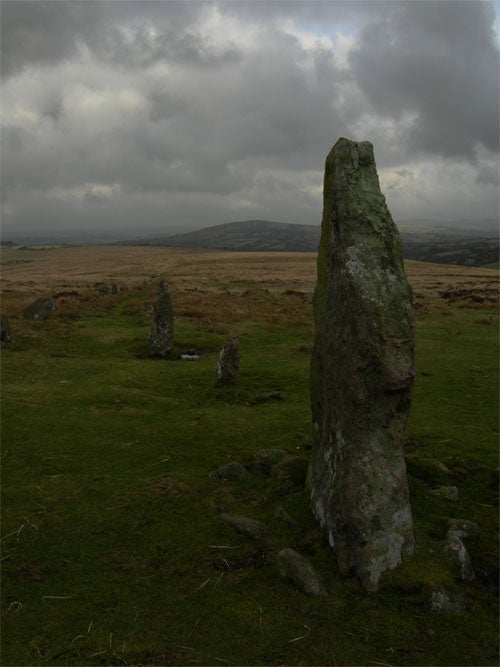
This one I particularly like. The exposure is perfect again, and there’s a huge amount of detail in the lichen on this standing stone, part of a prehistoric stone row near Fernworthy on Dartmoor.

At the very widest setting the P1’s otherwise excellent lens does suffer from some fairly bad barrel distortion. Colour rendition is nice though.
—-

Just stepping back a few feet and zooming in slightly reduces the barrel distortion to more manageable levels.
—-

As you can see, the built-in flash has excellent range and coverage. An AF illuminator helps with low-light focusing.
Trusted Score
Score in detail
-
Value 7
-
Image Quality 10
Features
| Camera type | Digital Compact |
| Megapixels (Megapixel) | 8.31 Megapixel |
| Optical Zoom (Times) | 3.5x |


Editorial independence
Editorial independence means being able to give an unbiased verdict about a product or company, with the avoidance of conflicts of interest. To ensure this is possible, every member of the editorial staff follows a clear code of conduct.

Professional conduct
We also expect our journalists to follow clear ethical standards in their work. Our staff members must strive for honesty and accuracy in everything they do. We follow the IPSO Editors’ code of practice to underpin these standards.
Editorial independence
Editorial independence means being able to give an unbiased verdict about a product or company, with the avoidance of conflicts of interest. To ensure this is possible, every member of the editorial staff follows a clear code of conduct.
Professional conduct
We also expect our journalists to follow clear ethical standards in their work. Our staff members must strive for honesty and accuracy in everything they do. We follow the IPSO Editors’ code of practice to underpin these standards.
