

Verdict


Pros
- 1080p video supported
- Great codec support
- Good SD upscaling
Cons
- No built-in WiFi
Key Specifications
- Review Price: £165.58
- 1/2TB models available
- NTFS formatted HDD as standard
- MKV support included
- HDMI port
- WiFi capable with optional accessory
There’s no denying it: media streamers are definitely cool devices to have. Playing digital media on a PC is all well and good, but it’s palpably better to do so via a TV or projector. Iomega, known to us for its NAS devices (see: the StorCentre ix4-200d, has already churned out a couple of media playing devices, upon which the ScreenPlay Director purports to improve.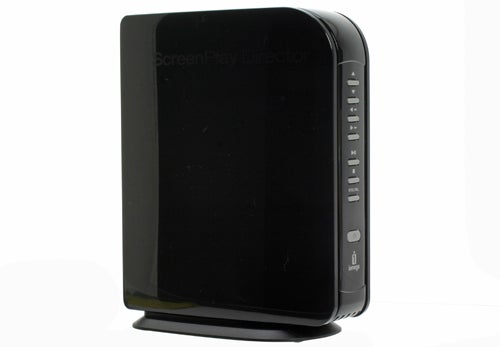
The ScreenPlay Director isn’t just able to stream media from your network. It also has a built-in hard drive for storing files on it. This comes NTFS formatted, which is good because there’s no 4GB file size limit (as found with FAT32), but bad because it means Macs can’t read the disk natively. A formatting tool is provided, if needed.
The built-in hard drive also accounts for the ScreenPlay Director’s fairly large dimensions of 145mm x 76mm x 185mm. Not that size is a particular problem with a device that will sit beside your TV – portability is hardly a necessity here.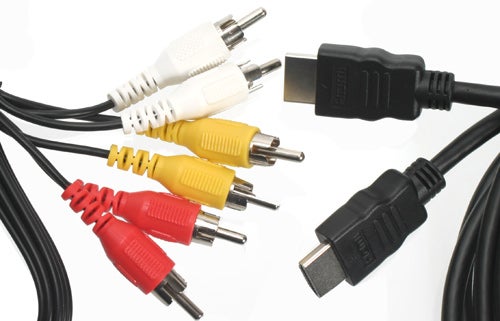
Both 1TB and 2TB models are available, and as the drive isn’t (intentionally) user-upgradeable you’ll want to pick the right capacity from the off. Pricing isn’t too bad though, with the 2TB model costing about £50 more than the £160-odd 1TB device. A USB-B connector on the device facilitates transfer of files to the ScreenPlay Director from a PC.
The additional cost of the ScreenPlay Director’s built-in hard drive over a pure media streaming device probably isn’t one you’ll want to swallow if you were just streaming. However, if you don’t want to keep your PC on constantly and don’t have a NAS device to store your media, it makes good sense. Plus it makes transporting your media to a friend’s house simpler – you don’t have to remember to copy files to an external storage device; they’re already on your player.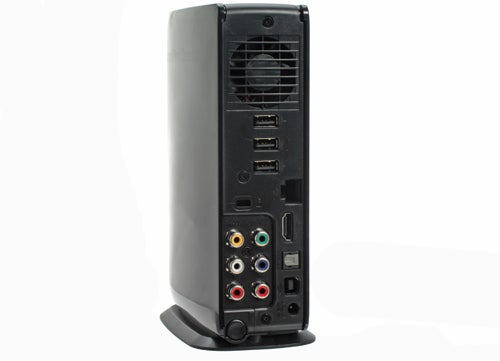
As you’d probably expect, the ScreenPlay Director will output 1080p/24Hz video, if provided with it, at the native frame rate. 1080i, 720p, 576i/p and 480i/p output is also supported, unsurprisingly. Of course resolution is only half the story – it’s no good being able to output to 1080p if you’re only playing DVD rips.
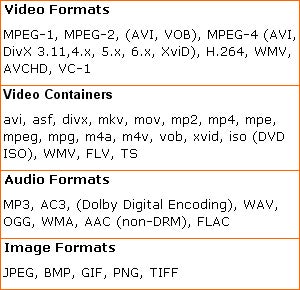
Fortunately, the ScreenPlay Director can handle just about every media format going, and certainly all the ones we’d want it to. The full menu is pretty long, but it includes important video formats such as MPEG-2, MPEG-4, H.264, AVCHD and VC-1, and common containers such as .avi, .m4a, and .mkv – subtitles will display, if provided. There’s even YouTube access, if you really want to inflict that on yourself.
Such comprehensive format support is hardly unique, but it is good to see nothing important missing. There shouldn’t be any problems in finding a suitable output connection either. The ScreenPlay Director sports the obligatory HDMI port, which is accompanied by Component and Composite video outputs and, using an adaptor, an RGB SCART connector. An optical S/PDIF audio port rounds out the array nicely.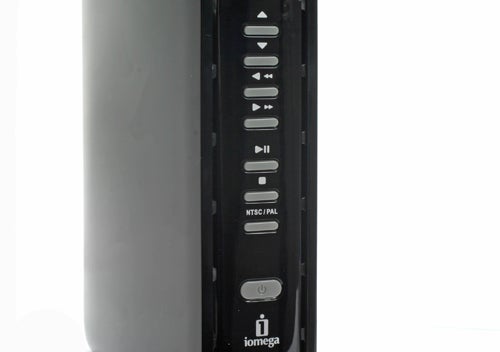
Since the ScreenPlay Director is a media streaming device, it’s hardly surprising to see it equipped with an Ethernet port. Strangely, this is only a 100/10Mbit interface, so if you happen to have any files with a greater than 12.5MB/s bit-rate (including audio, remember), you’ll find playback just a bit jittery. Still, if streaming doesn’t work there are three USB ports to connect an external drive to. One of the USB ports can be used with an optional 802.11n or 802.11b/g adaptor if you fancy adding Wi-Fi streaming to the player’s list of abilities.
The menu system is as uncomplicated as you could want, with large, easy to read text and helpful graphics aiding navigation. It’s simple and effective, providing access to all the functions you might need without making you jump through hoops to find them.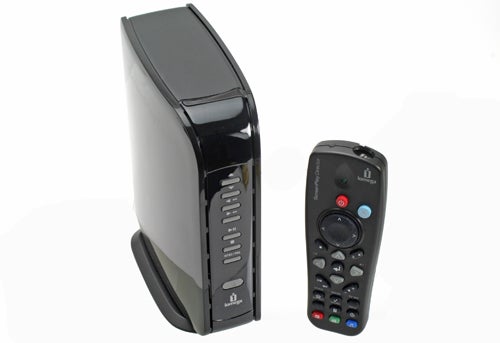
The remote control’s layout is well-considered with logically laid out buttons and quick shortcuts to the menus you’re likely to be visiting frequently. There are a number of controls on the device itself, too.
Similarly positive is playback quality. Standard definition content isn’t ever going to look spectacular on a large HD television, but the ScreenPlay Director does an admirable job of upscaling it – it’s not as good as a PS3, but that’s a much more expensive proposition. YouTube videos look expectedly naff, but that’s hardly Iomega’s fault.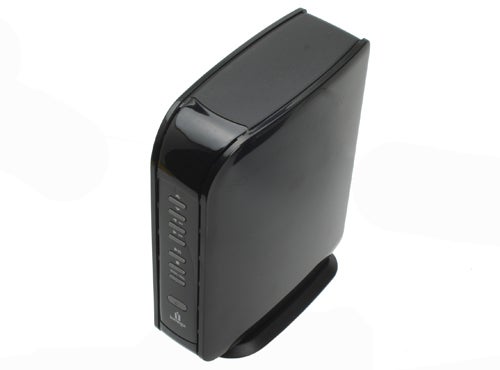
High definition playback leaves nothing wanting. Predictably, output quality is dependant on the quality of the input source. A 2GB 1080p video is hardly going to match up to a Blu-ray, but feed in a decent bit-rate source and I’d defy most viewers to notice the difference between the original and compressed encodes without really looking for it.
Verdict
The Iomega ScreenPlay Director comes equipped with a decent amount of storage space for your HD content and couples it with comprehensive format support without taking liberties with the pricing. You can’t say fairer than that.
(centre)
(/centre)
Trusted Score
Score in detail
-
Value 8


Editorial independence
Editorial independence means being able to give an unbiased verdict about a product or company, with the avoidance of conflicts of interest. To ensure this is possible, every member of the editorial staff follows a clear code of conduct.

Professional conduct
We also expect our journalists to follow clear ethical standards in their work. Our staff members must strive for honesty and accuracy in everything they do. We follow the IPSO Editors’ code of practice to underpin these standards.
Editorial independence
Editorial independence means being able to give an unbiased verdict about a product or company, with the avoidance of conflicts of interest. To ensure this is possible, every member of the editorial staff follows a clear code of conduct.
Professional conduct
We also expect our journalists to follow clear ethical standards in their work. Our staff members must strive for honesty and accuracy in everything they do. We follow the IPSO Editors’ code of practice to underpin these standards.
